
[Linux] Certbot 설치 및 갱신 설정: Let’s Encrypt 인증서


웹사이트에서 HTTPS를 활성화하려면 인증 기관(CA)에서 인증서를 설치해야 합니다. Let’s Encrypt는 2억 2500 만 개의 사이트에 TLS 인증서를 제공하는 비영리 인증 기관(CA)으로 제공하는 Certbot 설치를 통해 무료로 인증서를 발급받을 수 있습니다. CentOS, Ubuntu, Rocky Linux 등 Shell을 이용할 수 있는 사용자는 Certbot ACME 클라이언트를 사용하는 것을 권장하고 있습니다.
✅ Certbot 설치: snap 설치
2021년 이전에는 yum 설치 후 자동 갱신 시 ./letsencrypt-auto 형식의 명령으로 도메인을 자동 갱신했습니다.
 ./letsencrypt-auto certonry --standalone  -d 설치할 도메인

Your system is not supported by certbot-auto anymore.
Certbot will no longer receive updates.
Please visit https://certbot.eff.org/ to check for other alternatives.
Saving debug log to /var/log/letsencrypt/letsencrypt.log
Plugins selected: Authenticator standalone, Installer None
Please enter in your domain name(s) (comma and/or space separated)  (Enter 'c'
to cancel):
cerobot-auto의 지원이 중단되면서 “시스템이 더 이상 certbot-auto에서 지원되지 않습니다. Certbot은 더 이상 업데이트를 받지 않습니다.”와 같은 메시지를 확인한 경우가 있을 수 있습니다.
TLS/SSL 인증서 설치를 위한 Certbot 설치 시 권장 사항은 snap을 이용해서 설치하는 것을 권장합니다.
snap이 서버에 설치되었다면 snap으로 설치를 진행합니다.
~]# snap install --classic certbot
2024-07-19T10:09:48Z INFO Waiting for automatic snapd restart...
certbot 2.11.0 from Certbot Project (certbot-eff✓) installed
[certbot]명령이 실행될 수 있는지 심볼릭 링크 명령어를 실행합니다.
~]# ln -s /snap/bin/certbot /usr/bin/certbot
~]# ll /usr/bin/certbot
lrwxrwxrwx 1 root root 17 Jul 19 10:12 /usr/bin/certbot -> /snap/bin/certbot
✅ Let’s Encrypt 보안인증서 설치
~]# certbot certonly --apache
Saving debug log to /var/log/letsencrypt/letsencrypt.log
Enter email address (used for urgent renewal and security notices)
 (Enter 'c' to cancel): 사용할 이메일 주소 입력

- - - - - - - - - - - - - - - - - - - - - - - - - - - - - - - - - - - - - - - -
Please read the Terms of Service at
https://letsencrypt.org/documents/LE-SA-v1.4-April-3-2024.pdf. You must agree in
order to register with the ACME server. Do you agree?
- - - - - - - - - - - - - - - - - - - - - - - - - - - - - - - - - - - - - - - -
(Y)es/(N)o:y < 동의하기
- - - - - - - - - - - - - - - - - - - - - - - - - - - - - - - - - - - - - - - -
Would you be willing, once your first certificate is successfully issued, to
share your email address with the Electronic Frontier Foundation, a founding
partner of the Let's Encrypt project and the non-profit organization that
develops Certbot? We'd like to send you email about our work encrypting the web,
EFF news, campaigns, and ways to support digital freedom.
- - - - - - - - - - - - - - - - - - - - - - - - - - - - - - - - - - - - - - - -
(Y)es/(N)o:y < 동의하기
Which names would you like to activate HTTPS for?
We recommend selecting either all domains, or all domains in a VirtualHost/server block.
- - - - - - - - - - - - - - - - - - - - - - - - - - - - - - - - - - - - - - - -
1: mydomain.com
2: www.mydomain.com.com
- - - - - - - - - - - - - - - - - - - - - - - - - - - - - - - - - - - - - - - -
Select the appropriate numbers separated by commas and/or spaces, or leave input
blank to select all options shown (Enter 'c' to cancel):1 < 루트 도메인으로 설치
Requesting a certificate for ukcresearch.com

Successfully received certificate.
Certificate is saved at: /etc/letsencrypt/live/mydomain.com/fullchain.pem
Key is saved at:         /etc/letsencrypt/live/mydomain.com/privkey.pem
This certificate expires on 2024-10-21.
These files will be updated when the certificate renews.
Certbot has set up a scheduled task to automatically renew this certificate in the background.

- - - - - - - - - - - - - - - - - - - - - - - - - - - - - - - - - - - - - - - -
If you like Certbot, please consider supporting our work by:
 * Donating to ISRG / Let's Encrypt:   https://letsencrypt.org/donate
 * Donating to EFF:                    https://eff.org/donate-le
- - - - - - - - - - - - - - - - - - - - - - - - - - - - - - - - - - - - - - - -
마지막으로 인증서가 백그라운드에서 자동 갱신 되도록 설정되었다는 내용을 확인할 수 있습니다.
🔲 자동 갱신 테스트 하기
]# certbot renew --dry-run
Saving debug log to /var/log/letsencrypt/letsencrypt.log

- - - - - - - - - - - - - - - - - - - - - - - - - - - - - - - - - - - - - - - -
Processing /etc/letsencrypt/renewal/ukcresearch.com.conf
- - - - - - - - - - - - - - - - - - - - - - - - - - - - - - - - - - - - - - - -
Account registered.
Simulating renewal of an existing certificate for ukcresearch.com
- - - - - - - - - - - - - - - - - - - - - - - - - - - - - - - - - - - - - - - -
Congratulations, all simulated renewals succeeded:
  /etc/letsencrypt/live/mydomain.com/fullchain.pem (success)
- - - - - - - - - - - - - - - - - - - - - - - - - - - - - - - - - - - - - - - -
자동 갱신 테스트를 통해 자동 갱신 역시 정상적으로 되는 것을 확인합니다.
certbot을 갱신하는 명령은 다음 위치 중 하나에 설치됩니다.
- [/etc/crontab/]
- [/etc/cron.*/*]
- [systemctl list-timers]
✅ httpd.conf or virtual.conf 설정: 포트 접근 허용하기
<VirtualHost *:443> # 기존 80번 포트를 443 포트로 변경해 주기 #
    ServerName mydomain.com
    ServerAlias www.mydomain.com
    DocumentRoot /home/mydomain/www

   <Directory /home/호스트ID/www>
        Options -Indexes +FollowSymLinks
        AllowOverride All
        Require all granted
  </Directory>
SSLEngine on
SSLCertificateFile /etc/letsencrypt/archive/mydomain.com/cert1.pem
SSLCertificateKeyFile /etc/letsencrypt/archive/mydomain.com/privkey1.pem
SSLCertificateChainFile /etc/letsencrypt/archive/mydomain.com/chain1.pem
SSLCACertificateFile /etc/letsencrypt/archive/mydomain.com/fullchain1.pem
</VirtualHost>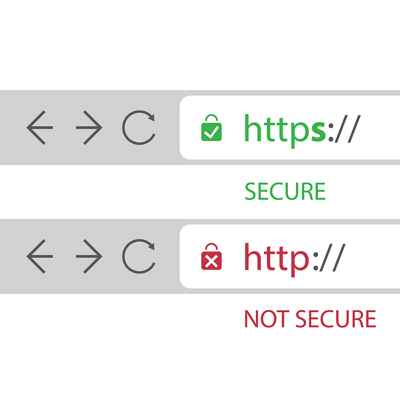
ℹ️ 제휴 안내
본 사이트의 콘텐츠에는 제휴 링크가 포함되어 있습니다. 방문자가 이 링크를 통해 상품 또는 서비스를 구매하면 본 사이트는 판매처로부터 수수료를 지급받습니다. 이 과정에서 구매자가 지불하는 금액(이벤트 할인 시 금액이 내려갑니다↓)은 오르지 않습니다. 게시된 가격·할인·재고 정보는 작성 시점 기준이며 실제와 다를 수 있으므로, 구매 전 판매처에서 최종 확인하시기 바랍니다. 상품 선정과 평가는 자체 기준에 따라 작성되며, 수수료 지급 여부가 소개 순서나 평가 내용에 영향을 주지 않습니다.