
คำสั่ง fdisk: สร้างและลบพาร์ทิชัน MBR และวิธีตรวจสอบด้วย fdisk -l
คำสั่ง fdisk คือคำสั่ง Linux ที่ใช้ตรวจดูตารางพาร์ทิชันของดิสก์ และสร้างหรือลบพาร์ทิชัน ได้สร้างตารางพาร์ทิชัน MBR บนไฟล์อิมเมจสำหรับฝึกขนาด 1 GiB แล้วแบ่งเป็นพาร์ทิชันหลักสองพาร์ทิชัน พาร์ทิชันขยาย และพาร์ทิชันโลจิคัลสองพาร์ทิชันภายในพาร์ทิชันขยายนั้น บันทึกด้วย w และยืนยันด้วย fdisk -l ว่าพาร์ทิชันทั้งห้าถูกบันทึกไว้แล้ว
ผลลัพธ์ fdisk -l ของดิสก์เซิร์ฟเวอร์ด้านล่างได้เปลี่ยนชื่อดิสก์ ขนาด รุ่น และตัวระบุเป็นค่าตัวอย่าง และหมายเลขแพตช์ต่อจาก util-linux 2.37 บนหน้าจอแรกของ fdisk กับโฟลเดอร์ทำงาน /root/work ก็เป็นค่าตัวอย่างเช่นกัน คำสั่งสร้าง ลบ และบันทึกพาร์ทิชันทั้งหมดรันบนไฟล์อิมเมจสำหรับฝึกที่สร้างด้วย truncate
1️⃣ วิธีใช้คำสั่ง fdisk เบื้องต้นและการตรวจพาร์ทิชันด้วย fdisk -l
fdisk รันได้สองแบบ ถ้าใส่ -l จะแสดงเพียงรายการดิสก์และพาร์ทิชันแล้วจบ ถ้าระบุชื่ออุปกรณ์โดยไม่ใส่ -l จะเปิดหน้าจอแบบโต้ตอบสำหรับแก้ไขพาร์ทิชัน
ถ้ารัน fdisk -l โดยไม่มีอาร์กิวเมนต์ จะแสดงดิสก์ทั้งหมดที่เชื่อมกับเซิร์ฟเวอร์
fdisk -lDisk /dev/nvme0n1: 40 GiB, 42949672960 bytes, 83886080 sectors
Disk model: Example Disk
Units: sectors of 1 * 512 = 512 bytes
Sector size (logical/physical): 512 bytes / 512 bytes
I/O size (minimum/optimal): 4096 bytes / 4096 bytes
Disklabel type: gpt
Disk identifier: 6F1C2A90-3B7E-4D52-9A1E-2C8B5D0F7E41
Device Start End Sectors Size Type
/dev/nvme0n1p1 2048 4095 2048 1M BIOS boot
/dev/nvme0n1p2 4096 413695 409600 200M EFI System
/dev/nvme0n1p3 413696 2510847 2097152 1G Linux filesystem
/dev/nvme0n1p4 2510848 83886046 81375199 38.8G Linux filesystemบรรทัดแรกคือชื่อดิสก์ ขนาดทั้งหมด และจำนวนเซกเตอร์ ส่วนบรรทัด [Disklabel type] คือชนิดตารางพาร์ทิชัน ดิสก์นี้เป็น [gpt] และตารางพาร์ทิชัน MBR จะแสดงเป็น [dos] ดิสก์ GPT สามารถแบ่งพาร์ทิชันด้วย คำสั่ง gdiskได้เช่นกัน บทความนี้อธิบายโดยยึดตารางพาร์ทิชัน MBR (dos) เป็นหลัก
ความหมายของแต่ละช่องในรายการพาร์ทิชันเป็นไปตามตารางด้านล่าง รายการของดิสก์ GPT ไม่มีช่อง [Boot] และ [Id]
| ช่อง | ความหมาย |
|---|---|
| Device | ชื่ออุปกรณ์ของพาร์ทิชัน ต่อท้ายชื่อดิสก์ด้วยหมายเลขพาร์ทิชัน (ดิสก์ nvme จะมีหมายเลขต่อจาก p เช่น p1) |
| Boot | แสดง * ที่พาร์ทิชันที่เปิดแฟล็กบูตไว้ เป็นช่องที่มีเฉพาะในตารางพาร์ทิชัน MBR (dos) |
| Start · End | หมายเลขเซกเตอร์ที่พาร์ทิชันเริ่มต้นและสิ้นสุด |
| Sectors | จำนวนเซกเตอร์ของพาร์ทิชัน เมื่อคูณด้วยขนาดเซกเตอร์ 512 ไบต์จะได้ขนาดเป็นไบต์ |
| Size | ขนาดที่แปลงเป็นหน่วยที่อ่านง่าย |
| Id | หมายเลขชนิดพาร์ทิชัน (เลขฐาน 16) เป็นช่องที่มีเฉพาะในตารางพาร์ทิชัน MBR (dos) |
| Type | ชื่อชนิดพาร์ทิชัน |
อิมเมจสำหรับฝึกคือไฟล์ว่างขนาด 1 GiB ที่สร้างด้วย truncate โปรแกรม fdisk รับพาธไฟล์แทนชื่ออุปกรณ์ได้ด้วย จึงฝึกบนหน้าจอเดียวกันได้โดยไม่แตะดิสก์จริง
truncate -s 1G /root/work/disk.imgfdisk -l /root/work/disk.imgDisk /root/work/disk.img: 1 GiB, 1073741824 bytes, 2097152 sectors
Units: sectors of 1 * 512 = 512 bytes
Sector size (logical/physical): 512 bytes / 512 bytes
I/O size (minimum/optimal): 512 bytes / 512 bytesไฟล์นี้ยังไม่มีตารางพาร์ทิชัน จึงแสดงเพียงข้อมูลดิสก์สี่บรรทัด
🔲 ตัวเลือกของคำสั่ง fdisk
| ตัวเลือก | คัดลอก | คำอธิบาย |
|---|---|---|
| -l, --list | แสดงเพียงรายการดิสก์และพาร์ทิชันแล้วจบ | |
| -o, --outputlist | แสดงเฉพาะช่องที่ต้องการ โดยเขียนชื่อช่องคั่นด้วยจุลภาค |
| ตัวเลือก | คัดลอก | คำอธิบาย |
|---|---|---|
| -b, --sector-sizesectorsize | ระบุขนาดเซกเตอร์ของดิสก์ ค่าที่ใช้ได้คือ 512, 1024, 2048, 4096 | |
| -B, --protect-boot | ไม่ล้างส่วนต้นของเซกเตอร์แรกของดิสก์เมื่อสร้างตารางพาร์ทิชันใหม่ รองรับใน GPT และ MBR | |
| -c, --compatibility[=mode] | ระบุโหมดความเข้ากันได้เป็น dos หรือ nondos ค่าเริ่มต้นคือ nondos | |
| -h, --help | แสดงวิธีใช้แล้วออก | |
| -L, --color[=when] | ใส่สีให้ผลลัพธ์ ค่า when คือ auto, never, always | |
| -x, --list-details | เหมือน --list แต่แสดงข้อมูลละเอียดกว่า | |
| --lock[=mode] | ใช้การล็อก BSD แบบผูกขาดกับอุปกรณ์หรือไฟล์ ค่า mode คือ yes, no, nonblock | |
| -n, --noauto-pt | ไม่สร้างตารางพาร์ทิชันเริ่มต้นให้อัตโนมัติบนอุปกรณ์ว่าง | |
| -s, --getsz | แสดงขนาดของอุปกรณ์บล็อกเป็นจำนวนเซกเตอร์ขนาด 512 ไบต์ เลิกใช้แล้ว (แนะนำ blockdev) | |
| -t, --typetype | รองรับเฉพาะตารางพาร์ทิชันชนิดที่ระบุ และไม่รองรับชนิดอื่น | |
| -u, --units[=unit] | แสดงขนาดเป็นหน่วย sectors หรือ cylinders เมื่อแสดงตารางพาร์ทิชัน ค่าเริ่มต้นคือ sectors | |
| -C, --cylindersnumber | ระบุจำนวนไซลินเดอร์ของดิสก์ | |
| -H, --headsnumber | ระบุจำนวนหัวอ่านของดิสก์ เป็นค่าที่ใช้ในตารางพาร์ทิชันโดยไม่เกี่ยวกับจำนวนหัวอ่านจริง ค่าที่เหมาะสมคือ 255 หรือ 16 | |
| -S, --sectorsnumber | ระบุจำนวนเซกเตอร์ต่อแทร็ก ค่าที่เหมาะสมคือ 63 | |
| -w, --wipewhen | ลบซิกเนเจอร์ของระบบไฟล์, RAID และตารางพาร์ทิชันออกจากอุปกรณ์ ค่า when คือ auto, never, always | |
| -W, --wipe-partitionswhen | ลบซิกเนเจอร์ของระบบไฟล์, RAID และตารางพาร์ทิชันออกจากพาร์ทิชันที่สร้างใหม่ ค่า when คือ auto, never, always | |
| -V, --version | แสดงข้อมูลเวอร์ชันแล้วออก |
2️⃣ สร้างพาร์ทิชันและพาร์ทิชันโลจิคัลด้วย fdisk
เมื่อจะสร้างพาร์ทิชัน ให้ระบุเพียงพาธโดยไม่ใส่ -l เพื่อเปิดหน้าจอแบบโต้ตอบ
fdisk /root/work/disk.imgWelcome to fdisk (util-linux 2.37.2).
Changes will remain in memory only, until you decide to write them.
Be careful before using the write command.
Device does not contain a recognized partition table.
Created a new DOS disklabel with disk identifier 0xf638ab13.ไฟล์นี้ไม่มีตารางพาร์ทิชัน fdisk จึงสร้างตารางพาร์ทิชัน DOS (MBR) ใหม่ไว้ในหน่วยความจำ ตามข้อความแจ้ง การเปลี่ยนแปลงที่ทำในหน้าจอนี้จะยังไม่ถูกเขียนลงดิสก์จนกว่าจะบันทึกด้วย w
ที่คำถาม [Command (m for help):] ให้พิมพ์ตัวอักษรหนึ่งตัวเพื่อเลือกงาน ถ้าพิมพ์ m จะแสดงรายการคำสั่ง
Command (m for help): m
Help:
DOS (MBR)
a toggle a bootable flag
b edit nested BSD disklabel
c toggle the dos compatibility flag
Generic
d delete a partition
F list free unpartitioned space
l list known partition types
n add a new partition
p print the partition table
t change a partition type
v verify the partition table
i print information about a partition
Misc
m print this menu
u change display/entry units
x extra functionality (experts only)
Script
I load disk layout from sfdisk script file
O dump disk layout to sfdisk script file
Save & Exit
w write table to disk and exit
q quit without saving changes
Create a new label
g create a new empty GPT partition table
G create a new empty SGI (IRIX) partition table
o create a new empty DOS partition table
s create a new empty Sun partition tableคำสั่งที่ใช้ในบทความนี้เป็นไปตามตารางด้านล่าง
| คำสั่ง | หน้าที่ |
|---|---|
| m | แสดงรายการคำสั่ง |
| p | แสดงตารางพาร์ทิชันปัจจุบัน |
| n | สร้างพาร์ทิชันใหม่ |
| d | ลบพาร์ทิชัน |
| t | เปลี่ยนหมายเลขชนิดพาร์ทิชัน |
| a | เปิดและปิดแฟล็กบูต |
| l | แสดงรายการหมายเลขชนิด |
| F | แสดงพื้นที่ว่างที่ไม่มีพาร์ทิชัน |
| o | สร้างตารางพาร์ทิชัน DOS (MBR) ว่างขึ้นใหม่ |
| w | เขียนการเปลี่ยนแปลงลงดิสก์แล้วออก |
| q | ทิ้งการเปลี่ยนแปลงแล้วออก |
ได้สร้างพาร์ทิชันแรกด้วย n โดยเลือกพาร์ทิชันหลัก (p) และหมายเลข 1 รับค่าเริ่มต้นของเซกเตอร์แรกด้วย Enter แล้วใส่ +300M ในช่องเซกเตอร์สุดท้ายเพื่อกำหนดขนาดเป็น 300 MiB
Command (m for help): n
Partition type
p primary (0 primary, 0 extended, 4 free)
e extended (container for logical partitions)
Select (default p): p
Partition number (1-4, default 1): 1
First sector (2048-2097151, default 2048):
Last sector, +/-sectors or +/-size{K,M,G,T,P} (2048-2097151, default 2097151): +300M
Created a new partition 1 of type 'Linux' and of size 300 MiB.ค่าเริ่มต้นของเซกเตอร์แรกคือ 2048 ซึ่งเป็นตำแหน่ง 1 MiB (2048 × 512 ไบต์) คู่มือของ fdisk แนะนำให้ใช้ค่าเริ่มต้น เพราะค่าเริ่มต้นและค่าระบุขนาดอย่าง +300M จะถูกจัดแนวให้เข้ากับคุณลักษณะของอุปกรณ์
ด้วยวิธีเดียวกัน ได้สร้างพาร์ทิชันหลัก 2 ขนาด 200 MiB และกำหนดพื้นที่ที่เหลือทั้งหมดเป็นพาร์ทิชันขยาย 3 ถ้าข้ามเซกเตอร์สุดท้ายด้วย Enter จะใช้พื้นที่ที่เหลือจนสุด
Command (m for help): n
Partition type
p primary (1 primary, 0 extended, 3 free)
e extended (container for logical partitions)
Select (default p): p
Partition number (2-4, default 2): 2
First sector (616448-2097151, default 616448):
Last sector, +/-sectors or +/-size{K,M,G,T,P} (616448-2097151, default 2097151): +200M
Created a new partition 2 of type 'Linux' and of size 200 MiB.Command (m for help): n
Partition type
p primary (2 primary, 0 extended, 2 free)
e extended (container for logical partitions)
Select (default p): e
Partition number (3,4, default 3): 3
First sector (1026048-2097151, default 1026048):
Last sector, +/-sectors or +/-size{K,M,G,T,P} (1026048-2097151, default 2097151):
Created a new partition 3 of type 'Extended' and of size 523 MiB.ตารางพาร์ทิชัน MBR บันทึกพาร์ทิชันหลักได้ไม่เกินสี่พาร์ทิชัน ถ้าต้องการแบ่งมากกว่านั้น ให้สร้างช่องหนึ่งเป็นพาร์ทิชันขยาย แล้วสร้างพาร์ทิชันโลจิคัลภายในนั้น หมายเลขพาร์ทิชันโลจิคัลเริ่มจาก 5
พาร์ทิชันขยายใช้พื้นที่ที่เหลือทั้งหมดอยู่แล้ว เมื่อพิมพ์ n โปรแกรม fdisk จึงเพิ่มพาร์ทิชันโลจิคัล 5 ทันทีโดยไม่ถามชนิด หลังสร้าง 5 ขนาด 100 MiB แล้วสร้าง 6 จากพื้นที่ที่เหลือ ก็ไม่มีเซกเตอร์ว่างเหลือ จึงสร้าง 7 ไม่ได้
Command (m for help): n
All space for primary partitions is in use.
Adding logical partition 5
First sector (1028096-2097151, default 1028096):
Last sector, +/-sectors or +/-size{K,M,G,T,P} (1028096-2097151, default 2097151): +100M
Created a new partition 5 of type 'Linux' and of size 100 MiB.Command (m for help): n
All space for primary partitions is in use.
Adding logical partition 6
First sector (1234944-2097151, default 1234944):
Last sector, +/-sectors or +/-size{K,M,G,T,P} (1234944-2097151, default 2097151):
Created a new partition 6 of type 'Linux' and of size 421 MiB.Command (m for help): n
All space for primary partitions is in use.
Adding logical partition 7
No free sectors available.ได้ตรวจผลการแบ่งด้วย p พาร์ทิชันขยาย 3 (Id 5) เป็นช่วงที่บรรจุพาร์ทิชันโลจิคัล 5 และ 6 ช่วง [Start] และ [End] จึงครอบทั้งสองพาร์ทิชัน
Command (m for help): p
Disk /root/work/disk.img: 1 GiB, 1073741824 bytes, 2097152 sectors
Units: sectors of 1 * 512 = 512 bytes
Sector size (logical/physical): 512 bytes / 512 bytes
I/O size (minimum/optimal): 512 bytes / 512 bytes
Disklabel type: dos
Disk identifier: 0xf638ab13
Device Boot Start End Sectors Size Id Type
/root/work/disk.img1 2048 616447 614400 300M 83 Linux
/root/work/disk.img2 616448 1026047 409600 200M 83 Linux
/root/work/disk.img3 1026048 2097151 1071104 523M 5 Extended
/root/work/disk.img5 1028096 1232895 204800 100M 83 Linux
/root/work/disk.img6 1234944 2097151 862208 421M 83 Linuxหลังตรวจแล้ว ได้พิมพ์ w เพื่อเขียนตารางพาร์ทิชันลงไฟล์อิมเมจ
Command (m for help): w
The partition table has been altered.
Syncing disks.
หลังแสดง [Syncing disks.] แล้ว fdisk ก็จบและกลับไปที่พรอมต์ของเชลล์
3️⃣ บันทึกด้วย w และยกเลิกด้วย q ใน fdisk
การเปลี่ยนแปลงใน fdisk อยู่แค่ในหน่วยความจำ และถูกเขียนลงดิสก์ทันทีที่พิมพ์ w เมื่อดูอิมเมจที่บันทึกด้วย w อีกครั้งด้วย fdisk -l พาร์ทิชันทั้งห้าก็แสดงอยู่ครบ
fdisk -l /root/work/disk.imgDisk /root/work/disk.img: 1 GiB, 1073741824 bytes, 2097152 sectors
Units: sectors of 1 * 512 = 512 bytes
Sector size (logical/physical): 512 bytes / 512 bytes
I/O size (minimum/optimal): 512 bytes / 512 bytes
Disklabel type: dos
Disk identifier: 0xf638ab13
Device Boot Start End Sectors Size Id Type
/root/work/disk.img1 2048 616447 614400 300M 83 Linux
/root/work/disk.img2 616448 1026047 409600 200M 83 Linux
/root/work/disk.img3 1026048 2097151 1071104 523M 5 Extended
/root/work/disk.img5 1028096 1232895 204800 100M 83 Linux
/root/work/disk.img6 1234944 2097151 862208 421M 83 Linuxq จะทิ้งการเปลี่ยนแปลงแล้วออก ได้ลบพาร์ทิชัน 2 ด้วย d ตรวจด้วย p ว่าหายไปจากรายการแล้ว จากนั้นออกด้วย q
fdisk /root/work/disk.imgWelcome to fdisk (util-linux 2.37.2).
Changes will remain in memory only, until you decide to write them.
Be careful before using the write command.
Command (m for help): d
Partition number (1-3,5,6, default 6): 2
Partition 2 has been deleted.
Command (m for help): p
Disk /root/work/disk.img: 1 GiB, 1073741824 bytes, 2097152 sectors
Units: sectors of 1 * 512 = 512 bytes
Sector size (logical/physical): 512 bytes / 512 bytes
I/O size (minimum/optimal): 512 bytes / 512 bytes
Disklabel type: dos
Disk identifier: 0xf638ab13
Device Boot Start End Sectors Size Id Type
/root/work/disk.img1 2048 616447 614400 300M 83 Linux
/root/work/disk.img3 1026048 2097151 1071104 523M 5 Extended
/root/work/disk.img5 1028096 1232895 204800 100M 83 Linux
/root/work/disk.img6 1234944 2097151 862208 421M 83 Linux
Command (m for help): qหลังออกด้วย q แล้วดูรายการอีกครั้ง พาร์ทิชัน 2 ที่ลบไปยังคงอยู่เหมือนเดิม
fdisk -l /root/work/disk.imgDisk /root/work/disk.img: 1 GiB, 1073741824 bytes, 2097152 sectors
Units: sectors of 1 * 512 = 512 bytes
Sector size (logical/physical): 512 bytes / 512 bytes
I/O size (minimum/optimal): 512 bytes / 512 bytes
Disklabel type: dos
Disk identifier: 0xf638ab13
Device Boot Start End Sectors Size Id Type
/root/work/disk.img1 2048 616447 614400 300M 83 Linux
/root/work/disk.img2 616448 1026047 409600 200M 83 Linux
/root/work/disk.img3 1026048 2097151 1071104 523M 5 Extended
/root/work/disk.img5 1028096 1232895 204800 100M 83 Linux
/root/work/disk.img6 1234944 2097151 862208 421M 83 Linuxถ้าพิมพ์ w บนดิสก์จริง ตารางพาร์ทิชันของดิสก์นั้นจะเปลี่ยนทันที ดังนั้นก่อนบันทึกให้ตรวจชื่ออุปกรณ์และขนาดด้วย fdisk -l อีกครั้ง
4️⃣ เปลี่ยนชนิดพาร์ทิชันและลบพาร์ทิชันด้วย fdisk
พาร์ทิชันใหม่จะถูกสร้างด้วยหมายเลขชนิด 83 (Linux) พาร์ทิชันที่จะใช้เป็น swap หรือ LVM ให้เปลี่ยนหมายเลขชนิดด้วย t ได้เปลี่ยนพาร์ทิชัน 2 เป็น 82 และ 6 เป็น 8e
fdisk /root/work/disk.imgWelcome to fdisk (util-linux 2.37.2).
Changes will remain in memory only, until you decide to write them.
Be careful before using the write command.
Command (m for help): t
Partition number (1-3,5,6, default 6): 2
Hex code or alias (type L to list all): 82
Changed type of partition 'Linux' to 'Linux swap / Solaris'.Command (m for help): t
Partition number (1-3,5,6, default 6): 6
Hex code or alias (type L to list all): 8e
Changed type of partition 'Linux' to 'Linux LVM'.ถ้าพิมพ์ l จะแสดงรายการหมายเลขชนิดทั้งหมด หมายเลขและ alias ที่ใช้บ่อยบนเซิร์ฟเวอร์ Linux เป็นไปตามด้านล่าง และที่คำถาม [Hex code or alias] สามารถพิมพ์ alias แทนหมายเลขได้
| ลำดับ | ชนิด · alias |
|---|---|
| 83 | Linux · alias linux. ชนิดเริ่มต้นของพาร์ทิชันใหม่ |
| 82 | Linux swap / Solaris · alias swap |
| 8e | Linux LVM · alias lvm |
| 5 | Extended · alias extended. พาร์ทิชันขยายที่บรรจุพาร์ทิชันโลจิคัล |
| fd | Linux raid autodetect · alias raid |
| ef | EFI (FAT-12/16/32) · alias uefi |
a ใช้เปิดและปิดแฟล็กบูตของพาร์ทิชัน หลังเปิดที่พาร์ทิชันหมายเลข 1 แล้วดูด้วย p ช่อง [Boot] ของพาร์ทิชันหมายเลข 1 มี * และ [Id] กับ [Type] ของพาร์ทิชันหมายเลข 2 และ 6 ก็เปลี่ยนไปแล้ว ผลนี้ได้บันทึกด้วย w
Command (m for help): a
Partition number (1-3,5,6, default 6): 1

The bootable flag on partition 1 is enabled now.
Command (m for help): p
Disk /root/work/disk.img: 1 GiB, 1073741824 bytes, 2097152 sectors
Units: sectors of 1 * 512 = 512 bytes
Sector size (logical/physical): 512 bytes / 512 bytes
I/O size (minimum/optimal): 512 bytes / 512 bytes
Disklabel type: dos
Disk identifier: 0xf638ab13
Device Boot Start End Sectors Size Id Type
/root/work/disk.img1 * 2048 616447 614400 300M 83 Linux
/root/work/disk.img2 616448 1026047 409600 200M 82 Linux swap / Solaris
/root/work/disk.img3 1026048 2097151 1071104 523M 5 Extended
/root/work/disk.img5 1028096 1232895 204800 100M 83 Linux
/root/work/disk.img6 1234944 2097151 862208 421M 8e Linux LVM
Command (m for help): w
The partition table has been altered.
Syncing disks.d ใช้ลบพาร์ทิชัน ได้เปิดอิมเมจที่บันทึกไว้ด้วย fdisk อีกครั้งแล้วใส่หมายเลข 9 ที่ไม่มีอยู่ ก็แสดงข้อความ [Value out of range.] และถามหมายเลขอีกครั้ง เมื่อลบพาร์ทิชันขยาย 3 พาร์ทิชันโลจิคัล 5 และ 6 ที่อยู่ภายในก็หายไปด้วย
fdisk /root/work/disk.imgWelcome to fdisk (util-linux 2.37.2).
Changes will remain in memory only, until you decide to write them.
Be careful before using the write command.
Command (m for help): d
Partition number (1-3,5,6, default 6): 9
Value out of range.
Partition number (1-3,5,6, default 6): 3
Partition 3 has been deleted.
Command (m for help): p
Disk /root/work/disk.img: 1 GiB, 1073741824 bytes, 2097152 sectors
Units: sectors of 1 * 512 = 512 bytes
Sector size (logical/physical): 512 bytes / 512 bytes
I/O size (minimum/optimal): 512 bytes / 512 bytes
Disklabel type: dos
Disk identifier: 0xf638ab13
Device Boot Start End Sectors Size Id Type
/root/work/disk.img1 * 2048 616447 614400 300M 83 Linux
/root/work/disk.img2 616448 1026047 409600 200M 82 Linux swap / Solarisการลบนี้ตรวจเพียงผลด้วย p แล้วออกด้วย q โดยไม่ได้บันทึก
🔲 ตัวจำลองคำสั่ง fdisk
ในตัวจำลองด้านล่าง สามารถพิมพ์ fdisk บนอิมเมจสำหรับฝึก disk.img ได้โดยตรง เปิดด้วย fdisk disk.img แบ่งพาร์ทิชันด้วย n บันทึกด้วย w แล้วตรวจผลด้วย fdisk -l disk.img
5️⃣ ตัวอย่างการใช้คำสั่ง fdisk ในงานจริง
🔲 ตัวอย่างการสร้างและลบพาร์ทิชันด้วย fdisk
ได้ทำตามลำดับการแบ่งพาร์ทิชันบนดิสก์ใหม่ โดยสร้างอิมเมจ disk.img ขนาด 3 GiB ขึ้นใหม่ด้วย truncate รัน fdisk แล้วสร้างตารางพาร์ทิชัน MBR ว่างด้วย o จากนั้นสร้างพาร์ทิชันหลักสองพาร์ทิชันด้วย n โดยใส่ +1G และ +500M ในช่องเซกเตอร์สุดท้าย
truncate -s 3G disk.imgfdisk disk.imgCommand (m for help): o
Created a new DOS disklabel with disk identifier 0x2dcf4156.
Command (m for help): n
Partition type
p primary (0 primary, 0 extended, 4 free)
e extended (container for logical partitions)
Select (default p): p
Partition number (1-4, default 1): 1
First sector (2048-6291455, default 2048):
Last sector, +/-sectors or +/-size{K,M,G,T,P} (2048-6291455, default 6291455): +1G
Created a new partition 1 of type 'Linux' and of size 1 GiB.
Command (m for help): n
Partition type
p primary (1 primary, 0 extended, 3 free)
e extended (container for logical partitions)
Select (default p): p
Partition number (2-4, default 2): 2
First sector (2099200-6291455, default 2099200):
Last sector, +/-sectors or +/-size{K,M,G,T,P} (2099200-6291455, default 6291455): +500M
Created a new partition 2 of type 'Linux' and of size 500 MiB.ก่อนพิมพ์ w ได้ดูรายการด้วย p และยืนยันว่าพาร์ทิชัน 1 GiB และ 500 MiB แสดงตามขนาดที่ใส่ แล้วจึงบันทึก
Command (m for help): p
Disk disk.img: 3 GiB, 3221225472 bytes, 6291456 sectors
Units: sectors of 1 * 512 = 512 bytes
Sector size (logical/physical): 512 bytes / 512 bytes
I/O size (minimum/optimal): 512 bytes / 512 bytes
Disklabel type: dos
Disk identifier: 0x2dcf4156

Device     Boot   Start     End Sectors  Size Id Type
disk.img1          2048 2099199 2097152    1G 83 Linux
disk.img2       2099200 3123199 1024000  500M 83 Linux

Command (m for help): w
The partition table has been altered.
Syncing disks.
การลบทำโดยรัน fdisk อีกครั้ง ใส่ 2 ที่ d ตรวจด้วย p ว่าเหลือพาร์ทิชันหมายเลข 1 อย่างเดียว แล้วบันทึกด้วย w
fdisk disk.imgCommand (m for help): d
Partition number (1,2, default 2): 2
Partition 2 has been deleted.
Command (m for help): p
Disk disk.img: 3 GiB, 3221225472 bytes, 6291456 sectors
Units: sectors of 1 * 512 = 512 bytes
Sector size (logical/physical): 512 bytes / 512 bytes
I/O size (minimum/optimal): 512 bytes / 512 bytes
Disklabel type: dos
Disk identifier: 0x2dcf4156

Device     Boot Start     End Sectors Size Id Type
disk.img1        2048 2099199 2097152   1G 83 Linux
Command (m for help): w
The partition table has been altered.
Syncing disks.🔲 ข้อผิดพลาดที่พบบ่อยเมื่อใช้ fdisk
ข้อผิดพลาดที่มักเกิดเมื่อใช้ครั้งแรกคือออกด้วย q แทน w ได้เพิ่มพาร์ทิชัน 500 MiB อีกครั้งด้วย n และตรวจในรายการ p จนเห็นพาร์ทิชันหมายเลข 2 แล้วลองออกด้วย q ปรากฏว่า fdisk -l แสดงเพียงพาร์ทิชันหมายเลข 1
fdisk -l disk.imgDisk disk.img: 3 GiB, 3221225472 bytes, 6291456 sectors
Units: sectors of 1 * 512 = 512 bytes
Sector size (logical/physical): 512 bytes / 512 bytes
I/O size (minimum/optimal): 512 bytes / 512 bytes
Disklabel type: dos
Disk identifier: 0x2dcf4156
Device Boot Start End Sectors Size Id Type
disk.img1 2048 2099199 2097152 1G 83 Linuxข้อผิดพลาดที่ระบุดิสก์ผิดลูกป้องกันได้ด้วยการตรวจขนาดและตัวระบุด้วย fdisk -l ก่อนเริ่มงาน เมื่อแสดงผลพร้อมกับอิมเมจ backup.img ขนาด 5 GiB ที่สร้างพาร์ทิชัน 2 GiB ไว้หนึ่งพาร์ทิชัน ก็แยกจาก disk.img ได้ด้วยบรรทัด [Disk backup.img: 5 GiB] และบรรทัด [Disk identifier: 0xd201d03b]
fdisk -l disk.img backup.imgDisk disk.img: 3 GiB, 3221225472 bytes, 6291456 sectors
Units: sectors of 1 * 512 = 512 bytes
Sector size (logical/physical): 512 bytes / 512 bytes
I/O size (minimum/optimal): 512 bytes / 512 bytes
Disklabel type: dos
Disk identifier: 0x2dcf4156
Device Boot Start End Sectors Size Id Type
disk.img1 2048 2099199 2097152 1G 83 Linux
Disk backup.img: 5 GiB, 5368709120 bytes, 10485760 sectors
Units: sectors of 1 * 512 = 512 bytes
Sector size (logical/physical): 512 bytes / 512 bytes
I/O size (minimum/optimal): 512 bytes / 512 bytes
Disklabel type: dos
Disk identifier: 0xd201d03b
Device Boot Start End Sectors Size Id Type
backup.img1 2048 4196351 4194304 2G 83 Linux🔲 ตรวจดูการเปลี่ยนแปลงในผลลัพธ์ของ fdisk -l
หลังสร้างตารางพาร์ทิชันด้วย o และบันทึกด้วย w ผลลัพธ์ของ fdisk -l มีบรรทัด [Disklabel type: dos] และบรรทัด [Disk identifier: 0x2dcf4156] เพิ่มขึ้นมา ตัวระบุนี้ตรงกับค่าที่แสดงในบรรทัด [Created a new DOS disklabel with disk identifier 0x2dcf4156.] เมื่อพิมพ์ o
ในรายการนี้ พาร์ทิชันหมายเลข 2 เริ่มที่ 2099200 ซึ่งเป็นเซกเตอร์ถัดจาก [End] 2099199 ของพาร์ทิชันหมายเลข 1 ทันที หลังลบพาร์ทิชันหมายเลข 2 รายการก็เหลือเพียง disk.img1 บรรทัดเดียว
คำสั่งอย่าง n, d, w และ q สามารถพิมพ์ลงใน ตัวจำลองคำสั่ง fdiskได้โดยตรง
🔢 FAQ & เนื้อหาแนะนำ
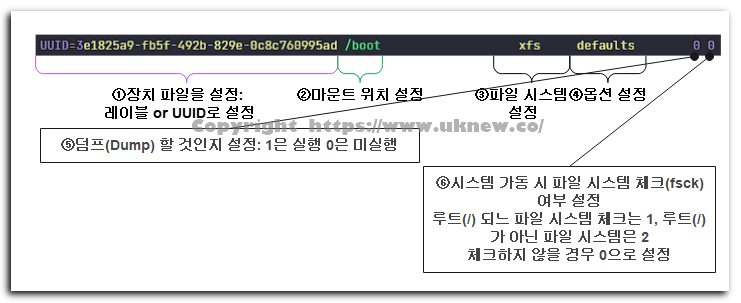
 Linux · ดิสก์
การตั้งค่าหน่วยความจำ swap (Swap Memory): 2 วิธี พาร์ทิชัน & ไฟล์ | คำสั่ง swapon, mkswap
วิธีสร้าง swap ซึ่งใช้พื้นที่ดิสก์เหมือนหน่วยความจำได้สองแบบ คือแบบพาร์ติชันและแบบไฟล์ แล้วเปิดใช้ด้วย mkswap และ swapon
 Linux · ดิสก์
คำสั่ง blkid ใน Linux | ความต่างระหว่าง UUID และ GUID
วิธีใช้ blkid ที่แสดงชนิดระบบไฟล์และ UUID ของอุปกรณ์บล็อก และความต่างระหว่าง UUID กับ GUID
 Linux · ดิสก์
คำสั่ง dd บน Linux
วิธีใช้คำสั่ง dd สำหรับคัดลอกดิสก์และพาร์ทิชัน หรือสร้างไฟล์อิมเมจ
ℹ️ ประกาศเรื่องลิงก์แอฟฟิลิเอต
เนื้อหาของเว็บไซต์นี้มีลิงก์แอฟฟิลิเอต หากผู้เข้าชมซื้อสินค้าหรือบริการผ่านลิงก์เหล่านี้ เว็บไซต์นี้จะได้รับค่าคอมมิชชันจากผู้ขาย ในกระบวนการนี้ ราคาที่ผู้ซื้อจ่าย(ราคาจะลดลงเมื่อมีโปรโมชัน↓)จะไม่สูงขึ้นแต่อย่างใด ราคา ส่วนลด และข้อมูลสต็อกที่แสดงเป็นข้อมูล ณ เวลาที่เขียนและอาจต่างจากความเป็นจริง โปรดตรวจสอบกับผู้ขายอีกครั้งก่อนซื้อ การเลือกและการประเมินสินค้าเขียนตามเกณฑ์ของเราเอง และการได้รับค่าคอมมิชชันหรือไม่ไม่มีผลต่อลำดับการแนะนำหรือเนื้อหาการประเมิน