Cloudways Staging Management даёт изолированную среду, где можно проверить новый код, плагины и темы, не затрагивая работающий сайт на WordPress. Когда мы выбрали тот же сервер и создали стейджинг-приложение, в списке приложений появилась ещё одна копия с пометкой Staging. Даже на хостинге с cPanel можно создать стейджинг-сайт WordPress, если установлен Softaculous.
При создании стейджинг-сайта появляется копия рабочего сайта. Когда всё готово, одной кнопкой можно перенести на рабочий сайт только изменённые части или всё целиком. И наоборот, можно забрать в стейджинг текущее содержимое рабочего сайта и выровнять оба сайта перед работой.
Содержание
8 мин чтения
Содержание
8 мин чтения
View more
1️⃣ 4 преимущества Cloudways Staging Management
Рабочий сайт (live), на который на самом деле заходят посетители, остаётся нетронутым, а изменения дизайна и функций вы сначала пробуете на его точной копии — тренировочном сайте (staging).
1. Сайт под паролем
На тренировочный сайт не должны попадать обычные посетители и поисковые системы, поэтому по умолчанию внешний доступ закрыт окном входа (паролем). При необходимости его можно включать и отключать.
2. Применение в один клик
Чтобы перенести изменения с тренировочного сайта на настоящий, не нужно ничего копировать и вставлять по одному: достаточно одного нажатия кнопки.
3. Точный контроль (выбор того, что переносить)
Можно перенести всю работу с тренировочного сайта или выбрать только веб-файлы либо только базу данных и применить их к настоящему сайту.
4. Стейджинг с поддержкой SSL (защищённое соединение)
На тренировочном сайте тоже заранее установлен сертификат безопасности (https), поэтому тестировать можно без ошибок в тех же условиях безопасности, что и в рабочей среде.
2️⃣ Как пользоваться Cloudways Staging Management
В панели управления Cloudways перейдите в [My Applications] › приложение › [Staging Management].
📍My Applications›my-app›Staging Management›Select a Server
Выбор сервера
Выберите в списке [New Server], который создаёт новый сервер, или текущий сервер (same server) и нажмите [Continue].
📍Flexible›My Servers
Создаётся
Открывается список серверов, а на карточке сервера видна надпись [Creating staging application]. Создание заняло около 7–9 минут.
📍Flexible›My Applications
Создано
Приложение с [Staging-] перед именем исходного приложения добавляется в самый верх списка вместе с пометкой [Staging].
unified.cloudways.com/apps/…
CLOUDWAYSmy-server › my-app › Staging Management
Staging Management
Need Help ⓘ
Cloudways Staging gives you an isolated environment where you can test new code, plugins, themes without breaking your live site. Creating a staging site will create a copy of your live site. Once you are ready, you can push selective or complete changes to your live site with the push of a button. You can also pull from the live site to update your staging site in order to sync it before working on it.
Create a Staging EnvironmentYou can set up a staging environment in a few minutes.
Staging Management provide you the following benefits
Password Protected SitesBy default, htpasswd is enabled on your staging environment for maximum security. You have the option to disable the staging’s password protection.
SSH and SFTP AccessNo more manually copying changes from a test server to production. Effortlessly transfer changes between your live site and staging with a single click.
Granular ControlsHave precise control over the content and updates you want to transfer from staging to your live sites. Choose to transfer only files, only the database, or both.
SSL-Enabled StagingSSL certificates are pre-installed on all staging applications. You can use Let’s Encrypt certificate or your custom SSL certificate.
unified.cloudways.com/apps/…
CLOUDWAYSmy-server › my-app › Staging Management
Staging Management
Need Help ⓘ
Cloudways Staging gives you an isolated environment where you can test new code, plugins, themes without breaking your live site. Creating a staging site will create a copy of your live site. Once you are ready, you can push selective or complete changes to your live site with the push of a button. You can also pull from the live site to update your staging site in order to sync it before working on it.
Create a Staging EnvironmentYou can set up a staging environment in a few minutes.
Staging Management provide you the following benefits
Password Protected SitesBy default, htpasswd is enabled on your staging environment for maximum security. You have the option to disable the staging’s password protection.
SSH and SFTP AccessNo more manually copying changes from a test server to production. Effortlessly transfer changes between your live site and staging with a single click.
Granular ControlsHave precise control over the content and updates you want to transfer from staging to your live sites. Choose to transfer only files, only the database, or both.
SSL-Enabled StagingSSL certificates are pre-installed on all staging applications. You can use Let’s Encrypt certificate or your custom SSL certificate.
Select a Server to Staging the Application
unified.cloudways.com/apps/…
CLOUDWAYSmy-server › my-app › Staging Management
Staging Management
Need Help ⓘ
Cloudways Staging gives you an isolated environment where you can test new code, plugins, themes without breaking your live site. Creating a staging site will create a copy of your live site. Once you are ready, you can push selective or complete changes to your live site with the push of a button. You can also pull from the live site to update your staging site in order to sync it before working on it.
Create a Staging EnvironmentYou can set up a staging environment in a few minutes.
Staging Management provide you the following benefits
Password Protected SitesBy default, htpasswd is enabled on your staging environment for maximum security. You have the option to disable the staging’s password protection.
SSH and SFTP AccessNo more manually copying changes from a test server to production. Effortlessly transfer changes between your live site and staging with a single click.
Granular ControlsHave precise control over the content and updates you want to transfer from staging to your live sites. Choose to transfer only files, only the database, or both.
SSL-Enabled StagingSSL certificates are pre-installed on all staging applications. You can use Let’s Encrypt certificate or your custom SSL certificate.
Select a Server to Staging the Application
my-server (same server)Database: MariaDB 10.11▾
ⓘYou are cloning an app that uses a different PHP version onto a smaller server. When multiple PHP versions are enabled per app, we recommend a server of 4 GB or higher for the best performance.
unified.cloudways.com/server
CLOUDWAYSFlexible › My Servers
Recover Server+ Add Server
1 to 1 of 1 Servers
Provider ▾Status ▾Sort by: Date Created ▾
my-server1 GB - Standard · 203.0.113.24 · London · 9th October, 2026
Creating staging applicationStaging Application Creation is in progress …View Credentials
unified.cloudways.com/apps
CLOUDWAYSFlexible › My Applications
Recover Application+ Add Application
1 to 2 of 2 Applications
Server ▾App Type ▾Environment ▾Sort by: Date Created ▾
Нажмите на активный пункт в меню слева или на кнопку на экране.
У стейджинг-приложения почти то же меню, что и у исходного, поэтому помимо установки плагинов и тем можно проверить и такие настройки, как задания cron, SSL и резервные копии.
Когда стейджинг-приложение создано, в [Staging Management] исходного приложения появляются [Pull] и [Push].
📍My Applications›my-app›Staging Management›Pull
Окно Pull
[Pull] переносит изменения из стейджинга на рабочий сайт. В окне вы выбираете из [Web Application Files] и [Database], что перенести.
📍My Applications›my-app›Staging Management›Pull
Выбор, что перенести
Для файлов выбирается [Overwrite] или [Incremental], для базы данных — [Full DB] или [Selected Tables]. Перед переносом можно сделать резервную копию рабочего сайта.
📍My Applications›my-app›Staging Management›Push
Push
[Push], наоборот, переносит изменения с рабочего сайта в стейджинг.
📍My Applications›my-app›Staging Management›Push
Окно Push
В окне Push те же поля выбора, но вопроса о резервной копии нет. Кнопка [Proceed] становится активной, когда выбран хотя бы один пункт для переноса.
unified.cloudways.com/apps/…/staging
CLOUDWAYSmy-server › my-app › Staging Management
Staging Management
Need Help ⓘ
Manage the Staging environment for your applications
Copy Data from Staging to LiveYou can pull the changes you made on Staging application to the Live application.
Staging-my-app ▾
Copy Data from Live to StagingYou can push the changes of the Live application to Staging application.
Staging-my-app ▾
Deployment LogsYou can view the deployment logs for all the Push and Pull requests.View LogsTo restore your application to a previous state, please use the Backup and Restore feature.
unified.cloudways.com/apps/…/staging
CLOUDWAYSmy-server › my-app › Staging Management
Staging Management
Need Help ⓘ
Manage the Staging environment for your applications
Copy Data from Staging to LiveYou can pull the changes you made on Staging application to the Live application.
Staging-my-app ▾
Copy Data from Live to StagingYou can push the changes of the Live application to Staging application.
Staging-my-app ▾
Deployment LogsYou can view the deployment logs for all the Push and Pull requests.View LogsTo restore your application to a previous state, please use the Backup and Restore feature.
Copy from Staging to Live
This process will copy the changes from Staging Application to the Live Application.
Do you want to backup your Live Application before moving data from Staging? This may take a while.
unified.cloudways.com/apps/…/staging
CLOUDWAYSmy-server › my-app › Staging Management
Staging Management
Need Help ⓘ
Manage the Staging environment for your applications
Copy Data from Staging to LiveYou can pull the changes you made on Staging application to the Live application.
Staging-my-app ▾
Copy Data from Live to StagingYou can push the changes of the Live application to Staging application.
Staging-my-app ▾
Deployment LogsYou can view the deployment logs for all the Push and Pull requests.View LogsTo restore your application to a previous state, please use the Backup and Restore feature.
Copy from Staging to Live
This process will copy the changes from Staging Application to the Live Application.
Exclude path ⓘ
public_html/SaveCancel
+ Add additional paths
Do you want to backup your Live Application before moving data from Staging? This may take a while.
unified.cloudways.com/apps/…/staging
CLOUDWAYSmy-server › my-app › Staging Management
Staging Management
Need Help ⓘ
Manage the Staging environment for your applications
Copy Data from Staging to LiveYou can pull the changes you made on Staging application to the Live application.
Staging-my-app ▾
Copy Data from Live to StagingYou can push the changes of the Live application to Staging application.
Staging-my-app ▾
Deployment LogsYou can view the deployment logs for all the Push and Pull requests.View LogsTo restore your application to a previous state, please use the Backup and Restore feature.
unified.cloudways.com/apps/…/staging
CLOUDWAYSmy-server › my-app › Staging Management
Staging Management
Need Help ⓘ
Manage the Staging environment for your applications
Copy Data from Staging to LiveYou can pull the changes you made on Staging application to the Live application.
Staging-my-app ▾
Copy Data from Live to StagingYou can push the changes of the Live application to Staging application.
Staging-my-app ▾
Deployment LogsYou can view the deployment logs for all the Push and Pull requests.View LogsTo restore your application to a previous state, please use the Backup and Restore feature.
Copy from Live to Staging.
This process will copy the changes from Live Application to the Staging Application.
Exclude path ⓘ
public_html/SaveCancel
+ Add additional paths
Нажмите на активный пункт в меню слева или на кнопку на экране.
🔣 Плагин резервного копирования UpdraftPlus
Для простой задачи вроде проверки одного плагина можно воспользоваться плагином UpdraftPlus, который сразу восстанавливает темы, плагины и базу данных WordPress. Перед установкой плагина или изменением настроек вы создаёте файл резервной копии, а после теста восстанавливаете его.
Не нужно ничего восстанавливать командами на сервере или через панель хостинга — достаточно одной мыши.
Можно. На тестовом сервере мы выбрали текущий сервер (same server), и в окне выбора сервера появилось уведомление, что приложение с другой версией PHP будет клонировано на сервер поменьше. В нём советовали сервер от 4GB, если ваши приложения используют несколько версий PHP. После нажатия [Continue] стейджинг-приложение создалось как обычно.
В списке [Applications] нажмите ⋮ › [Delete Application] в строке стейджинг-приложения и введите DELETE в окне подтверждения. В этом окне предупреждают, что приложение без резервной копии после удаления восстановить нельзя. На тестовом сервере оно исчезло из списка через 3–4 минуты после удаления.
ℹ️ О партнёрских ссылках Материалы этого сайта содержат партнёрские ссылки. Если посетитель покупает товар или услугу по такой ссылке, сайт получает комиссию от продавца. При этом сумма, которую платит покупатель (при акционных скидках сумма снижается ↓), не увеличивается. Указанные цены, скидки и наличие актуальны на момент написания и могут отличаться, поэтому перед покупкой уточняйте их у продавца. Товары выбираются и оцениваются по нашим собственным критериям, а комиссия не влияет ни на порядок, ни на содержание обзоров.


 Cloudways
Резервное копирование Cloudways
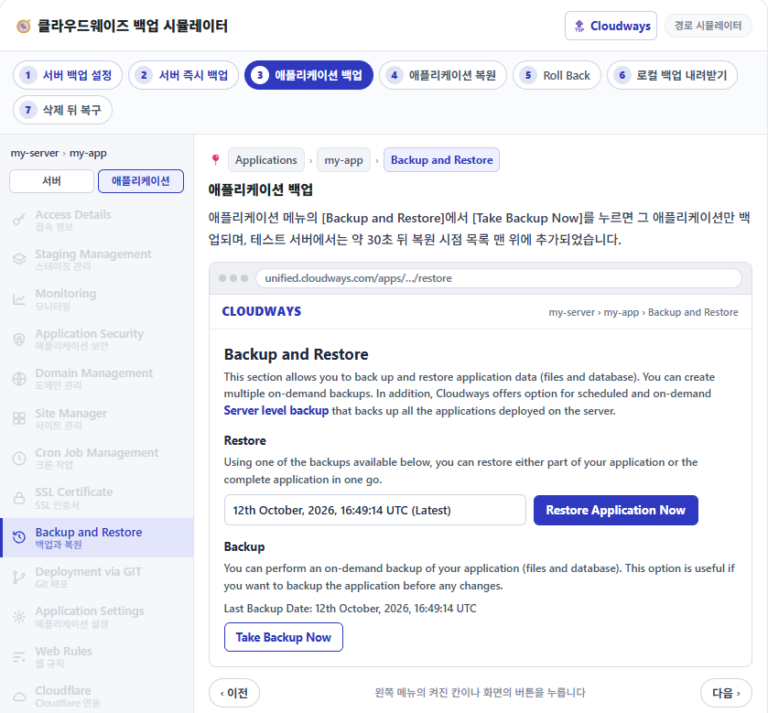
Периодичность и срок хранения бэкапов сервера, а также как выбрать и восстановить одно приложение.

 Cloudways
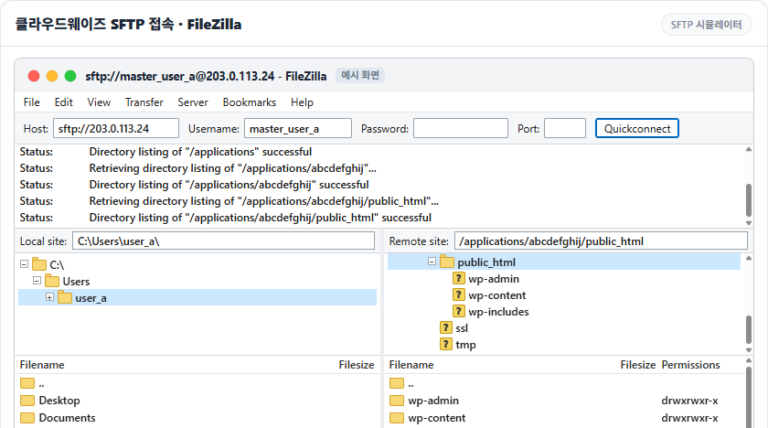
Как подключиться к Cloudways по SFTP & SSH
Настройка FileZilla, добавление SSH-ключей и белый список IP.