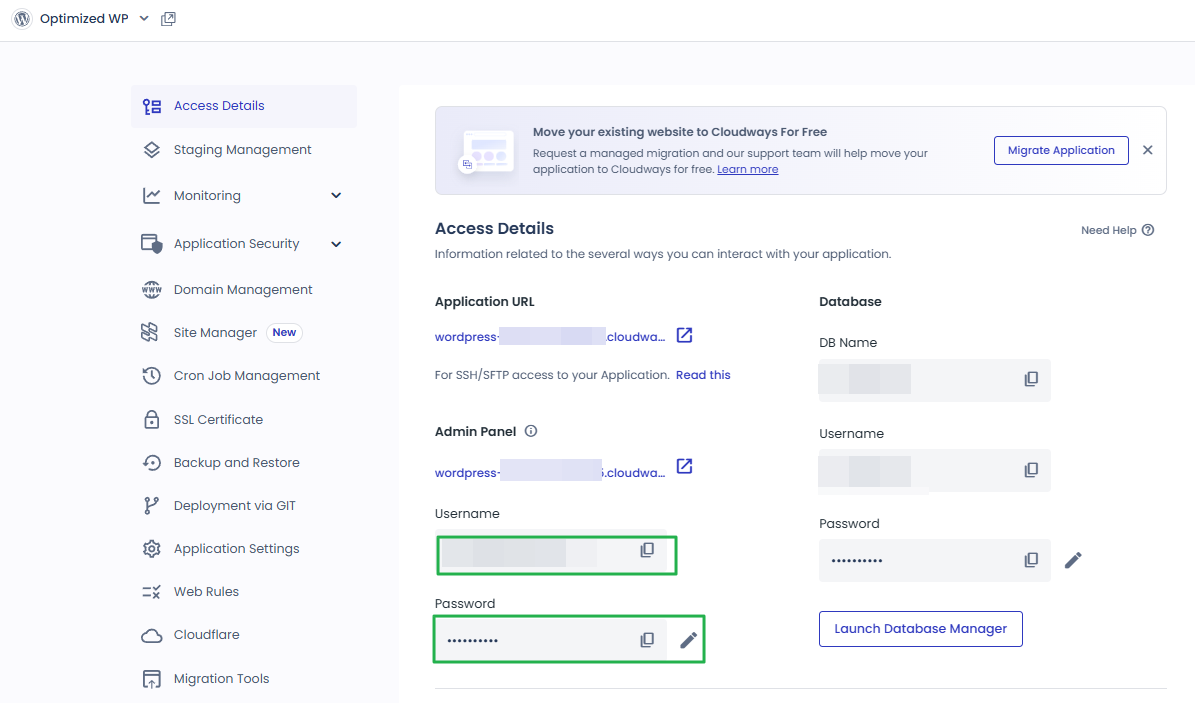
You have the Master credentials above to gain the access for SFTP or SSH (e.g using Putty) Alternatively, you can upload multiple SSH Public Keys to your Cloudways server to access it without password prompts.
SSH Public Keys
Or, launch SSH terminal in your browser by clicking the button below.
Launch SSH Terminal
unified.cloudways.com/apps/…/access_detail
CLOUDWAYSmy-server › my-app › Access Details
Application Credentials
You can create and use multiple Application credentials for SFTP or SSH access to this Application. More details
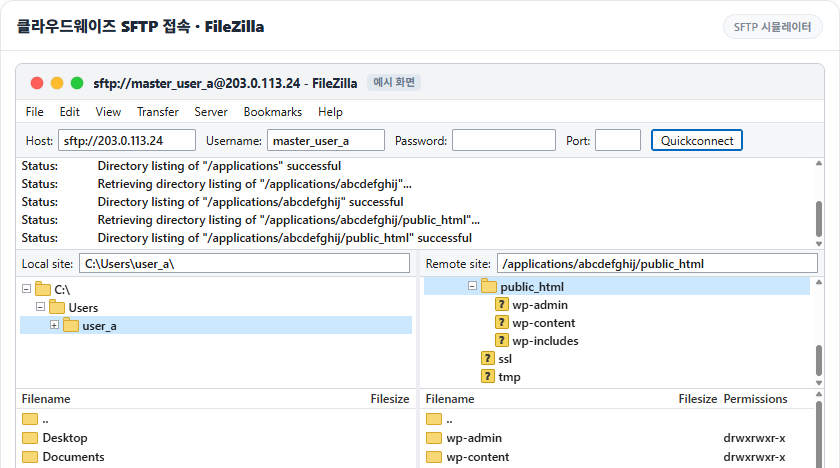
在 Host 輸入加上 [sftp://] 的 Public IP,或在 Port 輸入 22,再貼上主帳號或應用程式登入資訊的 Username 與 Password。第一次連線會開啟 [Unknown host key] 視窗,勾選 [Always trust this host, add this key to the cache] 後按 [OK],之後連線就不會再出現這個視窗。
Generating public/private ed25519 key pair.Enter file in which to save the key (/root/.ssh/id_ed25519): /root/.ssh/cloudways_ed25519Enter passphrase for '/root/.ssh/cloudways_ed25519' (empty for no passphrase): Enter same passphrase again: Your identification has been saved in /root/.ssh/cloudways_ed25519Your public key has been saved in /root/.ssh/cloudways_ed25519.pubThe key fingerprint is:SHA256:xxxxxxxxxxxxxxxxxxxxxxxxxxxxxxxxxxxxxxxxxxx my-keyThe key's randomart image is:+--[ED25519 256]--+| o. o*|| . .. .o.|| .. .o || .. o. . .+ o|| .o=S.o +o.E || ==*=o. o. || oo=oBo. || .+O+o || oB* |+----[SHA256]-----+
📍Master Credentials›SSH Public Keys›Add/Update SSH Keys
金鑰清單
新增的金鑰會以 [Label] 名稱顯示在同一個視窗,用鉛筆與垃圾桶圖示修改或刪除。
unified.cloudways.com/server/…/access_detail
CLOUDWAYSmy-server › Master Credentials
Master Credentials
Need Help ⓘ
SFTP and SSH access details for all applications
Public IP
203.0.113.24
Username
master_user_a
Password
••••••••••
You have the Master credentials above to gain the access for SFTP or SSH (e.g using Putty) Alternatively, you can upload multiple SSH Public Keys to your Cloudways server to access it without password prompts.
Or, launch SSH terminal in your browser by clicking the button below.
The authenticity of host '203.0.113.24 (203.0.113.24)' can't be established.ED25519 key fingerprint is SHA256:xxxxxxxxxxxxxxxxxxxxxxxxxxxxxxxxxxxxxxxxxxx.This key is not known by any other names.Are you sure you want to continue connecting (yes/no/[fingerprint])? yesWarning: Permanently added '203.0.113.24' (ED25519) to the list of known hosts.Linux 1234567.cloudwaysapps.com 6.1.0-53-amd64 #1 SMP PREEMPT_DYNAMIC Debian 6.1.187-1 (2026-09-07) x86_64******************************PLEASE NOTE********************************* If this a new instance, cloud-init may still be running and normal ** operations may not work as expected. ** ** Please use `cloud-init status' to check on the status of the instance ** provisioning ** ** Remove this message by editing /etc/motd **************************************************************************Last login: Sun Oct 11 02:13:08 2026 from 198.51.100.7master_user_a@1234567:~$
能以 SSH·SFTP 連到 Cloudways 伺服器的 IP,在伺服器的 [Security] › [Shell Access] 設定。預設值是 [Allow all IP addresses, except those blocked by the Cloudways security system.],允許所有 IP 連線,多次輸錯登入資訊的 IP 會被 Cloudways 安全系統封鎖。
選擇 [Block all IP addresses, except those on the Whitelist.],在 [Add IP to Whitelist] 輸入要連線的電腦的 公用 IP,再按 [Add]。確認清單中的 IP 正確後,按 [Save Changes]。
Manage Shell Access and whitelist your IP and/or IP subnets for SSH/SFTP and MySQL connections.
SSH/SFTPMySQL
Allow all IP addresses, except those blocked by the Cloudways security system.By default, allow all IP addresses and let the Cloudways security system blocks those that try to exploit SSH/SFTP on your server. In other instances, you can lock yourself out if you input the incorrect credentials several times. To avoid lockouts, you can whitelist your IPs.
Block all IP addresses, except those on the Whitelist.By default, block all IP addresses except those on the whitelist. To allow an IP to SSH/SFTP to your server, you will need to whitelist the IP first.
Whitelist IPAdd IP to Whitelist198.51.100.7
198.51.100.7
*To apply your changes, please click on the SAVE CHANGES button.
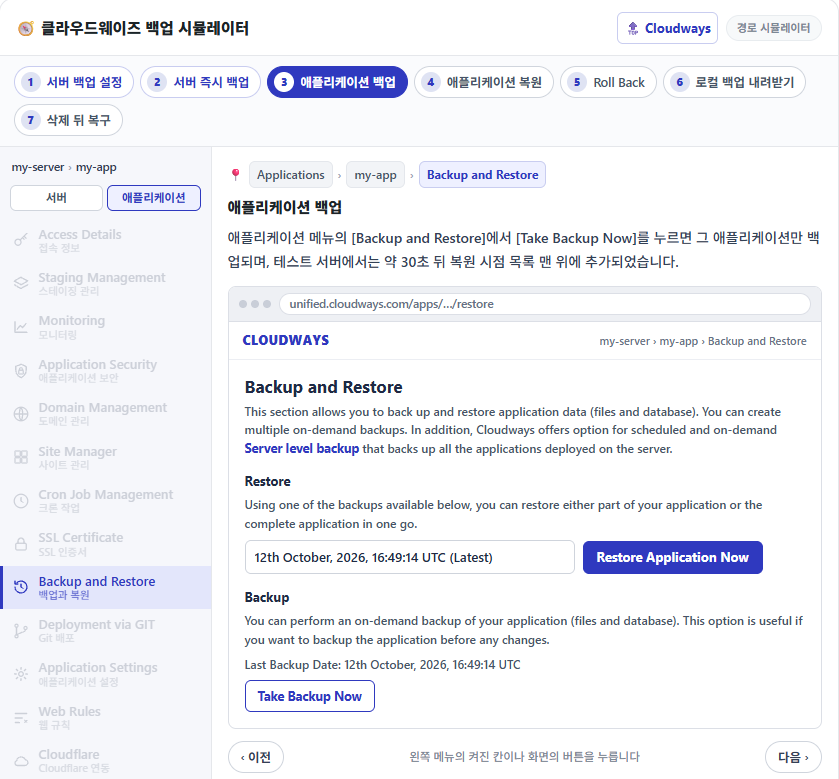
點選左側選單中亮起的項目或畫面上的按鈕。
在測試伺服器上只加入一台電腦的 IP 並儲存後,清單中的電腦照樣能連線;不在清單中的另一台伺服器則顯示 [ssh: connect to host 伺服器 IP port 22: Connection timed out]。
白名單模式下若清單留空就儲存,包括自己電腦在內的所有 IP 都會被擋。這時 Cloudways 管理畫面仍然打得開,只要在同一個選單改回預設值並儲存,就能重新連線。