
WordPress REST API: Why Block Only Logged-Out Requests Instead of Disabling It
The WordPress REST API exposes your site's usernames through the wp-json address, even to visitors who are not logged in. Disabling it completely can make the block editor fail to save, so this guide shows how to block only logged-out requests and confirm it with a 401 response.
1️⃣ What Is the WordPress REST API: The wp-json Address and What It Does
The WordPress REST API is a built-in WordPress feature that exchanges site data such as posts, pages, and users in JSON format, and it responds under /wp-json/ after the site address.
Under /wp-json/, addresses are split by data type, such as [wp/v2/posts], [wp/v2/pages], and [wp/v2/users], and each of these addresses is called an endpoint. The block editor also sends requests to these addresses when it saves a post.
https://example.com/wp-json/
https://example.com/wp-json/wp/v2/posts
https://example.com/wp-json/wp/v2/pages
https://example.com/wp-json/wp/v2/users2️⃣ Usernames Exposed Through wp-json
The [wp/v2/users] endpoint returns a display name and a slug for each user who has published posts, and by default the slug contains the login username as is. On the test site, https://testpilotweb.com/, the administrator account's slug was also the same as its login username.
Once the login username is exposed, an attacker only needs to find the password to log in, and the test site's WordPress login page recorded 2,570 brute-force attempts on October 7, 2026 alone.
Even after this address is blocked, the same username remains in the author page address (/author/username/).
3️⃣ What Breaks When You Disable It Completely
Disabling the WP REST API entirely first breaks saving in the block editor, which is why Perfmatters, one of the WordPress optimization plugins, splits the scope into two levels: [Disable for Non-Admins] and [Disable When Logged Out]. On sites with author or contributor accounts, [Disable for Non-Admins] also blocks those accounts from saving posts.
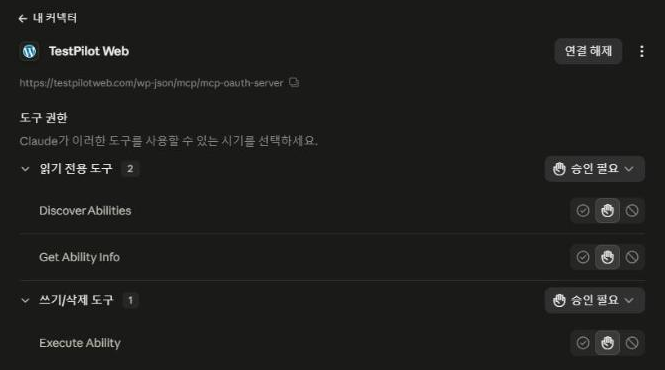
Even on a site that blocked only logged-out requests, connecting an MCP connector in claude.ai showed 0 tools after authentication finished. The server log recorded every MCP request as 401, and the cause was Perfmatters blocking the request before MCP checked the token.
| [Disable REST API] value | users address for logged-out visitors | Saving by non-admin accounts | Best for |
|---|---|---|---|
| Default (Enabled) | Usernames exposed | Saves | — |
| Disable for Non-Admins | 401 | Save fails | Sites without author or contributor accounts |
| Disable When Logged Out | 401 | Saves | Sites with author accounts; add exception paths for token connections such as MCP |
4️⃣ Blocking Only Logged-Out Requests (Perfmatters)
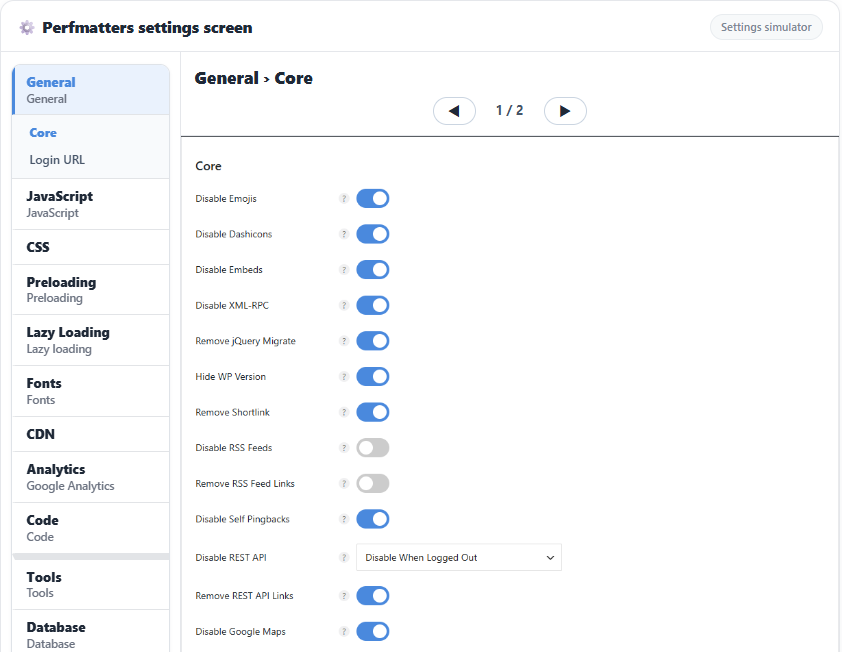
In the WordPress admin, go to [Settings] → [Perfmatters] → [General], change [Disable REST API] under [Core] to [Disable When Logged Out], and click [Save Changes].
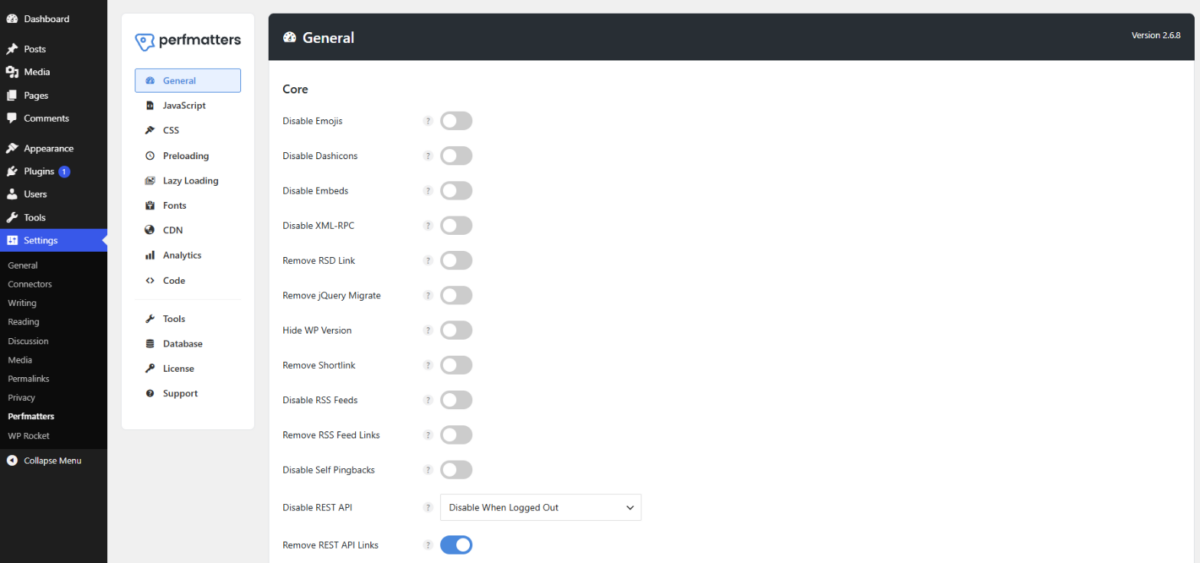
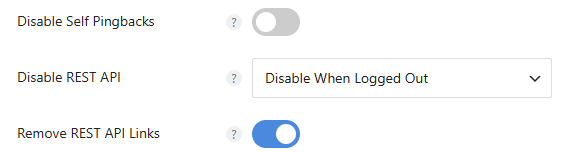
Perfmatters supported languages: English (default), Korean, German, French, Italian, Dutch, Portuguese (Brazil), Russian, Ukrainian, Turkish, Bulgarian, Hungarian, Indonesian, Persian, Chinese (Simplified)
When you open /wp-json/wp/v2/users in an incognito window without logging in, it returns a 401 response with the message [Sorry, you do not have permission to make REST API requests.], while the block editor keeps saving posts when you are logged in.
[
  {
    "id": 1,
    "name": "User A",
    "slug": "user_a",
    "link": "https://example.com/author/user_a/"
  }
]
{
  "code": "rest_authentication_error",
  "message": "Sorry, you do not have permission to make REST API requests.",
  "data": { "status": 401 }
}
5️⃣ Adding Exceptions to Blocked Paths
When you need to open only a specific path while blocking, add that path to Perfmatters' [perfmatters_rest_api_exceptions] filter. The claude.ai MCP connector's 0-tools problem was solved by creating a PHP snippet in the Perfmatters [Code] menu and making only the MCP path an exception.
add_filter('perfmatters_rest_api_exceptions', function($exceptions) {
    $exceptions[] = '/mcp/mcp-oauth-server';
    return $exceptions;
});
Even after adding the exception, requests without a token are blocked by MCP itself with a 401 response and the message [MCP authentication required.], while /wp-json/wp/v2/users keeps returning Perfmatters' 401 response.
[MCP authentication required.]
[Remove REST API Links] in the same [Core] section only removes the api.w.org link from the page head and response headers; the WP REST API itself keeps responding.
🔢 FAQ & Recommended Content


 MCP
WP Rocket MCP Server
How to connect AI tools so they clear the cache and change settings instead of the admin screen.
MCP
WP Rocket MCP Server
How to connect AI tools so they clear the cache and change settings instead of the admin screen.
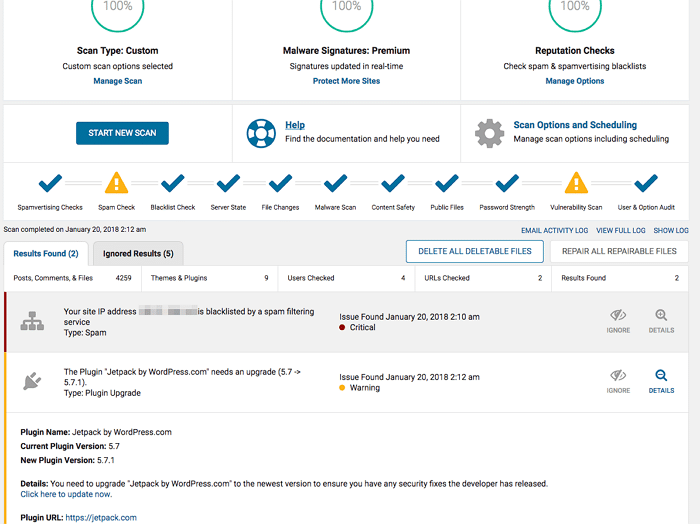 Security
Wordfence vs iThemes Security
A comparison of two security plugins that block brute-force attacks and malware.
Security
Wordfence vs iThemes Security
A comparison of two security plugins that block brute-force attacks and malware.
ℹ️ Affiliate Disclosure
This site's content contains affiliate links. When a visitor buys a product or service through one of them, the site receives a commission from the seller. The amount the buyer pays(it goes down during event discounts ↓)does not go up. Posted prices, discounts, and stock reflect the time of writing and may differ, so confirm with the seller before buying. Products are chosen and reviewed by our own standards, and commissions do not affect the order or content of reviews.