
IMAGIFY Settings: WordPress Image Optimization Plugin


WordPress image optimization plugins convert JPEG or PNG images to WebP and compress images losslessly or lossily. According to HTTP Archive data, images make up 40–50% of page weight on average, and image optimization plugins reduce that weight to speed up WordPress websites. IMAGIFY, which I have used for about two years, is one of the plugins that make websites load faster.
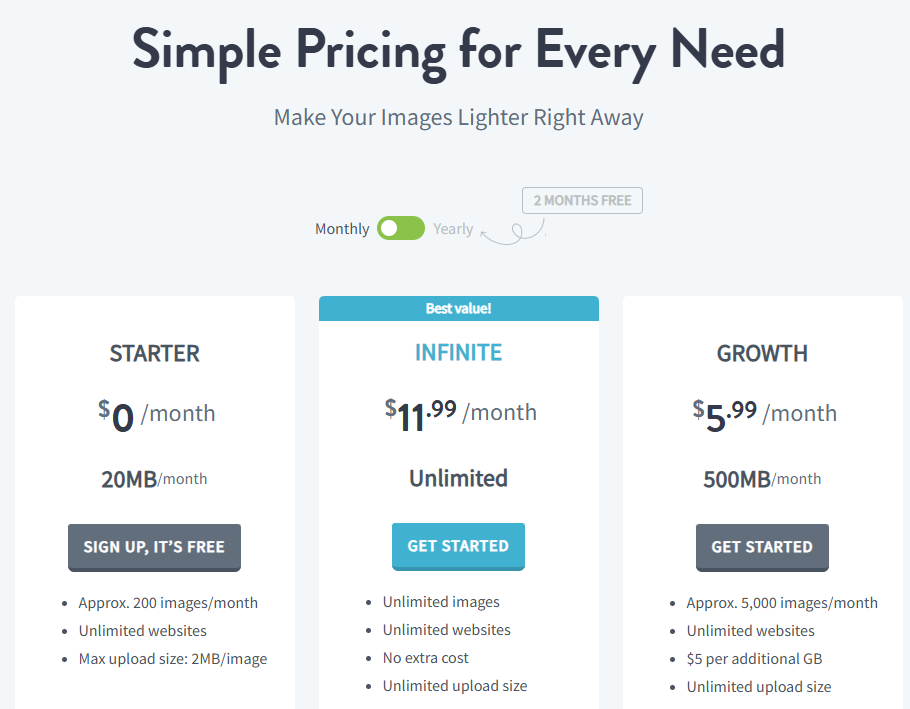
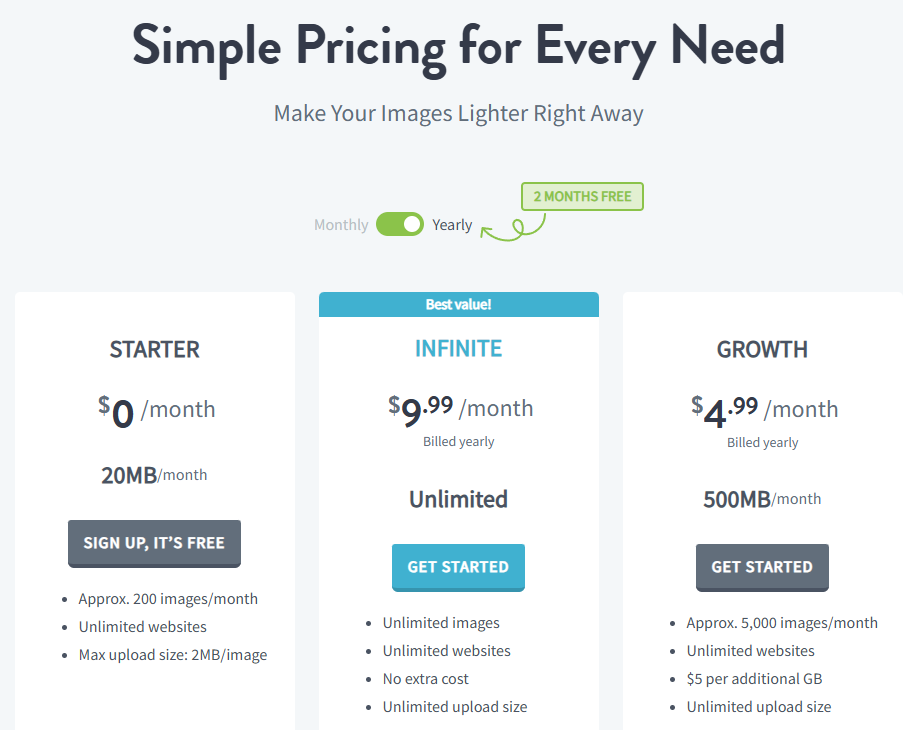
The free plan optimizes 20MB, about 200 images, a month, so there is plenty of time to decide on a paid plan after trying it.
It compresses images into web-optimized formats. There are other image optimization plugins, but this page covers how to set up this one.
1️⃣ IMAGIFY Settings
After installing the plugin, check [Optimize images automatically on upload] to enable it.
![IMAGIFY - image optimization plugin settings screen 1 [English]](https://uknew.co/storage/2025/09/IMAGIFY-%EC%9D%B4%EB%AF%B8%EC%A7%80-%EC%B5%9C%EC%A0%81%ED%99%94-%ED%94%8C%EB%9F%AC%EA%B7%B8%EC%9D%B8-%EC%84%A4%EC%A0%95-%ED%99%94%EB%A9%B4-1%EC%98%81%EC%96%B4-1024x499.png "IMAGIFY Settings: WordPress Image Optimization Plugin 1")
![IMAGIFY - image optimization plugin settings screen 2 [English]](https://uknew.co/storage/2025/09/IMAGIFY-%EC%9D%B4%EB%AF%B8%EC%A7%80-%EC%B5%9C%EC%A0%81%ED%99%94-%ED%94%8C%EB%9F%AC%EA%B7%B8%EC%9D%B8-%EC%84%A4%EC%A0%95-%ED%99%94%EB%A9%B4-2%EC%98%81%EC%96%B4-1024x632.png "IMAGIFY Settings: WordPress Image Optimization Plugin 2")
![IMAGIFY - image optimization plugin settings screen 3 [English]](https://uknew.co/storage/2025/09/IMAGIFY-%EC%9D%B4%EB%AF%B8%EC%A7%80-%EC%B5%9C%EC%A0%81%ED%99%94-%ED%94%8C%EB%9F%AC%EA%B7%B8%EC%9D%B8-%EC%84%A4%EC%A0%95-%ED%99%94%EB%A9%B4-3%EC%98%81%EC%96%B4-1024x363.png "IMAGIFY Settings: WordPress Image Optimization Plugin 3")
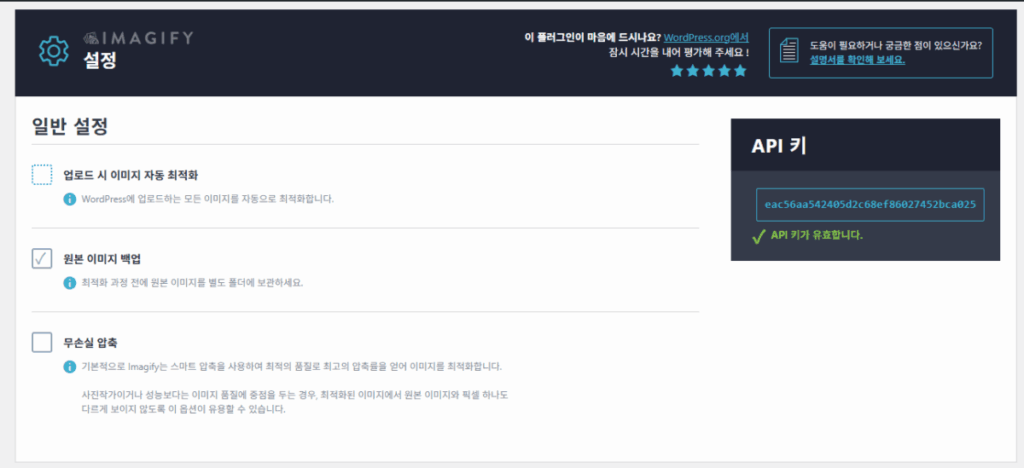
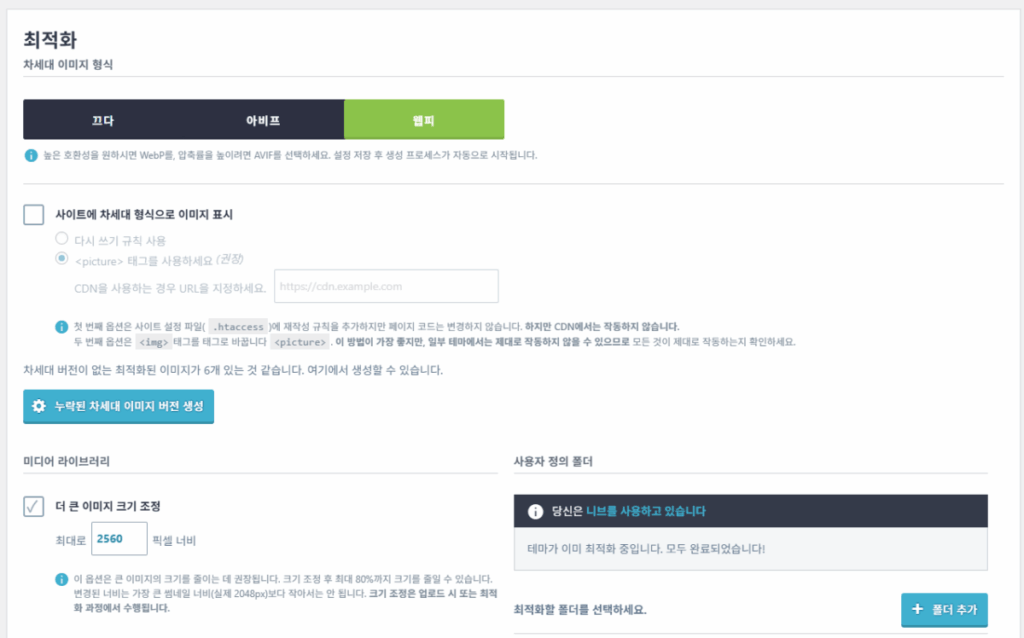
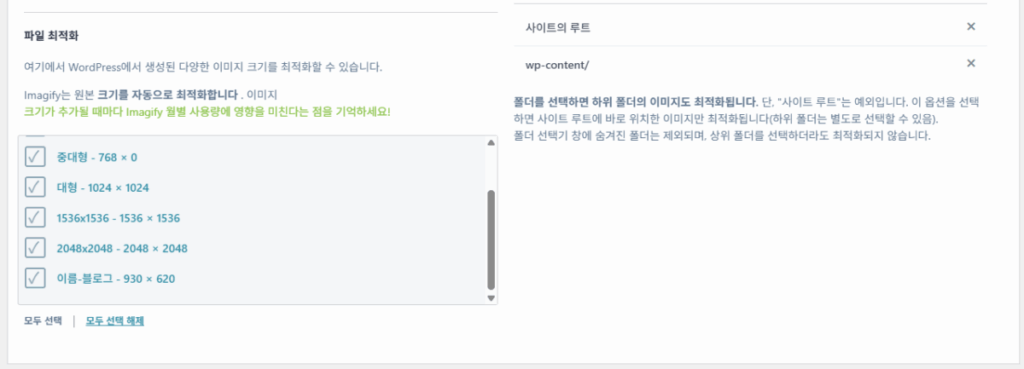
[Display images in Next-Gen format on the site] — check it to follow the recommendation, and if you use a CDN, you can add the CDN URL.
These two are the basic settings, and you can see which images have been optimized in the admin under [Media] > [Library].
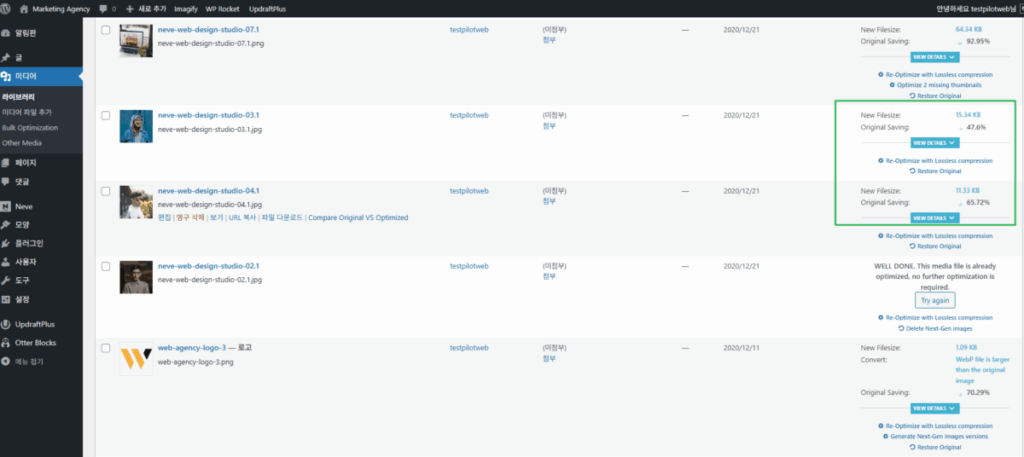
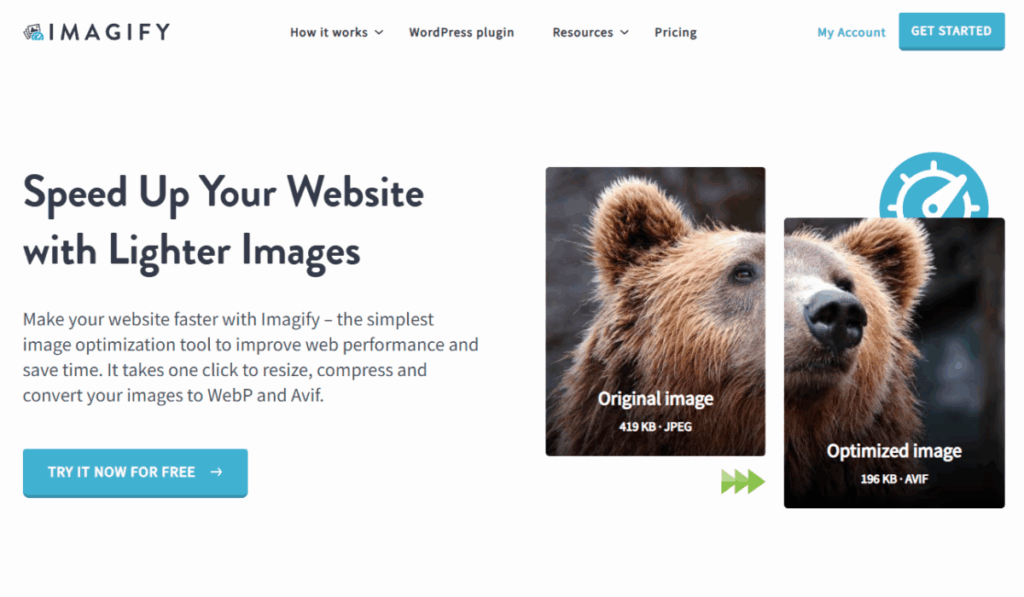
The main page shows a range of information.
2️⃣ Pricing
ℹ️ Affiliate Disclosure
This site's content contains affiliate links. When a visitor buys a product or service through one of them, the site receives a commission from the seller. The amount the buyer pays(it goes down during event discounts ↓)does not go up. Posted prices, discounts, and stock reflect the time of writing and may differ, so confirm with the seller before buying. Products are chosen and reviewed by our own standards, and commissions do not affect the order or content of reviews.