
GeneratePress: Installing the Free Theme, Basic Settings (Customizer) and Premium Differences


GeneratePress is a free WordPress theme by Tom Usborne that lets you change the layout, colors and fonts in the Customizer without code. I installed version 3.6.1 on a WordPress 7.1.3 site that uses a block theme, checked the free settings in Live Preview without activating it, and compared them with the GP Premium pricing table.
1️⃣ Installing GeneratePress and Live Preview
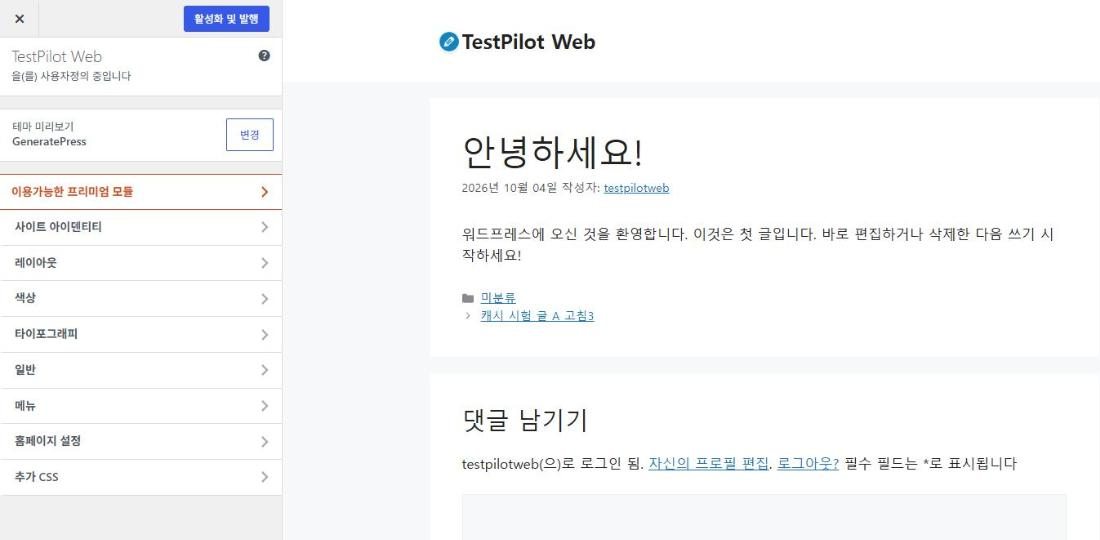
You can open the theme settings in Live Preview even before activating the theme. Search for GeneratePress under Appearance › Themes › [Add Theme] and install it, and the card shows [Activate] and [Live Preview]. Clicking [Live Preview] opens the Customizer with GeneratePress while your current theme stays as it is, and the theme adds four sections: Layout, Colors, Typography and General.

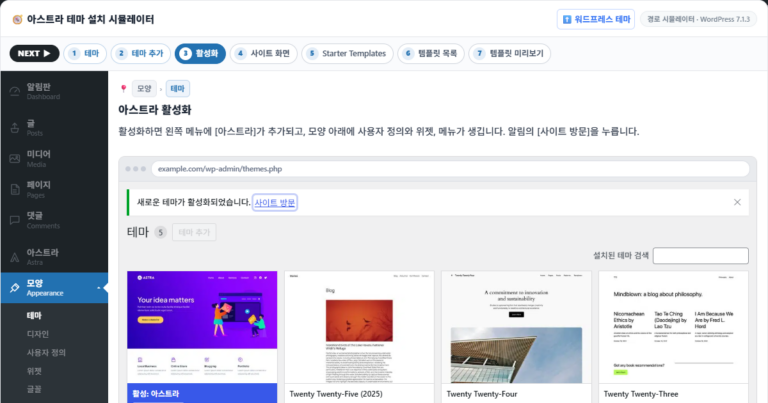
[Active:] on the first card marks the theme currently applied to the site; of the two buttons on the GeneratePress card, [Live Preview] opens the settings screen.
In the WordPress.org theme directory, GeneratePress has more than 500,000 active installations and a rating of 4.9 from 1,427 reviews. Version 3.6.1, released on December 1, 2025, works with WordPress 6.5 and PHP 7.4 or later.
Values you change in the Customizer don't reach the site until you click [Activate & Publish] at the top. On a site that uses a block theme, WordPress doesn't add a widgets section to the Customizer, so widgets don't appear in the list.


작성자 Tom Usborne
GeneratePress는 속도와 유용성에 중점을 둔 경량 워드프레스 테마입니다. 성능은 우리에게 중요하므로 새로운 GeneratePress 설치가 페이지 크기에 10kb(gzipped) 미만을 추가합니다. 우리는 블록 편집기(Gutenberg)를 최대한 활용하여 콘텐츠 생성에 대한 더 많은 제어를 제공합니다. 페이지 빌더를 사용하는 경우 GeneratePress가 적합한 테마입니다. Beaver Builder 및 Elementor를 포함한 모든 주요 페이지 빌더와 완벽하게 호환됩니다. WordPress 코딩 표준에 대한 강조 덕분에 우커머스를 포함하여 잘 코딩된 모든 플러그인과의 완벽한 호환성을 자랑할 수 있습니다. GeneratePress는 완벽하게 반응하고 유효한 HTML/CSS를 사용하며 놀라운 사용자 커뮤니티를 통해 25개 이상의 언어로 번역됩니다. 많은 기능 중 일부에는 60개 이상의 색상 컨트롤, 강력한 동적 타이포그래피, 5개의 탐색 위치, 5개의 사이드바 레이아웃, 드롭다운 메뉴(클릭 또는 가리키기) 및 9개의 위젯 영역이 포함됩니다. 자세한 내용을 알아보고 https://generatepress.com에서 강력한 프리미엄 버전을 확인하십시오.
- GenerateBlocks
- GenerateBlocks
- —
- Importing theme options
- Installing plugins
- Importing content
- Importing widgets and menus
워드프레스에 오신 것을 환영합니다. 이것은 첫 글입니다. 바로 편집하거나 삭제한 다음 쓰기 시작하세요!
워드프레스에 오신 것을 환영합니다. 이것은 첫 글입니다. 바로 편집하거나 삭제한 다음 쓰기 시작하세요!
2️⃣ GeneratePress layout settings
Page width and sidebar position are set in the Layout panel of the Customizer. The panel has six sections: Container, Header, Primary Navigation, Sidebars, Footer and Blog; the Top Bar appears only when the Top Bar widget area has widgets.
The default container width is 1200px, and the default content layout is [Separate Containers], which splits the content and each sidebar widget into their own white boxes. Switch to [One Container] and the content and sidebar share a single white background, leaving only the gray background outside.

There are six sidebar layouts: you can have one sidebar, two, or none at all. The default [Content / Sidebar] puts a 360px sidebar to the right of an 840px content column inside the 1200px container. Pages, the blog post list and single posts each get their own sidebar setting.
The menu position is set in [Navigation Location] under Primary Navigation, and the default [Float Right] puts the menu to the right of the logo inside the header. The table below collects each section's default and available values, down to the header presets, the number of footer widgets and the content type of the blog post list.
| Field | Settings | Default | Available values |
|---|---|---|---|
| Container | Container Width | 1200px | Slider · number input |
| Container | Content Layout | Separate Containers | One Container |
| headers | Header Presets | Currently, | The other 7 |
| Primary Navigation | Navigation Location | Float Right | Below Header · Above Header · Float Left · Left Sidebar · Right Sidebar · No Navigation |
| Sidebars | Sidebar Layout | Content / Sidebar | Sidebar / Content · Content (no sidebars) · Sidebar / Content / Sidebar · Sidebar / Sidebar / Content · Content / Sidebar / Sidebar |
| Footer | Footer Widgets | 3 | 0~5 |
| Blog | Content Type | Excerpt | Full Content |
3️⃣ GeneratePress colors and typography: the 7 global colors and the Font Manager
Site-wide colors are set in the global colors at the top of the Colors panel, which hold 7 colors: 3 Contrast, 3 Base and 1 Accent. Colors for each area, such as the content, header, buttons and sidebar widgets, are set in the 10 collapsed sections below. The page background (#f7f8f9) uses Base 2 and the content box, header and sidebar widget boxes (#ffffff) use Base 3 by default, so changing those two colors changes those areas together.

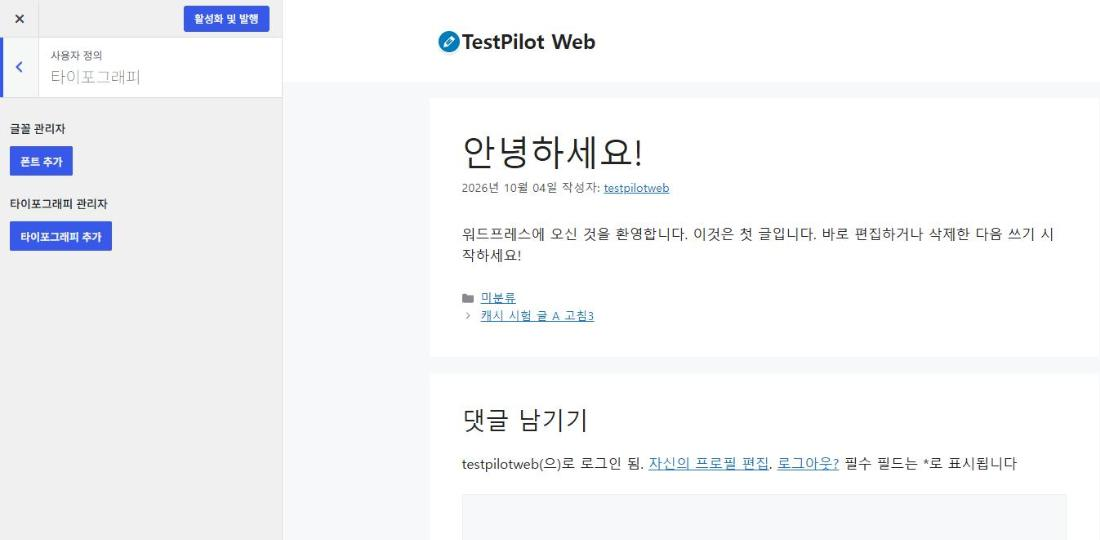
Fonts are registered with [Add Font] in the Typography panel, and then [Add Typography] picks the targets for that font. There are 21 targets, including the body, site title, primary menu items, buttons, H1–H6, widget titles and the footer bar.
4️⃣ GP Premium differences: the free version, GP Premium and GeneratePress One pricing
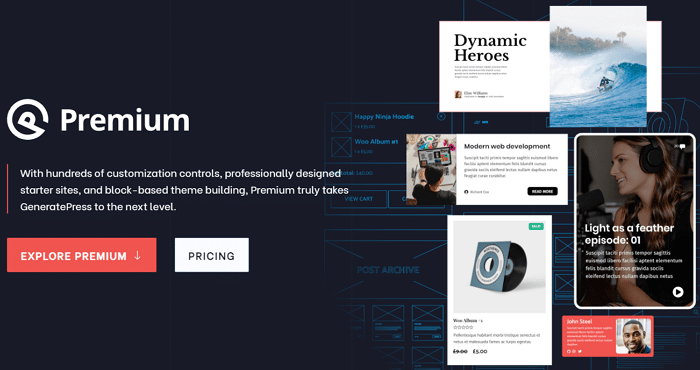
GP Premium is a paid plugin that adds a Theme Builder for creating theme elements such as the site footer and the 404 page in the block editor. The starter site library, sticky navigation, a mobile header and extra color, font and spacing settings are also part of GP Premium.
GP Premium costs $59 a year, covers up to 500 sites and includes one year of updates and support. The subscription renews automatically every year and can be canceled from your account at any time, and refunds are available within 30 days of purchase.
GeneratePress One, which bundles GenerateBlocks Pro and GenerateCloud as well, costs $149 a year, while buying the two products separately costs $99 a year each. GenerateCloud requires GenerateBlocks Pro.
| Product | Annual price | Official pricing page description |
|---|---|---|
| GP Premium | $59 | Theme Builder · starter sites · 1 year of updates and support |
| GenerateBlocks Pro | $99 | Blocks and patterns for the block editor |
| GenerateCloud | $99 | Shared pattern library · requires GenerateBlocks Pro |
| GeneratePress One | $149 | Bundle of all three products |
The prices in the table are annual prices in US dollars, checked on the official pricing page on October 19, 2026.
5️⃣ Which sites suit the GeneratePress theme: choosing between the free version and GP Premium
The free version is enough for sites such as blogs and company profiles, where you set the container, sidebars, colors and fonts in the Customizer and build the content with the block editor.
To build a whole site at once from a starter site, you need GP Premium. Sites that need sticky navigation or a mobile header also end up choosing GP Premium.
GeneratePress also suits sites that want lighter pages. According to the official description, a fresh GeneratePress install adds less than 10KB (gzipped) to a page, and the default stylesheet in 3.6.1, [main.min.css], shrinks from 19.5KB to 4.7KB with gzip. When I opened the official demos under the same conditions on August 31, 2026 and measured the transfer size by theme, the result was again GeneratePress 17.8KB versus Astra 143.2KB.
🔢 FAQ & Recommended Content
 Free themes · comparison
Best Free WordPress Themes: Top 9
A comparison table of nine free themes, including Neve, Astra and GeneratePress.
Free themes · comparison
Best Free WordPress Themes: Top 9
A comparison table of nine free themes, including Neve, Astra and GeneratePress.
 Install · activate
Installing and activating a WordPress theme
A post that walks through installing and activating a theme in the admin area and then opening the Customizer, using GeneratePress as the example.
Install · activate
Installing and activating a WordPress theme
A post that walks through installing and activating a theme in the admin area and then opening the Customizer, using GeneratePress as the example.
 Appearance · Customize
WordPress Appearance: Themes, Customize, Widgets and Menus
The order for setting up the four admin items: Themes, Customize, Widgets and Menus.
Appearance · Customize
WordPress Appearance: Themes, Customize, Widgets and Menus
The order for setting up the four admin items: Themes, Customize, Widgets and Menus.
ℹ️ Affiliate Disclosure
This site's content contains affiliate links. When a visitor buys a product or service through one of them, the site receives a commission from the seller. The amount the buyer pays(it goes down during event discounts ↓)does not go up. Posted prices, discounts, and stock reflect the time of writing and may differ, so confirm with the seller before buying. Products are chosen and reviewed by our own standards, and commissions do not affect the order or content of reviews.