Small Business Web Hosting Costs: Shared, Cloud and Managed Hosting for a WordPress Website, and What to Manage


Affiliate disclosure v3.1
Affiliate disclosure v3.2 (mobile)
Test environment CloudwaysDebian 12Nginx + ApacheWordPress 7.1.3Checked 2026-10-18

Web hosting cost is the fee for renting a server to put your website on, and for a small business's WordPress website it is set by choosing one of three approaches: shared hosting, managed cloud or managed WordPress. Using one shop website as the benchmark, I checked the official prices of the three approaches on the same day and measured the managed cloud on a test server: the monthly cost ranged from $2.99 to $35.

I haven't run the other providers myself, so what I say about them is based on the official pricing pages and documentation I opened on October 18, and the measured numbers come from the managed-cloud test server.

1️⃣ What a small business website needs: site type and who will manage it

With a small website it's easy to think picking the smallest plan is enough. A shop website's resource use stays under the plan limits in all three approaches, so cost and effort depend not on resources but on the type of site and who will manage it. How the three approaches split up a server is covered in the WordPress hosting evaluation criteria article; this post only covers the conditions a small business should look at when choosing.

There are three conditions to decide first. The first is the site type: the hosting you need differs depending on whether it's a shop website showing your introduction, location and phone number, a site where visitors enter bookings, or a small online store with payments. The second is whether someone will handle plugin updates and backup checks every month, and the third is whether you need mailboxes in the you@domain format.

Right after installing one WordPress site on the managed-cloud test server, the application size was 125MB and memory use was 479MB of 955MB. Compared with the 20GB of storage in shared hosting's lowest plan, a shop website's size is not a deciding factor.

🧭 Hosting for a small business website: conditions and the right approach by site type
Explainer diagram
🔍 Case
📋 Site requirements
🏪 Shop websiteIntroduction, location, phone number · no payments
📅 Booking siteBooking records stored in the database
🛒 Small online storePayments and orders · WooCommerce requirements
🧭 Right approach
💳 Shared hosting, lowest plan$2.99/month on a 48-month term · 2 mailboxes included
💾 Plan with daily backupsWeekly backups mean up to a week of bookings lost on restore
🛍️ Plan that includes or is recommended for e-commercePHP 8.3+ · memory limit 256MB+ · daily backups
A shop website showing your introduction, location and phone number can start on shared hosting's lowest plan. If you want to pay only for the hours used with no contract and have someone to check plugin updates yourself, managed cloud fits.
A site where visitors enter bookings stores those records in the database, so the backup frequency becomes a requirement. On a plan with weekly backups, up to a week of bookings can be lost when you restore.
For a small online store with payments and orders, WooCommerce requirements, daily backups and email sending are all requirements. With shared hosting, first check whether the plan includes e-commerce; with managed WordPress, whether it's the plan recommended for e-commerce.

2️⃣ Calculating web hosting cost: contract price, renewal price and mailboxes

The monthly price on the pricing table is not the website's actual hosting cost. Shared hosting rises to the renewal price when the contract ends, and managed cloud and managed WordPress prices don't include tax. The jump to the renewal price after a 48-month contract is like the phone bill the month after your contract discount ends.

Hostinger's shared-hosting Premium plan is $2.99 a month on a 48-month term, per the official pricing page on October 18. You pay $143.52 for the 48 months up front, and it renews at $10.99 a month after the term. It includes 3 websites, 20GB of storage, a free domain for one year and 2 mailboxes per website (free for the first year).

Cloudways' managed-cloud Vultr 1GB server is $14 a month, billed at $0.0208 per hour. There is no mail server, so mailboxes come through the Rackspace Email add-on at $1.5 per mailbox per month.

Kinsta's managed-WordPress Single 20GB plan is $35 a month; choosing annual billing at $350 works out to about $30 a month, two months off, and tax is extra. It includes 1 WordPress install, 10GB of storage and 20GB of monthly bandwidth, and mailboxes aren't listed on the pricing page.

methodProvider · planMonthly price (official page)Contract · renewalMailboxes
Shared hostingHostinger Premium$2.9948 months prepaid $143.52 · renews at $10.99/month2 per website (free the first year)
Managed cloudCloudways Vultr 1GB$14 ($0.0208/hour)No contract · pay for hours usedAdd-on $1.5/month per mailbox
Managed WordPressKinsta Single 20GB$35 ($350 billed yearly)Monthly or yearly · first month freeNot on the pricing page

Prices in the table exclude tax.

Business
Single 20GB
Configure your plan
Number of sites
Billing based on Kinsta customers can specify visit- or bandwidth-based plans
Resources
Agency
Starting at
$340USD / month
Save $680 by paying annually
Agency exclusive benefits
Up to $10,000 in hosting credits for eligible agencies
Listing in our Agency Directory
Unbranded WordPress admin experience
Access to account management
Designed for agencies with growing portfolios
Enterprise
Starting at
$500USD / month
Save more by paying annually!
Enterprise exclusive benefits
Enterprise-grade security and compliance
Up to 99.99% SLA backed uptime guarantee
Robust InfoSec: SOC 2, ISO 27001, and more
Custom agreement terms
Access to account management
Custom solutions built for business-critical WordPress sites
Prices exclude tax and are in USD.

The table values are from each provider's official pricing page on October 18, 2026.

Managed cloud is billed for the hours it's on with no contract; running the Vultr 1GB test server for 184 hours gave an estimated October bill of $4.76 including tax.

3️⃣ Management load and support scope: who handles updates, backups and SSL

Even with costs lined up, monthly chores remain. All three approaches leave server management to the provider, but WordPress plugin updates, backup restores and checking certificate expiry stay with the operator depending on the approach.

Per the official pages, Hostinger Premium offers free weekly backups, free auto-installed SSL and 24/7 priority support. Kinsta keeps daily automatic backups for 14 days and offers automatic plugin and theme updates as a $3/month add-on. With Cloudways the operator runs plugin updates in Site Manager, and dedicated support is the Advance Support add-on at $100 a month.

ItemHostinger Premium (shared)Cloudways Vultr 1GB (managed cloud)Kinsta Single 20GB (managed)
Server managementProviderProviderProvider
BackupsWeekly, free (daily on higher plans)Daily automatic · kept 1 weekDaily automatic · kept 14 days
Plugin updatesNot shown on the pricing pageOperator · Site Manager Pro $3/monthOperator · auto-update add-on $3/month
SSL certificateFree · auto-installedFree Let's Encrypt · check expiry every 90 daysNot shown on the pricing page
Support24/7 priority supportAdvance Support add-on $100/month24/7 human support · 8 languages

On the test server, a new version of the cache plugin Breeze was left waiting to be updated. A manually run Application backup took about 30 seconds, and a full restore about 1 minute 30 seconds.

4️⃣ Speed measurement: the cache plugin matters more than the server type

A shop website's first-screen speed is decided by the cache plugin before the server type. The basis for saying so is two numbers from timing the time to first byte (TTFB) 20 times each on the same test server with only the cache plugin turned on and off.

Requesting the test application's first screen from another server in the same region as the test server, the median with all cache plugins off was 186.9ms. Activating the cache plugin Breeze with default settings brought it down to 45.4ms.

Comparing the speed of the three approaches under the same conditions wasn't done, as I have no accounts with the other providers. When shared hosting hits its resource limits, the [508 Resource Limit Is Reached] error appears, so if you have days when visitors pour in, check the plan's limit numbers first.

5️⃣ Online store requirements: WooCommerce requirements and payments

Shared hosting's lowest plan fits a shop website, but for hosting an online store with payments and orders you need to check the requirements again first. The WooCommerce documentation, as of version 10.8, requires WordPress 6.9 or later, PHP 8.3 or later, and MySQL 8.0 or MariaDB 10.6 or later. On top of that come HTTPS and a WordPress memory limit of 256MB or more.

Hostinger says e-commerce features are included from the Premium plan up. Kinsta's pricing page shows the plans recommended for e-commerce and membership sites starting from the 2-site plan ($70/month). Managed cloud has no separate store plan; plans are split only by server size.

The test server's PHP was 8.2.34, short of WooCommerce's recommended 8.3, so you'd check the PHP version before putting a store on it. Installing a small store on the test server and testing it through to an order is covered in the next post.

6️⃣ Choosing hosting for a small business website: shop site, booking site, small online store

Choosing hosting for a small business website narrows down to one thing: the type of site. A shop website, a booking site and a small online store need different things.

You can see what each of the three kinds of website actually looks like with free example sites in the starter templates of the WordPress theme Astra.

🧭 Starter template example page simulator
Astra themePath simulator · WordPress 7.1.3
📍Appearance›Starter Templates
Getting started with Starter Templates
Activate the Starter Templates plugin with the Astra theme, click [Build with Templates], then choose the block editor.
📍Appearance›Starter Templates›Build with Templates›Block Editor
Search by site type
Type a site type in the search box and matching templates come first; clicking the first one opens a preview.
📍Starter Templates›Local Business
🏪 Shop website
The first result for local business, Local Business, has a phone number and a [Get a Quote] button in the header.
📍Starter Templates›Dental Clinic
📅 Booking site
The first result for dental, Dental Clinic, has a [Book An Appointment] button in the middle of the first screen.
📍Starter Templates›Plant Shop
🛒 Small online store
The first result for plant, Plant Shop, has a cart total, an account icon and a [Shop Now] button in the header.
example.com/wp-admin/themes.php?page=starter-templates
The first Starter Templates screen, with two boxes for choosing AI Website Builder or Classic Starter Templates
example.com/wp-admin/themes.php?page=starter-templates
Starter Templates block editor template list searched for local business, first result Local Business
example.com/wp-admin/themes.php?page=starter-templates
Local Business template preview, with a phone number and Get a Quote button in the header and Home, About, Services, Contact menu
example.com/wp-admin/themes.php?page=starter-templates
Dental Clinic template preview, with a phone number button at top right and a Book An Appointment button in the middle
example.com/wp-admin/themes.php?page=starter-templates
Plant Shop template preview, with a $0.00 cart, an account icon and a Shop Now button in the Greenstore header
Click NEXT, a step button, or the highlighted item on screen

The backup, update and SSL certificate screens to check each month on managed cloud can be clicked through in the Cloudways operations check simulator.

Cloudways operations check simulator, Backups screen in the server menu with backup time, frequency and retention

A shop website showing your introduction, location and phone number can start on shared hosting's lowest plan, which is $2.99 a month on a 48-month term with 2 mailboxes included. If you want to pay only for the hours used with no contract and have someone to check plugin updates yourself, managed cloud fits.

A site where visitors enter bookings stores those records in the database, so the backup frequency becomes a requirement. On a plan with weekly backups, up to a week of bookings can be lost when you restore, so you end up choosing a plan or approach with daily backups.

For a small online store with payments and orders, WooCommerce requirements, daily backups and email sending are all requirements. With shared hosting, first check whether the plan includes e-commerce; with managed WordPress, whether it's the plan recommended for e-commerce.

The website running costs I checked on the official pricing pages on the same day were $2.99 a month for shared hosting (renewing at $10.99), $14 a month plus tax for managed cloud, and $35 a month for managed WordPress. The managed-cloud test server is set to be billed $4.76 for 184 hours, and its first-screen response was 45.4ms after turning on the cache plugin. For the first- and second-year budget including the domain, theme and plugins, see the WordPress cost post, which works it out by setup. Once you've settled on the site type, the next step is to compare the scores and prices of 7 hosts on the same basis in the WordPress hosting comparison and pick the host that fits the site you'll run.

🔢 FAQ & Recommended Content

No. There is a migration procedure that moves the existing site's files and database to the new host. Moving to the managed-cloud test server with a plugin took about 5 minutes for a 238MB site.

With shared hosting, hitting the plan's limits shows an error, so you move up to a higher plan; with managed cloud, you respond by resizing the server, adding RAM and CPU to the same server.

Choose a location close to the region where most of your visitors are. With managed cloud, you set the location on the server creation screen; for shared hosting and managed WordPress, first check the list of server locations the provider offers.

☁️ Recommended Cloudways content Post 19 · Tool 2
🗂️ Running Cloudways
📄 Signup and basic setup 📄 Domain connection 📄 SSL setup
📋 Server & Application 📄 Admin login 📄 Staging Management 📄 Billing · Pricing 📄 Email · SMTP add-on 📄 MCP · AI Server Management 📄 SFTP and SSH Access 📄 Migration 📄 Backup 📄 Vertical Scaling
📋 Hosting Comparison Top 7 📄 What is cloud hosting 📄 What is managed hosting 📄 Web Hosting Costs 📄 Cloudways for Small Businesses 📄 Cloudways WooCommerce
🛠️ Whois Domain Lookup 🛠️ Theme Checker · Plugin Detector
No search results.
Cloudways server & application settings
Cloudways · Menus
Cloudways Server & Application Settings: 22 Menus in a Simulator and What Each Side Does
The 8 server menus and 14 application menus reproduced in a simulator, with a table comparing which side handles the same job.
Read post →Current article
How to Log In to the WordPress Admin Page on Cloudways
Cloudways · Admin
How to Log In to the WordPress Admin Page on Cloudways
How to get into the WordPress admin with the Admin Panel details. It shows where the values on the Access Details screen are used.
Read post →Current article
How to use Cloudways Staging Management
Cloudways · Staging
How to Use Cloudways Staging Management (WordPress Staging Site)
The steps to create a staging site and push it live. A post that actually ran the application's Staging Management menu.
Read post →Current article
Cloudways billing: Vultr Seoul server price table
Cloudways · Billing
Cloudways Billing: Vultr Seoul Server Pricing, Hourly Rates & Promo Code
Hourly billing, payment method setup, and the invoice issued on the 1st of each month, checked on screen while creating a 1GB Vultr Seoul server.
Read post →Current article
Cloudways email SMTP add-on setup
Cloudways · Email
Cloudways Email: SMTP Add-on Setup, Sending Errors, and Rackspace·Elastic Email Pricing
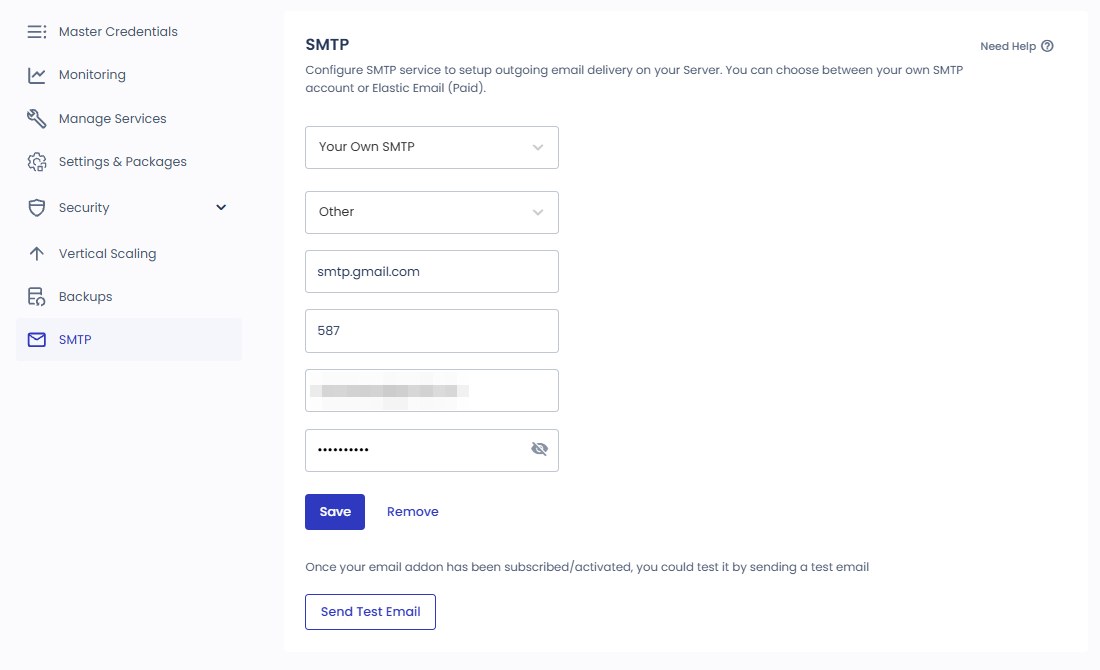
Connected Gmail to the free SMTP add-on, verified the test email and wp_mail() sending, and summarized Elastic Email, Rackspace and Titan pricing.
Read post →Current article
Cloudways MCP Access Token scope
Cloudways · MCP
Cloudways MCP: Access Token Permissions, Connecting Claude and Cursor, and Managing Servers with AI
Connected to Claude Code with a Read-Only token to query the server list, service status, and CPU usage, and confirmed that cache purging is rejected.
Read post →Current article
Cloudways SFTP connection – FileZilla simulator
Cloudways · SFTP·SSH
How to Connect to Cloudways via SFTP & SSH: FileZilla Setup, SSH Key Registration, and IP Whitelisting
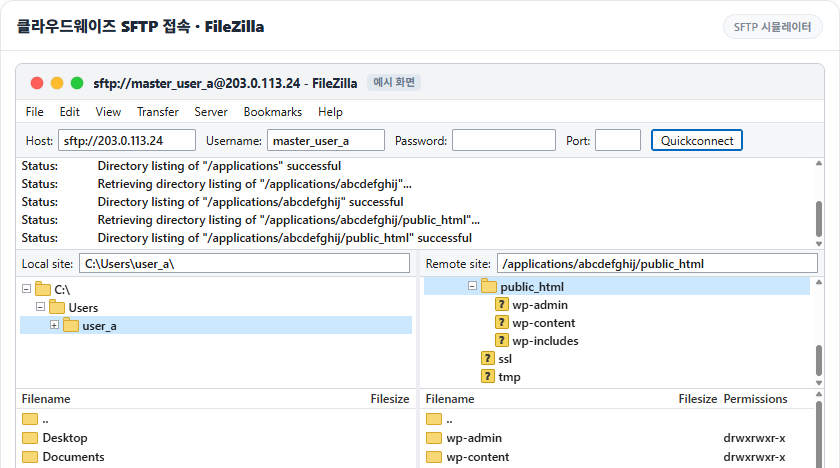
FileZilla SFTP, the web SSH terminal and PowerShell connections recreated in simulators, plus SSH key registration and the IP whitelist checked on a test server.
Read post →Current article
Cloudways migration simulator
Cloudways · Migration
Cloudways Migration: WordPress Migrator Plugin, Free Migration Request, and DNS Change
We moved a test site to a new application with the Migrator plugin, rebuilt the six steps as a simulator, and confirmed the migration took about 5 minutes.
Read post →Current article
Cloudways backup simulator
Cloudways · Backup
Cloudways Backup: Server Backup Frequency and Retention, Application Restore and Backup Download
We rebuilt the server backup, application restore, and Roll Back paths as a simulator and confirmed that a backup took about 30 seconds and a restore about 1 minute 30 seconds.
Read post →Current article
Cloudways server scaling: Vertical Scaling screen
Cloudways · Scaling
Cloudways Vertical Scaling: Increasing Server RAM and CPU, and Cautions When Scaling Down
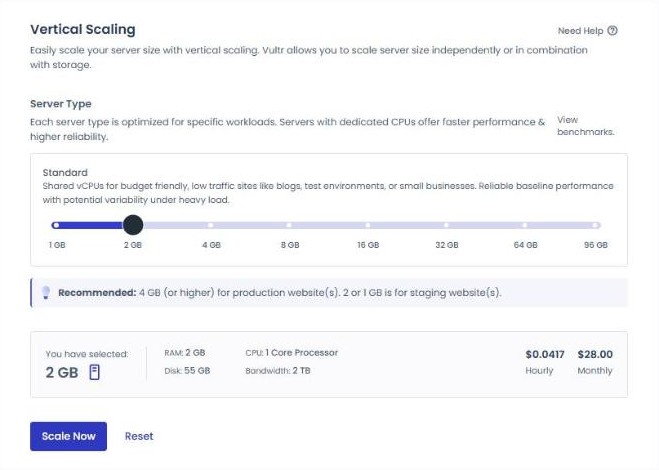
Comparing a Vultr Seoul 1 GB server's size selection screen with the official help, this post turns whether each provider can scale down and the steps to scale down by cloning into a simulator and a diagram.
Read post →Current article
BEST WordPress hosting comparison TOP 7
Hosting · Comparison
BEST WordPress Hosting Comparison: Top 7 Hosting Picks for 2026
Seven WordPress hosts compared on speed, price and support. You can see where Cloudways stands against the other providers.
Read post →Current article
Cloud hosting resource pool structure and auto scaling
Hosting · Cloud
What Is Cloud Hosting? Resource Pools, Auto Scaling, Cloud VPS vs. VPS, Pros and Cons
Resource pools, auto scaling and the difference between cloud VPS and ordinary VPS. Read this to judge which kind a Cloudways server is.
Read post →Current article
What a managed WordPress host takes care of
Hosting · Managed
What Is Managed WordPress Hosting? What the Host Manages, Managed VPS Differences, Pros and Cons
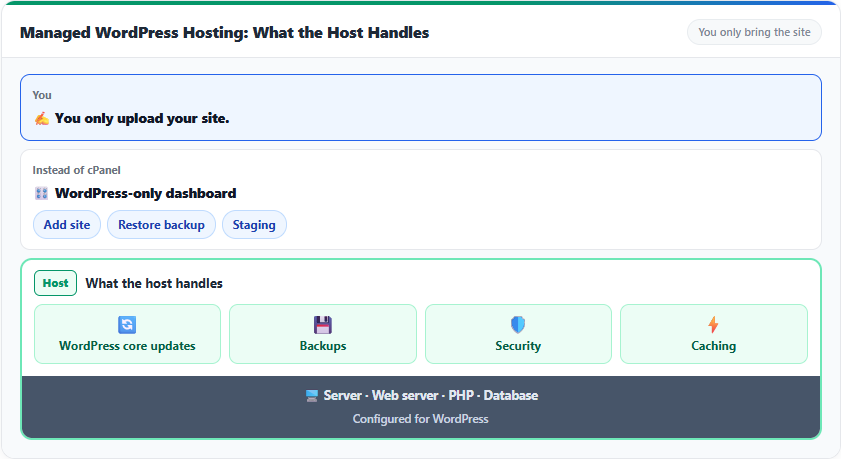
What the provider handles for updates, backups, security and caching, and how that differs from a managed VPS.
Read post →Current article
Web hosting cost comparison diagram: the right type for a small business website — shop site, booking site or small online store
Hosting · Costs
Small Business Web Hosting Costs: Shared, Cloud and Managed Hosting for a WordPress Website, and What to Manage
Official prices for shared hosting, managed cloud and managed WordPress, checked on the same day, compared by monthly cost for a shop website and the work to manage each month.
Read post →Current article
Cloudways small business operations check simulator: the application Site Manager screen
Cloudways · Small Business
Cloudways for Small Businesses: One Month on a Vultr Seoul 1GB Server — Costs and What to Manage
I ran WordPress on a Vultr Seoul 1GB server for 184 hours and the estimated bill came to $4.76; the backup, update, and SSL menus to check each month are recreated in a simulator.
Read post →Current article
Cloudways WooCommerce store first byte by URL: cache off vs Breeze on
Cloudways · WooCommerce
Cloudways WooCommerce: From Installing a Small Online Store to Excluding Cart and Checkout from Cache
WooCommerce was installed on a test server and run through a test order, then cart and checkout pages were excluded from cache and the product page’s first byte was confirmed going from 532.4ms to 54.9ms.
Read post →Current article

ℹ️ Affiliate Disclosure
This site's content contains affiliate links. When a visitor buys a product or service through one of them, the site receives a commission from the seller. The amount the buyer pays(it goes down during event discounts ↓)does not go up. Posted prices, discounts, and stock reflect the time of writing and may differ, so confirm with the seller before buying. Products are chosen and reviewed by our own standards, and commissions do not affect the order or content of reviews.

Leave a Reply

Your email address will not be published. Required fields are marked *

Prove your humanity: 10   +   2   =