Test environmentCloudways|Debian 12|Nginx + Apache|WordPress 7.1.3|Checked 2026-10-18
Cloudways is a managed cloud host where you handle WordPress installation, backups and SSL from a control panel. To test running a small business site on Cloudways, I put WordPress on a Vultr Seoul 1GB server and ran it for 184 hours; the estimated bill came to $4.76 including VAT.
TOC
4mn read
TOC
4mn read
View more
1️⃣ Choosing a Cloudways Server for a Small Business: Vultr Seoul 1GB
A Cloudways server runs on one of DigitalOcean, Vultr, Linode, AWS or Google Cloud, and within that cloud you also choose the server type, size and location.
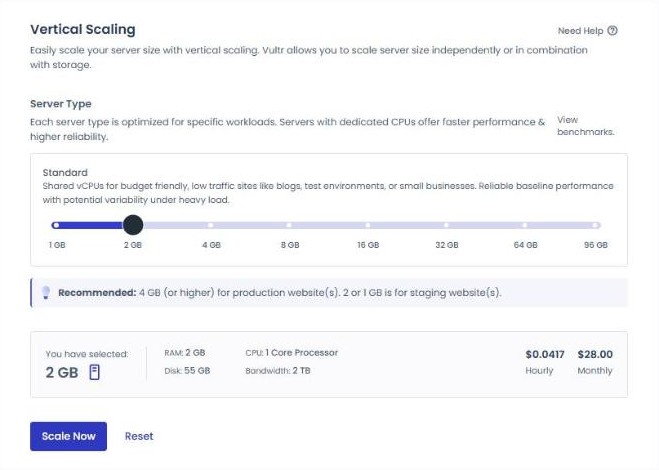
I created the test server as the smallest Vultr option in Seoul, Standard 1GB. According to the official pricing screen, it has 1 GB RAM, 1 vCPU and a 25 GB SSD, and costs $14 a month, or $0.0208 per hour.
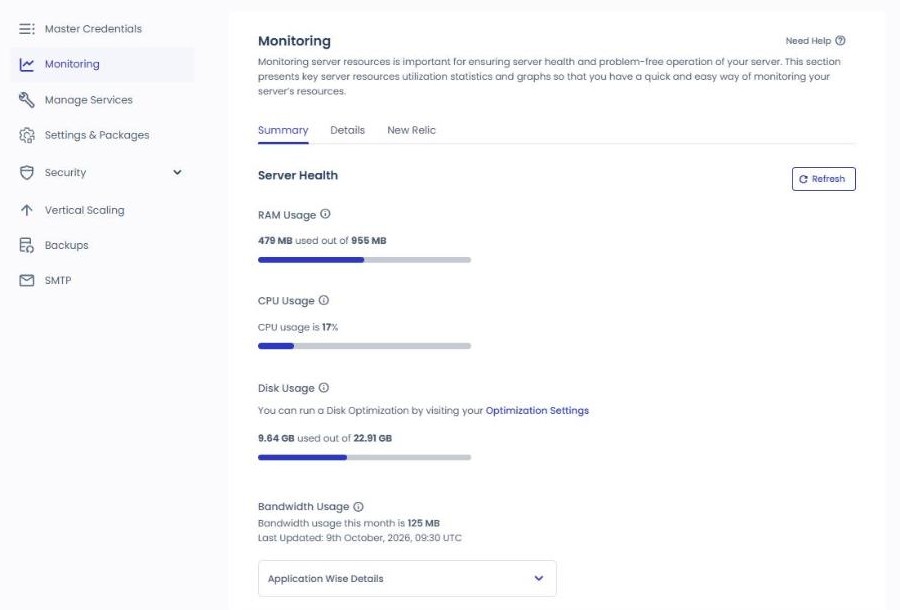
You might expect a 1GB server to fill up as soon as WordPress goes on, but right after installing one WordPress application, the server's [Monitoring] screen showed 479 MB of 955 MB memory in use.
The disk had 9.64 GB of 22.91 GB in use, mostly the operating system and server software; the WordPress application took 125 MB.
2️⃣ Launching the Site: Application, Domain and SSL
Even once the server is ready, the address visitors would use is still a temporary one assigned by Cloudways.
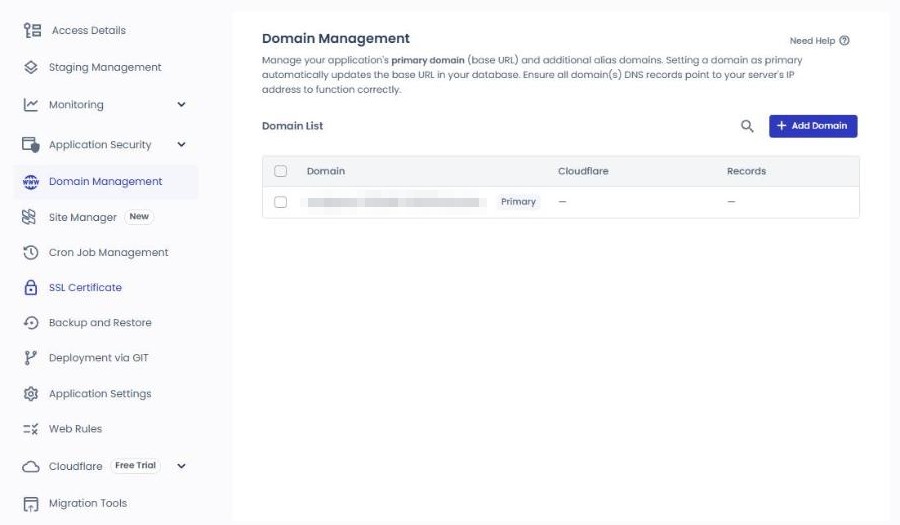
For the WordPress application created along with the server, the first request appeared in the access log about 8 minutes after clicking [Launch Now], and the shop's domain is registered under [Domain Management] in the application menu.
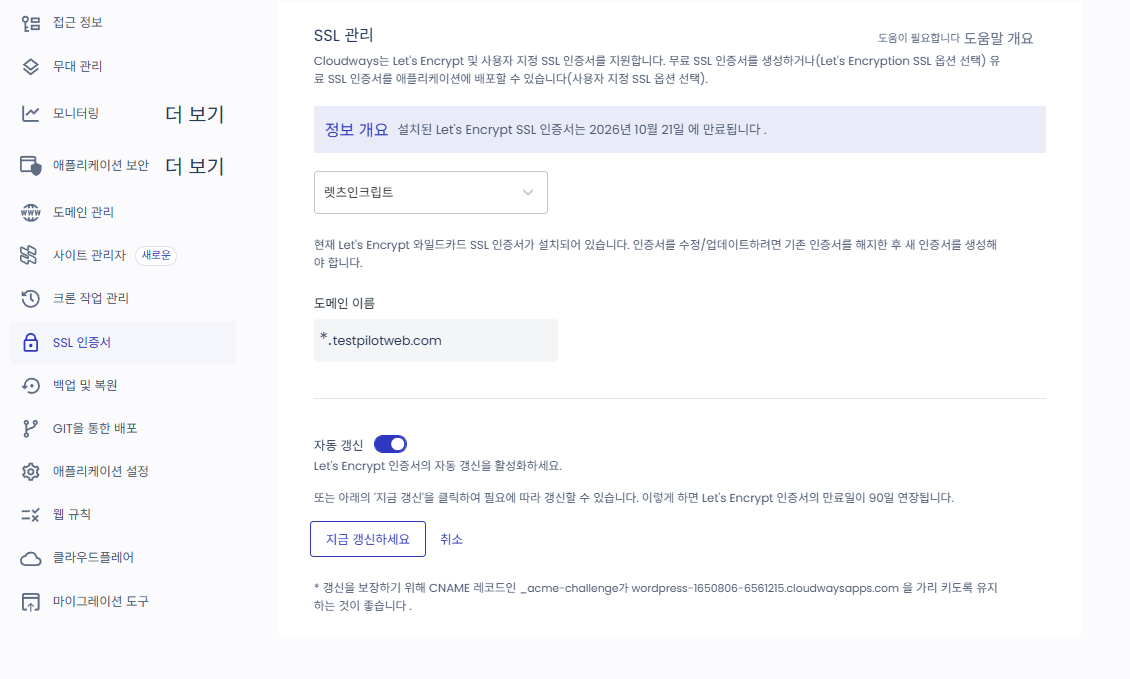
Once the domain is connected, you install a free Let’s Encrypt SSL certificate in [SSL Certificate]; the test domain's certificate was issued on October 10 and is valid until January 8, 2027.
3️⃣ Monthly Tasks: Backups, Updates and SSL
Managed hosting doesn't mean WordPress plugin updates are handled for you. On October 18, the test application still had a new version of the cache plugin Breeze waiting to be updated. Checking three menus every month is like taking your car to a garage but still checking the tire pressure yourself.
The three places to check every month are [Backups] in the server menu and [Site Manager] and [SSL Certificate] in the application menu.
In [Backups] in the server menu, check the automatic backup time, frequency and retention period. Right after creating the server, it's once a day, kept for 1 week.
📍Flexible›Applications›my-app›Site Manager
Updated
[Site Manager] in the application menu manages plugin and theme updates; Basic is free, and Pro, which includes Safe Updates, costs extra.
📍Flexible›Applications›my-app›SSL Certificate
SSL certificate
In [SSL Certificate], choose Let’s Encrypt and enter an email and the domain, and a free certificate is installed.
unified.cloudways.com/server/…/backup
CLOUDWAYSmy-server › Backups
Backups
Need Help ⓘ
Manage your Backup preferences here.
Backup Settings
Schedule Time
UTC
Local Backups
On-Demand Backup
You can perform an on-demand backup of your server. If you have enabled Local Backups, this will additionally create a downloadable copy of all the applications present on your server.
unified.cloudways.com/apps/…/site-manager
CLOUDWAYSmy-app › Site Manager
Simplify App Management with Site Manager
Need Help ⓘ
Site Manager gives you one place to manage WordPress users, plugins, themes, updates, and access from inside Cloudways. Pro unlocks advanced workflows like Safe Updates, scheduled automation, performance monitoring, activity logs, and update history.
Activate Site Manager With a Plan That Fits Your Site’s Needs
BasicFor simple day-to-day WordPress management
Free
Site Overview
Manage Users, Themes and Plugins
Quick Updates (Not Safe Updates)
WordPress Single Sign-On (SSO)
Centralized Dashboard for all your WordPress Apps
Best For: Low-risk Sites, Simple Maintenance, and everyday Admin Tasks
RecommendedProFor sites that need safe updates, better visibility, and less manual follow-up
$3 per app/month
Everything in Basic
Safe Updates
Scheduled Auto Updates
Site Performance Monitoring
Activity Logs
Update History
Best For: Business-Critical Sites, Agency Workflows, and Teams Managing Client Websites
unified.cloudways.com/apps/…/ssl
CLOUDWAYSmy-app › SSL Certificate
SSL Management
Need Help ⓘ
Cloudways supports Let’s Encrypt and custom SSL certificates. You can either create a free SSL certificate (choose the Let’s Encryption SSL option) or deploy a Paid SSL certificate for your applications (choose an option from Custom SSL).
Install a Let’s Encrypt SSL certificate by providing the information below. This will override any existing SSL certificate you may have installed.
+ Add Domain
Apply Wildcard ⓘ
Click a highlighted item in the left menu or NEXT.
Updates are done from the WordPress admin or in [Site Manager]; the free Basic supports only Quick Updates, and Safe Updates come with Pro. Server software updates are applied in the maintenance window Cloudways sets, which for the test server is Wednesdays at 04:00 (UTC).
A Let’s Encrypt certificate is valid for 90 days, so check the expiry date during your monthly check.
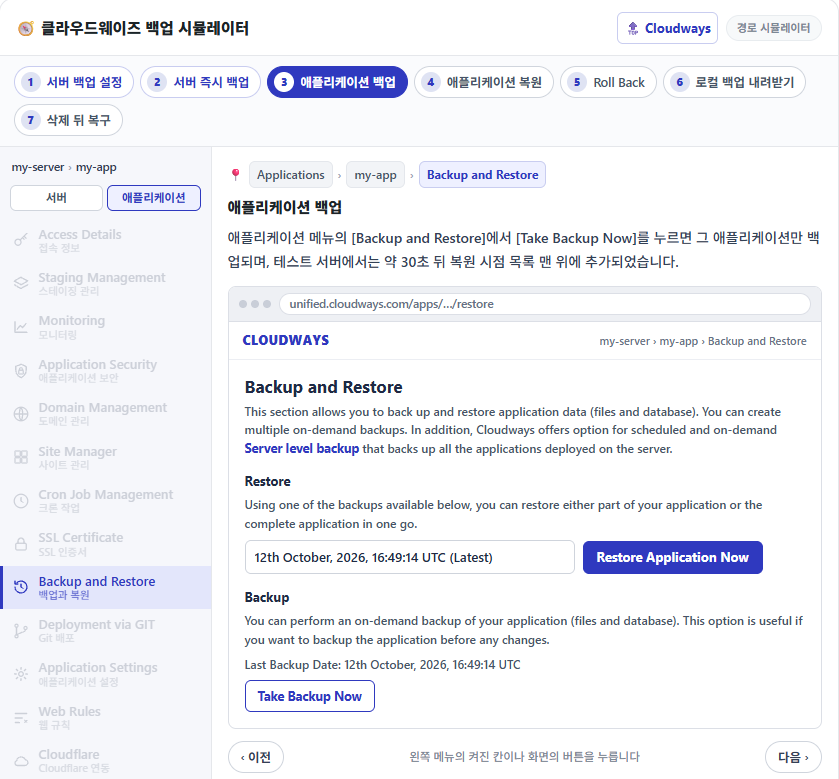
Backups run automatically once a day from the moment the server is created and are kept for a week. A manually run Application backup took about 30 seconds, and a full restore about 1 minute 30 seconds.
4️⃣ Calculating a Month's Cost: Plans and Add-ons
You aren't simply billed the $14 a month from the price list. Prices on the pricing screen exclude tax, and invoices for a Korean account add 10% VAT separately.
Server charges are calculated by the hour while the server is on: the 184 hours from October 9 to 0:00 on October 17 came to $3.83 in server charges. Adding $0.50 for offsite backup storage and $0.43 in VAT, the estimated October bill is $4.76.
Item
Official price (October 18)
Test server, estimated October bill
Server Vultr Standard 1GB
$14/month · $0.0208/hour
$3.83 (184 hours)
Offsite backup storage
$0.033 per GB per server
$0.50 (0.08GiB)
VAT (Korea, 10%)
Not included in the price
$0.43
Site Manager Pro (optional)
From $3 per application per month
Not used
Malware Protection (optional)
From $4 per application per month
Not used
Rackspace Email (optional)
$1.5 per mailbox per month
Not used
Cloudflare Enterprise CDN (optional)
From $4.99 per domain per month
Not used
total
—
$4.76
Adding 10% VAT to the $14 a month on the official pricing screen gives $15.40; for any add-ons you need, add the prices in the table.
5️⃣ Measuring the Home Page Response Time
Even with the cost settled, whether a 1GB server is fast enough for visitors needs checking separately.
From another server in Seoul, I requested the test application's home page 20 times per setting and measured the time to first byte (TTFB). With both the application's Varnish and cache plugins turned off, the median was 186.9 ms.
Activating the cache plugin Breeze, installed along with the application, with its defaults cut the median to 45.4 ms, and the [Cache served by breeze CACHE] comment appeared at the end of the page.
📊Before and after activating BreezeVultr Seoul 1GB · in ms
No cacheBreeze active
Median time to first byte (TTFB) for the home page
Values from requesting the same test application's home page 20 times each.
050100150200
No cache186.9msVarnish · cache plugin off
Breeze45.4msActivated with defaults
6️⃣ Sites Cloudways Suits and Sites It Doesn't
Cloudways fits as small business website hosting when you run one or two WordPress sites, such as a shop introduction or a booking page, and someone is there to check plugin updates.
The test server with two applications on 1GB had 718 MB of 954 MB memory in use; to add more sites, consider Server resizing first.
🧭 What Cloudways handles and what's left to the site owner
Explainer diagram
🔍 Item
☁️ Handled by Cloudways
⚙️ Server software updatesMaintenance window: Wednesdays 04:00 (UTC)
💾 Daily automatic backupsFrom server creation · kept 1 week
🧩 Plugin updatesNew Breeze version waiting to update
↩️ Running restoresFull restore about 1 min 30 s
📅 Checking the expiry dateValid for 90 days
📮 Ordering mailboxesRackspace Email · $1.50 per mailbox per month
Server software updates are applied in the maintenance window Cloudways sets, while WordPress plugin updates are done yourself from the admin screen or [Site Manager].
Backups run automatically once a day and are kept for a week. Restores are run by the site owner when needed; a full restore on the test server finished in about 1 minute 30 seconds.
A Let’s Encrypt certificate is installed for free in [SSL Certificate]; since it's valid for 90 days, check the expiry date during your monthly check.
Cloudways has no mail server, so the site owner orders each you@domain mailbox as an add-on.
On the other hand, it doesn't suit you if you want everything in one place, including you@domain mailboxes. Cloudways doesn't provide a mail server, so mailboxes are ordered separately through an add-on such as Rackspace Email, which costs $1.50 per mailbox per month according to the official pricing screen.
If you want to hand updates and security checks to the provider, the base price isn't enough either: adding Site Manager Pro and Malware Protection costs from $7 more per application per month.
The Vultr Seoul 1GB test server is set to be billed $4.76 for 184 hours; with Breeze on, the home page responded in 45.4 ms, and an application backup took about 30 seconds. If you already run a shop site, the next step is to move that site to a test server and measure the same numbers again.
🔢 FAQ & Recommended Content
Yes. When Breeze was deactivated on the test server, advanced-cache.php was deleted, but one line, [define( ‘WP_CACHE’, false );], remained near the top of wp-config.php. Check this line before activating another cache plugin.
According to the official pricing screen, Flexible can be tried free for 3 days without a credit card. A trial account can't scale the server up, so to test resizing too you need to switch to a full account.
The charges for a month show the 1st of the following month as the payment date; the test server's October usage was also due on November 1.
☁️Recommended Cloudways content21 Posts · 2 Tools
🗂️ Running Cloudways
📄 What Is Cloudways📄 Signup and basic setup📄 Domain connection📄 SSL setup
📋 Server & Application📄 Admin login📄 Staging Management📄 Billing · Pricing📄 Email · SMTP add-on📄 MCP · AI Server Management📄 SFTP and SSH Access📄 Migration📄 Backup📄 Vertical Scaling
📋 Hosting Comparison Top 7📄 What is cloud hosting📄 What is managed hosting📄 Web Hosting Costs📄 Cloudways for Small Businesses📄 Cloudways WooCommerce📄 Cloudways Alternatives
ℹ️ Affiliate Disclosure This site's content contains affiliate links. When a visitor buys a product or service through one of them, the site receives a commission from the seller. The amount the buyer pays(it goes down during event discounts ↓)does not go up. Posted prices, discounts, and stock reflect the time of writing and may differ, so confirm with the seller before buying. Products are chosen and reviewed by our own standards, and commissions do not affect the order or content of reviews.