Cloudways Staging Management daje odizolowane środowisko, w którym przetestujesz nowy kod, wtyczki i motywy bez wpływu na działającą stronę WordPress. Po wybraniu tego samego serwera i utworzeniu aplikacji stagingowej na liście aplikacji pojawiła się jeszcze jedna kopia z oznaczeniem Staging. Również na hostingu z cPanelem możesz utworzyć witrynę stagingową WordPress, jeśli jest zainstalowany Softaculous.
Po utworzeniu witryny stagingowej powstaje kopia działającej strony. Gdy wszystko gotowe, jednym przyciskiem przeniesiesz na działającą stronę tylko zmienione części albo całość. W drugą stronę możesz pobrać do stagingu aktualną zawartość działającej strony i przed pracą wyrównać obie witryny.
Spis treści
8 min czytania
Spis treści
8 min czytania
View more
1️⃣ 4 zalety Cloudways Staging Management
Działającą stronę (live), na którą faktycznie wchodzą odwiedzający, zostawiasz bez zmian, a zmiany w wyglądzie i funkcjach najpierw sprawdzasz na wiernie skopiowanej stronie do ćwiczeń (staging).
1. Strona chroniona hasłem
Na stronę do ćwiczeń nie powinni trafiać zwykli odwiedzający ani wyszukiwarki, dlatego domyślnie okno logowania (hasło) blokuje dostęp z zewnątrz. W razie potrzeby możesz je włączać i wyłączać.
2. Wdrożenie jednym kliknięciem
Przenosząc zmiany ze strony do ćwiczeń na prawdziwą witrynę, nie musisz niczego kopiować i wklejać po kolei: wystarczy jedno kliknięcie przycisku.
3. Szczegółowa kontrola (wybierasz, co przenieść)
Możesz przenieść całą pracę ze strony do ćwiczeń albo wybrać tylko pliki witryny lub tylko bazę danych i zastosować je na prawdziwej stronie.
4. Staging z SSL (bezpieczne połączenie)
Strona do ćwiczeń też ma już zainstalowany certyfikat bezpieczeństwa (https), więc testujesz bez błędów w takich samych warunkach bezpieczeństwa jak na produkcji.
2️⃣ Jak używać Cloudways Staging Management
W panelu administracyjnym Cloudways przejdź do [My Applications] › aplikacja › [Staging Management].
Po kliknięciu [Launch Staging Application] otwiera się okno wyboru serwera dla aplikacji stagingowej.
Po wybraniu serwera i kliknięciu [Continue] pojawiła się lista serwerów, a na karcie serwera napis [Creating staging application].
Gdy otworzysz kartę [Applications], aplikacja stagingowa z przedrostkiem Staging- przed pierwotną nazwą jest na samej górze listy.
Po kliknięciu [Launch Staging Application] otwiera się okno wyboru serwera dla aplikacji stagingowej.
📍My Applications›my-app›Staging Management›Select a Server
Wybór serwera
Wybierz z listy [New Server], który tworzy nowy serwer, albo obecny serwer (same server) i kliknij [Continue].
📍Flexible›My Servers
Tworzenie
Otwiera się lista serwerów, a karta serwera pokazuje [Creating staging application]. Tworzenie trwało około 7–9 minut.
📍Flexible›My Applications
Utworzono
Aplikacja z [Staging-] przed nazwą pierwotnej aplikacji trafia na samą górę listy razem z oznaczeniem [Staging].
unified.cloudways.com/apps/…
CLOUDWAYSmy-server › my-app › Staging Management
Staging Management
Need Help ⓘ
Cloudways Staging gives you an isolated environment where you can test new code, plugins, themes without breaking your live site. Creating a staging site will create a copy of your live site. Once you are ready, you can push selective or complete changes to your live site with the push of a button. You can also pull from the live site to update your staging site in order to sync it before working on it.
Create a Staging EnvironmentYou can set up a staging environment in a few minutes.
Staging Management provide you the following benefits
Password Protected SitesBy default, htpasswd is enabled on your staging environment for maximum security. You have the option to disable the staging’s password protection.
SSH and SFTP AccessNo more manually copying changes from a test server to production. Effortlessly transfer changes between your live site and staging with a single click.
Granular ControlsHave precise control over the content and updates you want to transfer from staging to your live sites. Choose to transfer only files, only the database, or both.
SSL-Enabled StagingSSL certificates are pre-installed on all staging applications. You can use Let’s Encrypt certificate or your custom SSL certificate.
unified.cloudways.com/apps/…
CLOUDWAYSmy-server › my-app › Staging Management
Staging Management
Need Help ⓘ
Cloudways Staging gives you an isolated environment where you can test new code, plugins, themes without breaking your live site. Creating a staging site will create a copy of your live site. Once you are ready, you can push selective or complete changes to your live site with the push of a button. You can also pull from the live site to update your staging site in order to sync it before working on it.
Create a Staging EnvironmentYou can set up a staging environment in a few minutes.
Staging Management provide you the following benefits
Password Protected SitesBy default, htpasswd is enabled on your staging environment for maximum security. You have the option to disable the staging’s password protection.
SSH and SFTP AccessNo more manually copying changes from a test server to production. Effortlessly transfer changes between your live site and staging with a single click.
Granular ControlsHave precise control over the content and updates you want to transfer from staging to your live sites. Choose to transfer only files, only the database, or both.
SSL-Enabled StagingSSL certificates are pre-installed on all staging applications. You can use Let’s Encrypt certificate or your custom SSL certificate.
Select a Server to Staging the Application
unified.cloudways.com/apps/…
CLOUDWAYSmy-server › my-app › Staging Management
Staging Management
Need Help ⓘ
Cloudways Staging gives you an isolated environment where you can test new code, plugins, themes without breaking your live site. Creating a staging site will create a copy of your live site. Once you are ready, you can push selective or complete changes to your live site with the push of a button. You can also pull from the live site to update your staging site in order to sync it before working on it.
Create a Staging EnvironmentYou can set up a staging environment in a few minutes.
Staging Management provide you the following benefits
Password Protected SitesBy default, htpasswd is enabled on your staging environment for maximum security. You have the option to disable the staging’s password protection.
SSH and SFTP AccessNo more manually copying changes from a test server to production. Effortlessly transfer changes between your live site and staging with a single click.
Granular ControlsHave precise control over the content and updates you want to transfer from staging to your live sites. Choose to transfer only files, only the database, or both.
SSL-Enabled StagingSSL certificates are pre-installed on all staging applications. You can use Let’s Encrypt certificate or your custom SSL certificate.
Select a Server to Staging the Application
my-server (same server)Database: MariaDB 10.11▾
ⓘYou are cloning an app that uses a different PHP version onto a smaller server. When multiple PHP versions are enabled per app, we recommend a server of 4 GB or higher for the best performance.
unified.cloudways.com/server
CLOUDWAYSFlexible › My Servers
Recover Server+ Add Server
1 to 1 of 1 Servers
Provider ▾Status ▾Sort by: Date Created ▾
my-server1 GB - Standard · 203.0.113.24 · London · 9th October, 2026
Creating staging applicationStaging Application Creation is in progress …View Credentials
unified.cloudways.com/apps
CLOUDWAYSFlexible › My Applications
Recover Application+ Add Application
1 to 2 of 2 Applications
Server ▾App Type ▾Environment ▾Sort by: Date Created ▾
Kliknij podświetloną pozycję w lewym menu albo przycisk na ekranie.
Aplikacja stagingowa ma prawie to samo menu co pierwotna, więc oprócz instalowania wtyczek i motywów możesz sprawdzić też ustawienia takie jak zadania cron, SSL i kopie zapasowe.
Gdy aplikacja stagingowa już istnieje, w [Staging Management] pierwotnej aplikacji pojawiają się [Pull] i [Push].
📍My Applications›my-app›Staging Management›Pull
Okno Pull
[Pull] przenosi zmiany ze stagingu na wersję live. W oknie wybierasz spośród [Web Application Files] i [Database], co przenieść.
📍My Applications›my-app›Staging Management›Pull
Wybór, co przenieść
Dla plików wybierasz między [Overwrite] a [Incremental], dla bazy danych między [Full DB] a [Selected Tables]. Przed przeniesieniem możesz zrobić kopię zapasową wersji live.
📍My Applications›my-app›Staging Management›Push
Push
[Push] działa odwrotnie: przenosi zmiany z wersji live do stagingu.
📍My Applications›my-app›Staging Management›Push
Okno Push
Okno Push ma te same pola wyboru, ale bez pytania o kopię zapasową. Przycisk [Proceed] staje się aktywny, gdy wybierzesz co najmniej jedną rzecz do przeniesienia.
unified.cloudways.com/apps/…/staging
CLOUDWAYSmy-server › my-app › Staging Management
Staging Management
Need Help ⓘ
Manage the Staging environment for your applications
Copy Data from Staging to LiveYou can pull the changes you made on Staging application to the Live application.
Staging-my-app ▾
Copy Data from Live to StagingYou can push the changes of the Live application to Staging application.
Staging-my-app ▾
Deployment LogsYou can view the deployment logs for all the Push and Pull requests.View LogsTo restore your application to a previous state, please use the Backup and Restore feature.
unified.cloudways.com/apps/…/staging
CLOUDWAYSmy-server › my-app › Staging Management
Staging Management
Need Help ⓘ
Manage the Staging environment for your applications
Copy Data from Staging to LiveYou can pull the changes you made on Staging application to the Live application.
Staging-my-app ▾
Copy Data from Live to StagingYou can push the changes of the Live application to Staging application.
Staging-my-app ▾
Deployment LogsYou can view the deployment logs for all the Push and Pull requests.View LogsTo restore your application to a previous state, please use the Backup and Restore feature.
Copy from Staging to Live
This process will copy the changes from Staging Application to the Live Application.
Do you want to backup your Live Application before moving data from Staging? This may take a while.
unified.cloudways.com/apps/…/staging
CLOUDWAYSmy-server › my-app › Staging Management
Staging Management
Need Help ⓘ
Manage the Staging environment for your applications
Copy Data from Staging to LiveYou can pull the changes you made on Staging application to the Live application.
Staging-my-app ▾
Copy Data from Live to StagingYou can push the changes of the Live application to Staging application.
Staging-my-app ▾
Deployment LogsYou can view the deployment logs for all the Push and Pull requests.View LogsTo restore your application to a previous state, please use the Backup and Restore feature.
Copy from Staging to Live
This process will copy the changes from Staging Application to the Live Application.
Exclude path ⓘ
public_html/SaveCancel
+ Add additional paths
Do you want to backup your Live Application before moving data from Staging? This may take a while.
unified.cloudways.com/apps/…/staging
CLOUDWAYSmy-server › my-app › Staging Management
Staging Management
Need Help ⓘ
Manage the Staging environment for your applications
Copy Data from Staging to LiveYou can pull the changes you made on Staging application to the Live application.
Staging-my-app ▾
Copy Data from Live to StagingYou can push the changes of the Live application to Staging application.
Staging-my-app ▾
Deployment LogsYou can view the deployment logs for all the Push and Pull requests.View LogsTo restore your application to a previous state, please use the Backup and Restore feature.
unified.cloudways.com/apps/…/staging
CLOUDWAYSmy-server › my-app › Staging Management
Staging Management
Need Help ⓘ
Manage the Staging environment for your applications
Copy Data from Staging to LiveYou can pull the changes you made on Staging application to the Live application.
Staging-my-app ▾
Copy Data from Live to StagingYou can push the changes of the Live application to Staging application.
Staging-my-app ▾
Deployment LogsYou can view the deployment logs for all the Push and Pull requests.View LogsTo restore your application to a previous state, please use the Backup and Restore feature.
Copy from Live to Staging.
This process will copy the changes from Live Application to the Staging Application.
Exclude path ⓘ
public_html/SaveCancel
+ Add additional paths
Kliknij podświetloną pozycję w lewym menu albo przycisk na ekranie.
🔣 Wtyczka kopii zapasowych UpdraftPlus
Przy prostej pracy, takiej jak test jednej wtyczki, możesz użyć wtyczki UpdraftPlus, która za jednym razem przywraca motywy, wtyczki i bazę danych WordPress. Przed instalacją wtyczki lub zmianą ustawień tworzysz plik kopii zapasowej, a po teście go przywracasz.
Nie trzeba przywracać poleceniami na serwerze ani z panelu hostingu – wystarczy sama mysz.
Można. Na serwerze testowym wybraliśmy obecny serwer (same server) i wtedy w oknie wyboru serwera pojawił się komunikat, że aplikacja z inną wersją PHP zostanie sklonowana na mniejszy serwer. Komunikat zalecał serwer 4GB lub większy, jeśli twoje aplikacje używają kilku wersji PHP. Po kliknięciu [Continue] aplikacja stagingowa została utworzona bez przeszkód.
Na liście [Applications] kliknij ⋮ › [Delete Application] w wierszu aplikacji stagingowej i wpisz DELETE w oknie potwierdzenia. Okno ostrzega, że aplikacji bez kopii zapasowej nie da się przywrócić po usunięciu. Na serwerze testowym zniknęła z listy 3–4 minuty po usunięciu.
ℹ️ Informacja o linkach partnerskich Treści tej witryny zawierają linki partnerskie. Jeśli odwiedzający kupi produkt lub usługę przez taki link, witryna otrzymuje od sprzedawcy prowizję. Kwota płacona przy tym przez kupującego (podczas promocji spada↓) nie wzrasta. Podane ceny, rabaty i dostępność odnoszą się do chwili pisania i mogą różnić się od stanu faktycznego, dlatego przed zakupem sprawdź je u sprzedawcy. Produkty wybieramy i oceniamy według własnych kryteriów, a prowizja nie wpływa ani na kolejność prezentacji, ani na treść ocen.


 Cloudways
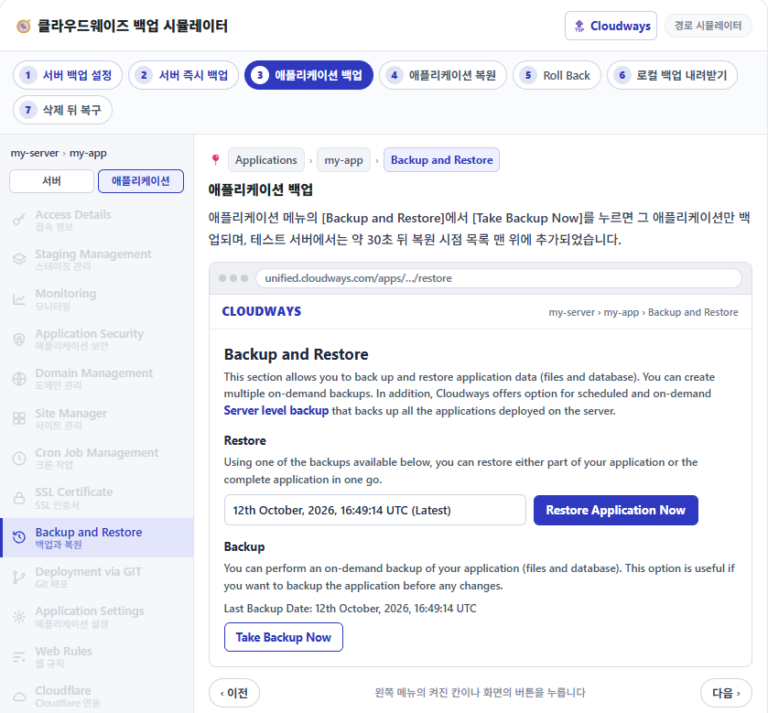
Kopie zapasowe w Cloudways
Częstotliwość i okres przechowywania kopii serwera oraz jak wybrać i przywrócić jedną aplikację.

 Cloudways
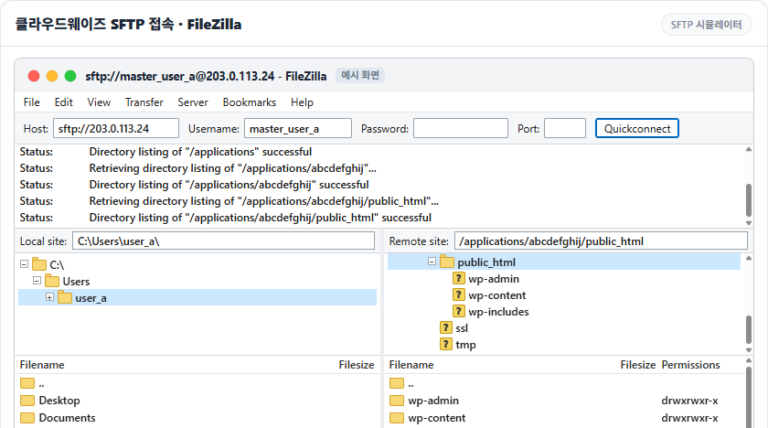
Jak połączyć się z Cloudways przez SFTP & SSH
Omawia ustawienia FileZilla, dodawanie kluczy SSH i białą listę IP.