
meta charset utf-8: Korean Image URLs Broken by the AdSense Crawler, 404s and a Full php-fpm Pool
If a reader cannot find the meta charset utf-8 declaration near the start of the HTML and the response header has no charset either, it has to guess the document's character encoding or fall back to a default. On a WordPress server with an Nginx and Apache setup, the AdSense crawler sent a burst of requests for broken Korean (non-ASCII) image URLs, and the 404 handling filled every PHP worker. After tracing this through the logs, I added charset to the response header of the cached pages and made nginx answer missing static files with a 404 directly, so the same requests no longer fill the workers.
1️⃣ meta charset utf-8: why it must be within the first 1,024 bytes
A server can announce a document's character encoding in two places: the charset attached after the [Content-Type] response header, and the meta charset line written inside the HTML.
The HTML Standard requires the character encoding declaration to appear within the first 1,024 bytes, and it advises readers to prescan only those first 1,024 bytes to find it. So even inside the head element, a meta charset pushed past 1,024 bytes can be missed by some readers.
To decide the encoding, a reader checks the BOM (byte order mark) first, then the charset in the response header, and then the meta charset found by prescanning the first 1,024 bytes. If none of the three is there, it guesses from the byte pattern or uses a preset default, and in the default table suggested by the HTML Standard, most locales get windows-1252.
When a UTF-8 document is read as windows-1252, a single multi-byte character, such as a Korean letter, turns into several different characters.
2️⃣ Korean (non-ASCII) image URLs broken by the AdSense crawler Mediapartners-Google
Checking the cached page from before the fix against the first 1,024 bytes, the Content-Type response header had no charset, and the meta charset line sat at byte 15,199. So the cached page that the AdSense crawler Mediapartners-Google received had no encoding it could find in either place.
curl -sI https://example.com/sample-post/ | grep -i '^content-type'content-type: text/htmlIn this setup, adding a query string to the URL skips the cached page and returns a response rendered directly by PHP, and that response did carry a charset.
curl -sI 'https://example.com/sample-post/?nocache=1' | grep -i '^content-type'content-type: text/html; charset=UTF-8Inside the cache file, [grep -b] shows exactly at which byte the meta charset starts.
grep -bo '<meta charset' /var/www/html/wp-content/cache/wp-rocket/example.com/sample-post/index-https.html | head -115199:<meta charsetThe img tags in the same cache file contained UTF-8 multilingual file names (Korean in this case) as is, without percent-encoding. When this HTML is read as windows-1252, a name like [대시보드-화면-예시.png] turns into characters like [대시보드-화면-예시.png], and when those characters are percent-encoded as UTF-8 again and requested, the server looks for a file that does not exist.
Pulling the image 404s this crawler received out of the access log shows one broken-name URL after another.
grep 'Mediapartners-Google' /var/log/nginx/access.log | grep ' 404 ' | grep 'GET /wp-content/uploads/' | cut -d' ' -f1,4,7,9 | head -2203.0.113.3 [03/Nov/2026:20:40:51 /wp-content/uploads/2025/07/---1024x682.png 404
203.0.113.1 [03/Nov/2026:20:40:51 /wp-content/uploads/2025/07/---300x159.jpg 404The URLs left in the log were byte-for-byte identical to the original file names' UTF-8 bytes read as windows-1252 characters and then encoded as UTF-8 again. That day's log had 202 image URL requests broken in this same way from this crawler and 6 from a single script (python-requests), and 0 from visitors.
If you run the broken name [대시보드-화면-예시.png] through the UTF-8 converter, it is identified as UTF-8 bytes misread as windows-1252, and the original name [대시보드-화면-예시.png] comes back.
3️⃣ How 404s for missing images filled php-fpm
Since the images at the broken URLs do not exist on the server, nginx passed the requests on to Apache under the last item of try_files in its image location rule, and WordPress rendered the 404 page with PHP. Looking at the 587 404s logged during the daytime that same day, each uncached 404 page took a median of 1.4 seconds.
Image requests with broken names piled up to a little over 200 in the 3 minutes from 20:40, and 133 of them ended as 404s. A php-fpm worker is assigned to each request, and as the requests kept coming while each 404 took 4 to 6 seconds, the pool hit its limit at 20:40:55.
The moment the pool hits its limit is recorded in the php-fpm error log as a php-fpm max_children warning.
grep 'max_children' /var/log/php-fpm/error.log[03-Nov-2026 20:40:55] WARNING: [pool www] server reached pm.max_children setting (20), consider raising itRequests that came in after the pool filled up waited for a free worker. The longest-waiting 404 finished after 58 seconds, requests the crawler dropped after waiting 60 seconds were logged as 499, and one request that got no backend response was logged as 504.
The cache preloading, the scheduled tasks (Action Scheduler) running at the same time, and wp-cron running every minute were all checked and ruled out. Preloading ran at the same low rate all day, the scheduled tasks were only handling preload jobs at that time, and wp-cron runs with command-line PHP and does not use php-fpm workers.
4️⃣ nginx charset utf-8 and an immediate 404 for missing static files
I added the single line [charset utf-8;] to the nginx location that serves the cached pages so the response header carries a charset, and for images and static files in the uploads folder, nginx now returns a 404 directly when they are not on disk instead of passing them to WordPress.
# http block: set a Cache-Control value only for 404 responses
map $status $up404_cc { 404 'no-store'; default ''; }

# Location that serves the cached HTML directly
location / {
    try_files $cache_file @backend;
    charset utf-8;
}

# Uploads folder: missing images get a 404 directly instead of going to the backend
location ~* ^/wp-content/uploads/.+[.](jpg|jpeg|png)$ {
    try_files $uri =404;
    add_header Cache-Control $up404_cc always;
}
The map goes in the http block, and since nginx does not send a header whose value is an empty string, 200 responses do not get no-store. Regex locations are applied from the top, first match wins, so I placed this one before the existing image location, and added one more location of the same kind for static files such as css, js and fonts.
Requesting the same URL again after the fix, the response header of the cached page now carried a charset.
curl -sI https://example.com/sample-post/ | grep -i '^content-type'content-type: text/html; charset=utf-8curl -sI https://example.com/wp-content/uploads/2025/07/no-such-image.png | grep -i -E '^(HTTP|content-type|cache-control)'# Before the fix: a 404 rendered by WordPress
HTTP/2 404
content-type: text/html; charset=UTF-8
cache-control: no-cache, must-revalidate, max-age=0, no-store, private
# After the fix: a 404 returned directly by nginx
HTTP/2 404
content-type: text/html
cache-control: no-storeThe 404 for a missing image went from a WordPress page that took 1.01 seconds to render 319,058 bytes to the default nginx page returned in 0.015 seconds at 555 bytes. Adding [Cache-Control: no-store] only to 404s keeps the CDN from storing 404s for missing images. nginx does not add charset again to responses PHP already sent with one, so it appeared only once in the response header.
| Request checked | Before the fix | After the fix |
|---|---|---|
| Missing image | 319,058B, 1.01 seconds (WordPress 404) | 555B, 0.015 seconds (nginx 404) |
| Image with a broken name | 1.05 seconds (WordPress 404) | 0.014 seconds (nginx 404) |
| Cached HTML response header | text/html | text/html; charset=utf-8 |
| Response header rendered directly by PHP | text/html; charset=UTF-8 | Same (charset once) |
| Existing image | 200 | Still 200 |
This 404 handling does not suit sites with image plugins that generate thumbnails or WebP with PHP after a request comes in. Because nginx returns the 404 first, the image never gets generated. If your setup creates WebP files in advance at upload time, you can apply it as is.
5️⃣ Why meta charset was pushed back: WP Rocket Delay JS
Even after adding charset to the response header, the meta charset in the cached HTML still sits at byte 15,199. In the page rendered directly by PHP, the same line was at byte 135.
With WP Rocket's Delay JS turned on, building a cache file inserts deferred scripts such as lazyload right after head, and then a step moves the meta charset back to the very start of head. This step runs a regex over the whole document, so on a large post of about 1.2MB it exceeds PHP's backtrack limit and fails.
When the regex fails, WP Rocket caches the HTML as is, with the scripts inserted but the meta charset not moved, and as a result the meta charset was pushed outside the first 1,024 bytes. In a separate reproduction with the same PHP settings, the move failed with the backtrack limit at the default 1,000,000 and at 5,000,000, and succeeded from 10,000,000.
This time I solved it by adding charset to the response header and did not fix the meta charset position. Raising the backtrack limit brings back WP Rocket's original behavior, but it also raises the limit tenfold for every regex running in the same PHP, so I do not recommend it.
🔢 FAQ & Recommended Content

 HTTP 404
 Error (Client Error): Causes and Fixes
The HTTP 404 error page, one of the HTTP status codes, appears when a page cannot be found.
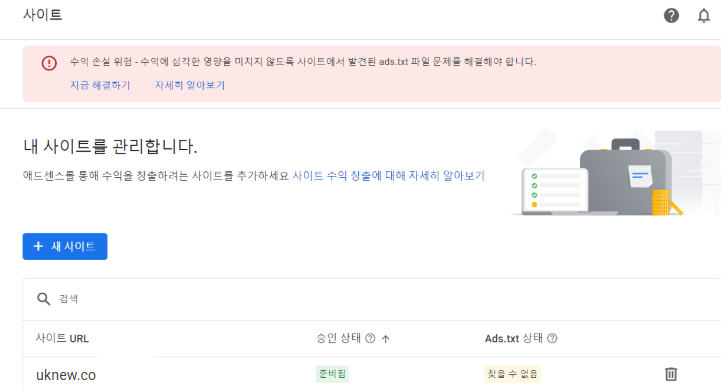 AdSense
WordPress ads.txt Setup: Resolving AdSense Warnings
ads.txt is a text file placed at the site root that publicly lists the authorized sellers who may sell ad space on the domain.
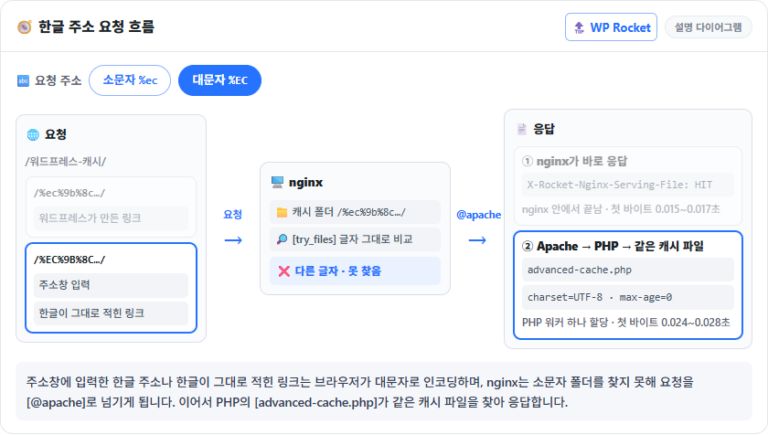 WP Rocket cache
WP Rocket Korean URLs: Why nginx Can't Find the Cache File and the njs Fix
For posts with English slugs, nginx serves the cache file directly, but for posts with Korean slugs, the same cache file is served only after PHP has run once.
ℹ️ Affiliate Disclosure
This site's content contains affiliate links. When a visitor buys a product or service through one of them, the site receives a commission from the seller. The amount the buyer pays(it goes down during event discounts ↓)does not go up. Posted prices, discounts, and stock reflect the time of writing and may differ, so confirm with the seller before buying. Products are chosen and reviewed by our own standards, and commissions do not affect the order or content of reviews.