
What is PHP-FPM | Installing and configuring PHP-FPM
PHP-FPM is a FastCGI process manager in which worker processes started in advance receive the PHP requests a web server hands over and handle them. On an AlmaLinux 9 server running Apache, this guide checks whether it is installed and how the per-site pools and sockets are set up, then covers the configuration test and the status check with real output.
Apache can also run PHP directly with mod_php, but handing it to PHP-FPM separates the web server from PHP. Nginx cannot run PHP directly, so it passes requests to a FastCGI process such as PHP-FPM. That is why a single PHP-FPM can be attached to either Apache or Nginx. The pool settings and socket layout below apply as they are when you connect PHP-FPM with Nginx.
1️⃣ What PHP-FPM is: CGI versus FastCGI
CGI (Common Gateway Interface) is the standard way for a web server to run an external program to produce dynamic content, and it starts the program anew for every request. The cost of creating and removing a process per request adds up, so the server responds more slowly as traffic grows.
FastCGI removes that cost by starting the program in advance and handling requests one after another. It is the difference between turning a computer on and off every time you use it and using a computer that is already on. PHP-FPM (FastCGI Process Manager) is the manager that runs PHP through FastCGI, and it has been included in PHP since version 5.3.3.
For each pool, a group of workers, PHP-FPM starts a set number of workers in advance; an idle worker takes a request the web server passes through the socket, handles it, and waits for the next one. Static files such as images and CSS are answered by the web server directly, and only PHP files are passed to PHP-FPM. Only the way the web server hands requests to the socket differs: Apache uses the mod_proxy_fcgi module and Nginx uses the fastcgi_pass setting.
2️⃣ Installing PHP-FPM: checking the package and installing with dnf
If you installed PHP with dnf on an RHEL-family server, the php-fpm package was installed along with it. First check with rpm whether it is installed. The PHP installation steps are the same as in Installing APM on Rocky Linux.
rpm -qa | grep php-fpmphp-fpm-8.3.36-1.module_php.8.3.el9.remi.x86_64If the output is empty, it is not installed; install it with dnf.
dnf -y install php-fpmWhen the installation finishes, run the same rpm command again to check that the package name is printed.
3️⃣ Configuring PHP-FPM: the www.conf pool, the socket, and static and dynamic modes
There are two configuration files: the global settings [/etc/php-fpm.conf] and the pool settings [/etc/php-fpm.d/www.conf]. The lines to look at first in the default pool www.conf are listen and pm, and the values right after installation are as follows.
grep -E '^(listen|pm) ' /etc/php-fpm.d/www.conflisten = /run/php-fpm/www.sock
pm = dynamiclisten is where the web server hands requests over, and the default in version 8.3 is the Unix socket [/run/php-fpm/www.sock]. The default in older versions, [127.0.0.1:9000], receives requests over a TCP port. Within the same server, a socket is lighter because it skips the port connection process, and listen.owner and listen.group let you restrict access the way file permissions do.
🔲 Static and dynamic mode settings
pm is how workers are started, and you set it to one of static, dynamic, or ondemand. Static mode always keeps the number written in pm.max_children running, and the setting below keeps 100 workers.
pm = static
pm.max_children = 100
Dynamic mode is the default and raises or lowers the number of workers with the request volume. The setting below starts 12 workers at launch, keeps between 6 and 18 idle workers, and grows to at most 120.
pm = dynamic
pm.max_children = 120
pm.start_servers = 12
pm.min_spare_servers = 6
pm.max_spare_servers = 18
ondemand mode starts workers only when a request arrives and ends them once pm.process_idle_timeout has passed, so it suits sites with little traffic and does not suit busy ones.
The three modes differ in when they start workers and how they scale.
| Mode | How workers are started | Suitable sites |
|---|---|---|
| static (fixed) | Always keeps the number written in pm.max_children running | Sites with frequent traffic |
| dynamic (adaptive) | Default · scales within pm.start_servers, pm.min_spare_servers and pm.max_spare_servers according to request volume | Sites whose traffic rises and falls |
| ondemand | Starts only when a request arrives and ends once pm.process_idle_timeout has passed | Sites with little traffic |
max_children is set by dividing the server memory by the memory one worker uses. Even when [max_children] limit warnings pile up, do not raise it right away; first narrow down from the logs which requests filled the workers.
Memory and upload limits are set in php.ini, PHP's global settings, and are adjusted together with the number of workers to fit the site you run.
memory_limit = 1024M
post_max_size = 128M
upload_max_filesize = 128M
The three values are the memory cap for a single PHP script and the file sizes you can upload at once, and they apply only after you restart PHP-FPM.
🔲 Per-site account pool settings
With several sites, you do not share one www.conf; you create a pool file per account and separate the run account and the socket. One site's PHP cannot read another account's files, and the number of workers is set per site.
vi /etc/php-fpm.d/siteuser.confThe file holds the pool name, the run account, the socket path, and the number of workers.
[siteuser]
user = siteuser
group = nobody
listen = /run/php-fpm/siteuser.sock
listen.owner = siteuser
listen.group = nobody
listen.mode = 0660
pm = dynamic
pm.max_children = 50
pm.start_servers = 5
pm.min_spare_servers = 5
pm.max_spare_servers = 35
chdir = /home/siteuser/www
listen.owner and listen.group are the owner and group of the socket file, and PHP-FPM creates the socket with these values when it starts. If the web server runs as the nobody account, write nobody for listen.group; if it runs as apache, write apache, so the web server can open the socket.
listen.owner = siteuser
listen.group = nobody
listen.mode = 0660
These three lines go into every pool file, and after you change the values you must restart so the socket is created again with the new permissions.
🔲 slowlog settings
slowlog is a file that records where requests that took longer than request_slowlog_timeout were executing, and a value of 0 means nothing is recorded. When you look for the cause of slow requests, turn it on by setting a time in seconds such as 3s.
slowlog = /var/log/php-fpm/www-slow.log
request_slowlog_timeout = 0
The recorded file keeps the script path of each slow request and the function running at that moment, so you can tell which plugin or code was holding things up.
4️⃣ Apache integration: VirtualHost settings and socket permissions
Apache passes PHP file requests to the pool's socket with the mod_proxy_fcgi module. You put one SetHandler line in the FilesMatch inside the VirtualHost, and write each account's own socket for each site.
# One VirtualHost per site account · put that account's socket in SetHandler (ProxyPassMatch can also be used instead of SetHandler)
<VirtualHost *:80>
    ServerName example.com
    ServerAlias www.example.com
    DocumentRoot /home/siteuser/www

    <Directory /home/siteuser/www>
        Options -Indexes +FollowSymLinks
        AllowOverride All
        Require all granted
    </Directory>

    <FilesMatch \.php$>
        SetHandler "proxy:unix:/run/php-fpm/siteuser.sock|fcgi://localhost"
    </FilesMatch>
</VirtualHost>
DocumentRoot and Directory are that account's web root, and -Indexes in Options keeps the folder listing from being exposed in the browser.
🔲 Socket permission settings
When the pool starts, the socket is created with the listen.owner, listen.group and listen.mode values, and you check with ls that the permissions are right.
ls -l /run/php-fpm/total 4
srw-rw---- 1 siteuser_a nobody 0 Oct 22 23:34 siteuser_a.sock
-rw-r--r-- 1 root root 7 Oct 26 03:00 php-fpm.pid
srw-rw---- 1 siteuser_b nobody 0 Oct 22 23:34 siteuser_b.sock
srw-rw----+ 1 root root 0 Oct 22 23:34 www.sockIf the permissions are off and the web server cannot open the socket, visitors get a 503 error; to fix it right away without a restart, set the owner and permissions with chown and chmod.
This is the current syntax, which separates the user and the group with a colon.
chown siteuser:nobody /run/php-fpm/siteuser.sockAfter changing the owner, set the permissions to 660.
chmod 660 /run/php-fpm/siteuser.sockThis is the old syntax that separates the user and the group with a dot, and it still runs in chown on AlmaLinux 9.
chown siteuser.nobody /run/php-fpm/siteuser.sockAfter changing the owner, set the permissions to 660.
chmod 660 /run/php-fpm/siteuser.sockThe two syntaxes give the same result: either way, the socket's owner becomes siteuser and its group becomes nobody.
🔲 Nginx integration: the fastcgi_pass setting
In Nginx, the location for PHP files inside the server block passes requests to the same pool's socket with fastcgi_pass.
location ~ \.php$ {
    include fastcgi_params;
    fastcgi_param SCRIPT_FILENAME $document_root$fastcgi_script_name;
    fastcgi_pass unix:/run/php-fpm/siteuser.sock;
}
If Nginx runs as the nginx account, write nginx for listen.group in the pool file so that it can open the socket.
5️⃣ Config test and restart: php-fpm -t and systemctl
After changing the configuration, do not restart right away; run a syntax check with php-fpm -t first. If a pool file has a typo, the whole of PHP-FPM goes down on restart and every site gets a 503.
php-fpm -t[26-Oct-2026 17:33:45] NOTICE: configuration file /etc/php-fpm.conf test is successfulIf the check passes, a [test is successful] message is printed along with the configuration file path, and then you apply the change to PHP-FPM. A change that requires recreating the socket, such as the socket path or listen.owner, is applied with restart. If you changed only something like the number of workers on a server in operation, apply it with reload.
systemctl restart php-fpmIf you edited the VirtualHost, restart Apache too.
systemctl restart httpdRegister it with enable so that it starts automatically when the server is turned back on.
systemctl enable php-fpmCheck whether it is registered with is-enabled.
systemctl is-enabled php-fpmenabledCheck with status that workers are running for each pool.
systemctl status php-fpm● php-fpm.service - The PHP FastCGI Process Manager
Loaded: loaded (/usr/lib/systemd/system/php-fpm.service; enabled; preset: disabled)
Active: active (running) since x
Process: 3934033 ExecReload=/bin/kill -USR2 $MAINPID (code=exited, status=0/SUCCESS)
Main PID: 1333314 (php-fpm)
Status: "Processes active: 4, idle: 21, Requests: x, slow: 0, Traffic: x"
Tasks: x
Memory: x
CPU: x
CGroup: /system.slice/php-fpm.service
├─ 41920 "php-fpm: pool siteuser_a"
├─ 94143 "php-fpm: pool siteuser_b"
├─1333314 "php-fpm: master process (/etc/php-fpm.conf)"
├─3934078 "php-fpm: pool www"
└─4009016 "php-fpm: pool siteuser_a"
Oct 26 03:00:01 server.example.com systemd[1]: Reloading The PHP FastCGI Process Manager...
Oct 26 03:00:01 server.example.com systemd[1]: Reloaded The PHP FastCGI Process Manager.In the Status line, active and idle are the workers handling requests right now and the idle workers, and CGroup lists the workers by pool name. The host name and pool names in the output were replaced with example values.
🔢 FAQ & Recommended Content

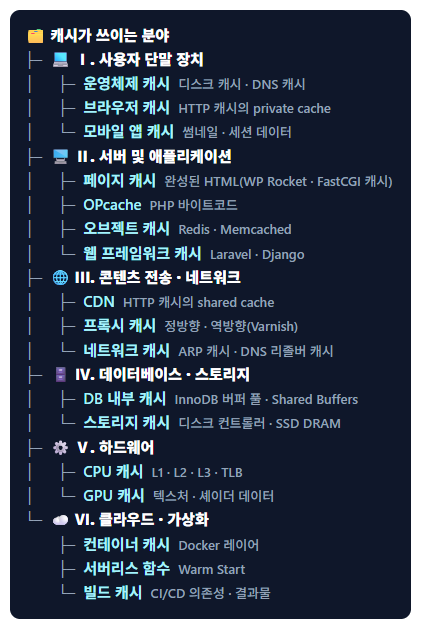 Cache
Cache: Definition and All Fields Where Caching Is Used
Explains by field how requests that hit the cache never reach a PHP-FPM worker.
Cache
Cache: Definition and All Fields Where Caching Is Used
Explains by field how requests that hit the cache never reach a PHP-FPM worker.
 Cache server
Installing and configuring Varnish Cache on Apache and Nginx
The installation steps for placing a cache server in front of the web server to reduce PHP requests themselves.
Cache server
Installing and configuring Varnish Cache on Apache and Nginx
The installation steps for placing a cache server in front of the web server to reduce PHP requests themselves.
 Linux
15 categories of Linux commands
A table that sorts commands into 15 categories, including rpm, grep and systemctl used in this post.
Linux
15 categories of Linux commands
A table that sorts commands into 15 categories, including rpm, grep and systemctl used in this post.
ℹ️ Affiliate Disclosure
This site's content contains affiliate links. When a visitor buys a product or service through one of them, the site receives a commission from the seller. The amount the buyer pays(it goes down during event discounts ↓)does not go up. Posted prices, discounts, and stock reflect the time of writing and may differ, so confirm with the seller before buying. Products are chosen and reviewed by our own standards, and commissions do not affect the order or content of reviews.