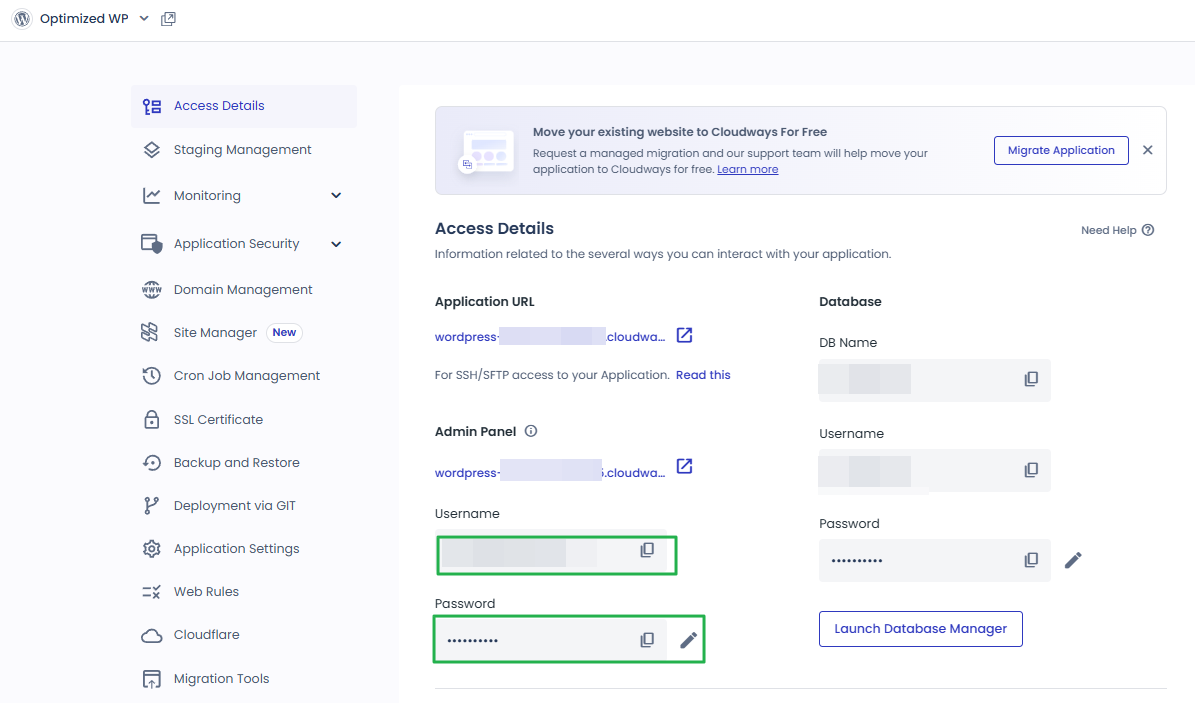
You have the Master credentials above to gain the access for SFTP or SSH (e.g using Putty) Alternatively, you can upload multiple SSH Public Keys to your Cloudways server to access it without password prompts.
SSH Public Keys
Or, launch SSH terminal in your browser by clicking the button below.
Launch SSH Terminal
unified.cloudways.com/apps/…/access_detail
CLOUDWAYSmy-server › my-app › Access Details
Application Credentials
You can create and use multiple Application credentials for SFTP or SSH access to this Application. More details
Public IP
203.0.113.24
SSH/SFTP Details
UsernamePasswordSSH
No data Available
app_user_a***********View SSH Keys⋮
App Credentials
Username
Enter Usernameapp_user_a
Password
Enter Password••••••••••
✓ You are all set!
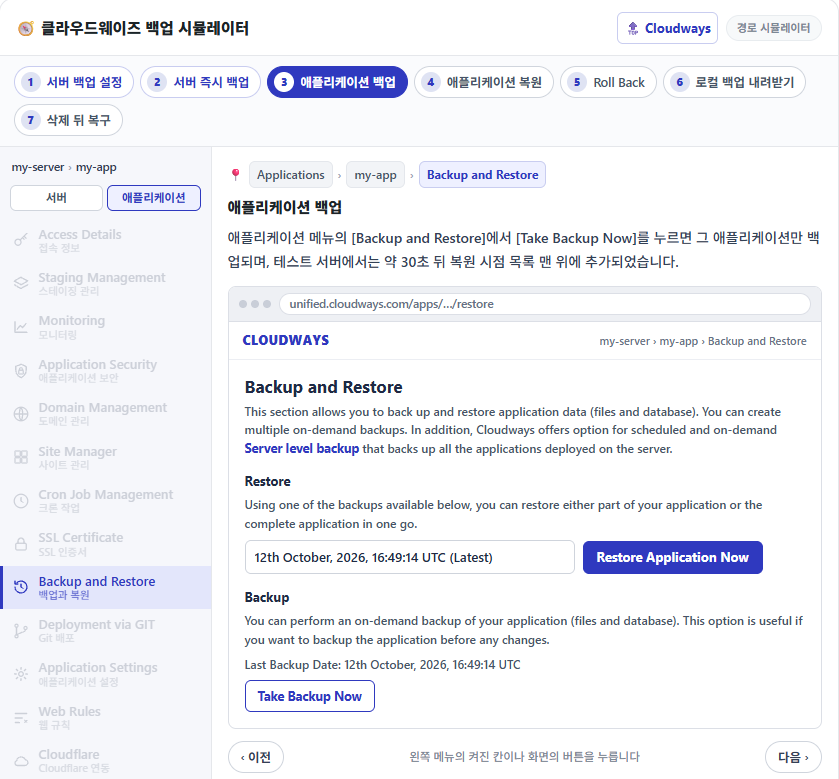
左メニューの有効な項目か画面のボタンを押します。
2️⃣ FileZillaのSFTP接続設定
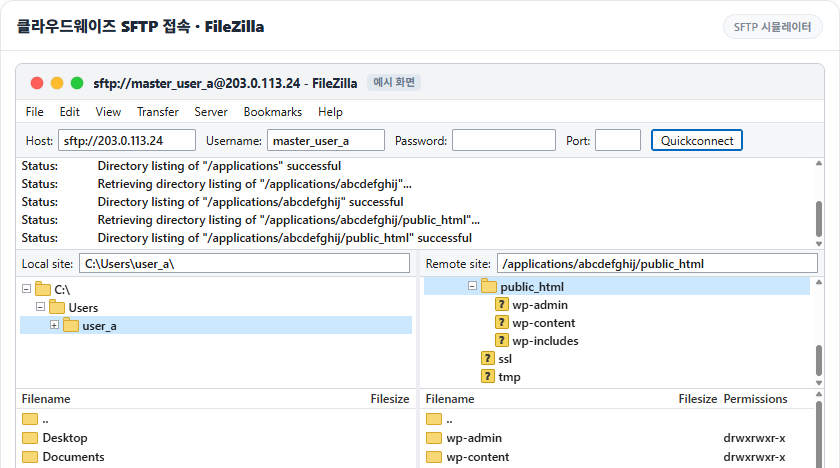
FileZillaのQuickconnectでPort欄を空にしてHostにIPだけを入れると、SFTPではなくFTPで接続しようとします。ログに[Connecting to サーバーIP:21…]だけが表示されて進まないのは、Cloudwaysのサーバーが21番ポートに応答しないためです。
Hostに[sftp://]を付けてPublic IPを入れるか、Portに22を入力し、UsernameとPasswordにはマスター認証情報かアプリケーション認証情報の値を貼り付けます。初めて接続すると[Unknown host key]ウィンドウが開きます。[Always trust this host, add this key to the cache]にチェックを入れて[OK]を押すと、次回からこのウィンドウは表示されません。
Generating public/private ed25519 key pair.Enter file in which to save the key (/root/.ssh/id_ed25519): /root/.ssh/cloudways_ed25519Enter passphrase for '/root/.ssh/cloudways_ed25519' (empty for no passphrase): Enter same passphrase again: Your identification has been saved in /root/.ssh/cloudways_ed25519Your public key has been saved in /root/.ssh/cloudways_ed25519.pubThe key fingerprint is:SHA256:xxxxxxxxxxxxxxxxxxxxxxxxxxxxxxxxxxxxxxxxxxx my-keyThe key's randomart image is:+--[ED25519 256]--+| o. o*|| . .. .o.|| .. .o || .. o. . .+ o|| .o=S.o +o.E || ==*=o. o. || oo=oBo. || .+O+o || oB* |+----[SHA256]-----+
鍵は[ssh-keygen -t ed25519]で作成し、秘密鍵と[.pub]の公開鍵の2つのファイルが生成されます。[Master Credentials]の[SSH Public Keys]を押し、[Label]に区別するための名前、[SSH Key]に公開鍵の中身を入れて[Submit]を押します。
SSH鍵をすでに登録している場合、[SSH Public Keys]を押すと[Label]と[SSH Key]の欄の代わりに鍵の一覧と[Add]ボタンが先に表示されます。
You have the Master credentials above to gain the access for SFTP or SSH (e.g using Putty) Alternatively, you can upload multiple SSH Public Keys to your Cloudways server to access it without password prompts.
Or, launch SSH terminal in your browser by clicking the button below.
The authenticity of host '203.0.113.24 (203.0.113.24)' can't be established.ED25519 key fingerprint is SHA256:xxxxxxxxxxxxxxxxxxxxxxxxxxxxxxxxxxxxxxxxxxx.This key is not known by any other names.Are you sure you want to continue connecting (yes/no/[fingerprint])? yesWarning: Permanently added '203.0.113.24' (ED25519) to the list of known hosts.Linux 1234567.cloudwaysapps.com 6.1.0-53-amd64 #1 SMP PREEMPT_DYNAMIC Debian 6.1.187-1 (2026-09-07) x86_64******************************PLEASE NOTE********************************* If this a new instance, cloud-init may still be running and normal ** operations may not work as expected. ** ** Please use `cloud-init status' to check on the status of the instance ** provisioning ** ** Remove this message by editing /etc/motd **************************************************************************Last login: Sun Oct 11 02:13:08 2026 from 198.51.100.7master_user_a@1234567:~$
CloudwaysのサーバーにSSH・SFTPで接続できるIPは、サーバーの[Security] › [Shell Access]で決めます。初期値は[Allow all IP addresses, except those blocked by the Cloudways security system.]です。すべてのIPからの接続を許可し、認証情報を何度も間違えたIPはCloudwaysのセキュリティシステムがブロックします。
[Block all IP addresses, except those on the Whitelist.]を選び、[Add IP to Whitelist]に接続するPCの グローバルIPを入力して[Add]を押します。リストに入ったIPが正しいことを確認してから[Save Changes]を押します。
Manage Shell Access and whitelist your IP and/or IP subnets for SSH/SFTP and MySQL connections.
SSH/SFTPMySQL
Allow all IP addresses, except those blocked by the Cloudways security system.By default, allow all IP addresses and let the Cloudways security system blocks those that try to exploit SSH/SFTP on your server. In other instances, you can lock yourself out if you input the incorrect credentials several times. To avoid lockouts, you can whitelist your IPs.
Block all IP addresses, except those on the Whitelist.By default, block all IP addresses except those on the whitelist. To allow an IP to SSH/SFTP to your server, you will need to whitelist the IP first.
Whitelist IPAdd IP to Whitelist198.51.100.7
198.51.100.7
*To apply your changes, please click on the SAVE CHANGES button.
左メニューの有効な項目か画面のボタンを押します。
テストサーバーでPC 1台のIPだけを入れて保存したところ、リストにあるPCはそのまま接続できました。リストにない別のサーバーからは[ssh: connect to host サーバーIP port 22: Connection timed out]と表示されました。