
dig command: Linux DNS lookups and reading +short and +trace output
To check the DNS records attached to a domain, right down to the DNS server's response header, use the dig command. Looking up example.com's records by type on AlmaLinux 9 and Debian 12 servers and switching the DNS server being asked showed that the status and flags in the response header alone are enough to tell apart a name that does not exist, a DNS server that could not produce an answer, and an answer given directly by the server that manages the records.
The output below was produced on an AlmaLinux 9.8 server (root account) and a Debian 12 server (regular account). The DNS server address configured on the server has been replaced with the example value 192.0.2.53, and the dig version numbers have also been replaced with example values.
1️⃣ How to use the dig command
The basic form is [dig @server name type], and the server and type can be left out. Per the official manual, without a server it asks the DNS server set in /etc/resolv.conf, and without a type it looks up the A record.
dig example.com; <<>> DiG 9.16.20-RH <<>> example.com
;; global options: +cmd
;; Got answer:
;; ->>HEADER<<- opcode: QUERY, status: NOERROR, id: 62441
;; flags: qr rd ra; QUERY: 1, ANSWER: 2, AUTHORITY: 0, ADDITIONAL: 1
;; OPT PSEUDOSECTION:
; EDNS: version: 0, flags:; udp: 4096
;; QUESTION SECTION:
;example.com. IN A
;; ANSWER SECTION:
example.com. 62 IN A 104.20.23.154
example.com. 62 IN A 172.66.147.243
;; Query time: 1 msec
;; SERVER: 192.0.2.53#53(192.0.2.53)
;; WHEN: Thu Oct 29 00:09:18 UTC 2026
;; MSG SIZE rcvd: 72Lines starting with a semicolon are comment lines, and lines without one are the records actually received. What each section shows is listed below.
| Output | What it shows |
|---|---|
| ; <<>> DiG 9.16.20-RH <<>> example.com | The dig version that ran and the arguments entered |
| ->>HEADER<<- … status: NOERROR, id: 62441 | The response code (status) and query number (id) |
| flags: qr rd ra | Flags in the response header — whether the responding server did a recursive lookup, and whether it manages the records |
| QUERY: 1, ANSWER: 2, AUTHORITY: 0, ADDITIONAL: 1 | Number of records in each section |
| OPT PSEUDOSECTION · EDNS … udp: 4096 | EDNS extension information and the response size (bytes) that can be received over UDP |
| QUESTION SECTION | The question sent — name, class (IN), record type |
| ANSWER SECTION | Records received — name, TTL (seconds), class, type and value, in that order |
| Query time: 1 msec | Time taken for the response to arrive |
| SERVER: 192.0.2.53#53(192.0.2.53) | Address and port number of the DNS server that responded |
| WHEN · MSG SIZE rcvd: 72 | Time of the query and size of the response received (bytes) |
In the flags line, qr means response, rd means recursion desired and ra means recursion available (RFC 1035). With ra but no aa, this response came from a DNS server that performs recursive lookups, not from the server that manages the records.
The 62 in the ANSWER section is the TTL, the time (seconds) the record may still stay in a cache. Asking 8.8.8.8 for the same name right after returned 300, so the number differed depending on when each DNS server cached it.
Running the same lookup with the nslookup command leaves the response code and TTL out of the default output. The differences between the two outputs are below.
| Comparison | dig | nslookup |
|---|---|---|
| Response code | Always shown in status on the HEADER line | Shown only on errors, as a server can't find line |
| TTL | Shown on every ANSWER record line | Shown only with -debug |
| DNS server that responded | SERVER line at the bottom | Server · Address lines at the top |
| NXDOMAIN exit code | 0 | 1 |
Check the installed dig version with -v. It was 9.16 on the AlmaLinux 9 server and 9.18 on the Debian 12 server.
dig -vDiG 9.16.20-RH2️⃣ Looking up records with dig
Writing a record type after the name looks up only that record. The value each type holds and the results looked up in this article are below.
| Type | What it holds | Lookup result |
|---|---|---|
| A | IPv4 address | example.com → 104.20.23.154 and 1 more |
| AAAA | IPv6 address | example.com → 2606:4700:10::6814:179a and 1 more |
| MX | Mail server and priority | example.com → 0 . (accepts no mail) |
| NS | Name servers that manage the records | example.com → hera · elliott.ns.cloudflare.com. |
| TXT | Free-form text value (SPF and so on) | example.com → v=spf1 -all and 1 more |
| CNAME | Alias for another name | www.github.com → github.com. |
| SOA | Primary name server of the zone and time values | example.com → elliott.ns.cloudflare.com. … |
| PTR | Name attached to an IP address (reverse) | -x 8.8.8.8 → dns.google. |
Mail servers are checked with the MX record. Looking up example.com's MX returned a single [0 .] line in the ANSWER section.
dig example.com MX; <<>> DiG 9.16.20-RH <<>> example.com MX
;; global options: +cmd
;; Got answer:
;; ->>HEADER<<- opcode: QUERY, status: NOERROR, id: 34433
;; flags: qr rd ra; QUERY: 1, ANSWER: 1, AUTHORITY: 0, ADDITIONAL: 1
;; OPT PSEUDOSECTION:
; EDNS: version: 0, flags:; udp: 4096
;; QUESTION SECTION:
;example.com. IN MX
;; ANSWER SECTION:
example.com. 300 IN MX 0 .
;; Query time: 5 msec
;; SERVER: 192.0.2.53#53(192.0.2.53)
;; WHEN: Thu Oct 29 00:09:23 UTC 2026
;; MSG SIZE rcvd: 550 is the priority, and an MX with just a single dot where the mail server name goes is a Null MX, meaning the domain accepts no mail (RFC 7505). Writing the type in lowercase as mx gave the same result.
To see only the record lines, add [+noall +answer]. Per the official manual, +noall turns off every output section, and +answer turns the ANSWER section back on.
dig example.com NS +noall +answerexample.com. 12192 IN NS hera.ns.cloudflare.com.
example.com. 12192 IN NS elliott.ns.cloudflare.com.example.com had two name servers. These two are the authoritative name servers that directly manage example.com's records.
dig example.com TXT +noall +answerexample.com. 300 IN TXT "v=spf1 -all"
example.com. 300 IN TXT "_k2n1y4vw3qtb4skdx9e7dxt97qrmmq9"A TXT record can hold a text value with no set format. v=spf1 -all is an SPF value saying that no server may send mail under this domain name.
dig www.github.com CNAME +noall +answerwww.github.com. 291 IN CNAME github.com.www.github.com was an alias (CNAME) of github.com. Looking up the same name without a type returned github.com's A record right after the CNAME line.
With +multiline, an SOA record gets a name and time added as a comment next to each number, which makes it easier to read.
dig example.com SOA +multiline +noall +answerexample.com. 1765 IN SOA elliott.ns.cloudflare.com. dns.cloudflare.com. (
2418004112 ; serial
10000 ; refresh (2 hours 46 minutes 40 seconds)
2400 ; retry (40 minutes)
604800 ; expire (1 week)
1800 ; minimum (30 minutes)
)serial is a sequence number that goes up every time the records change, and refresh, retry and expire are time values a secondary name server uses to keep its records in sync with the primary. minimum is how long a response about a name or record that does not exist may stay in a cache.
When you only need the values, add +short. The A record kept only the IP addresses, and MX kept only the priority and mail server name.
dig +short example.com172.66.147.243
104.20.23.154dig google.com MX +short10 smtp.google.com.Adding +stats after [+noall +answer] also prints the query time and the line of the server that responded. With dig 9.18 on the Debian 12 server, the transport used for the query, (UDP), was appended to the end of the SERVER line; dig 9.16 on the AlmaLinux 9 server had no such note.
dig example.com +noall +answer +statsexample.com. 235 IN A 172.66.147.243
example.com. 235 IN A 104.20.23.154
;; Query time: 0 msec
;; SERVER: 192.0.2.53#53(192.0.2.53) (UDP)
;; WHEN: Thu Oct 29 00:10:26 UTC 2026
;; MSG SIZE rcvd: 723️⃣ Choosing a DNS server with dig and reverse lookups
Writing @ and a DNS server before the name asks that server instead of the DNS server configured on the server. Asking 8.8.8.8 changed the SERVER line to 8.8.8.8 and added ad to the flags.
dig @8.8.8.8 example.com; <<>> DiG 9.16.20-RH <<>> @8.8.8.8 example.com
; (1 server found)
;; global options: +cmd
;; Got answer:
;; ->>HEADER<<- opcode: QUERY, status: NOERROR, id: 61431
;; flags: qr rd ra ad; QUERY: 1, ANSWER: 2, AUTHORITY: 0, ADDITIONAL: 1
;; OPT PSEUDOSECTION:
; EDNS: version: 0, flags:; udp: 512
;; QUESTION SECTION:
;example.com. IN A
;; ANSWER SECTION:
example.com. 300 IN A 104.20.23.154
example.com. 300 IN A 172.66.147.243
;; Query time: 30 msec
;; SERVER: 8.8.8.8#53(8.8.8.8)
;; WHEN: Thu Oct 29 00:09:29 UTC 2026
;; MSG SIZE rcvd: 72ad is the flag saying the responding server verified the DNSSEC signatures and judged the records in the response trustworthy (RFC 4035). Responses from the DNS server configured on the server had no ad.
Writing a name server from the NS lookup after @ asks the server that manages example.com's records directly.
dig @elliott.ns.cloudflare.com example.com; <<>> DiG 9.16.20-RH <<>> @elliott.ns.cloudflare.com example.com
; (6 servers found)
;; global options: +cmd
;; Got answer:
;; ->>HEADER<<- opcode: QUERY, status: NOERROR, id: 61828
;; flags: qr aa rd; QUERY: 1, ANSWER: 2, AUTHORITY: 0, ADDITIONAL: 1
;; WARNING: recursion requested but not available
;; OPT PSEUDOSECTION:
; EDNS: version: 0, flags:; udp: 1232
;; QUESTION SECTION:
;example.com. IN A
;; ANSWER SECTION:
example.com. 300 IN A 172.66.147.243
example.com. 300 IN A 104.20.23.154
;; Query time: 4 msec
;; SERVER: 2606:4700:58::a29f:2ce4#53(2606:4700:58::a29f:2ce4)
;; WHEN: Thu Oct 29 00:09:29 UTC 2026
;; MSG SIZE rcvd: 72This time aa appeared in the flags, confirming that the authoritative name server answered directly. Because this server does not support recursive lookups, which find names by going through other servers, ra dropped out and a [WARNING: recursion requested but not available] line was added.
(6 servers found) means the name server's name resolved to three IPv4 addresses and three IPv6 addresses. The SERVER line showed the IPv6 address among them that sent the answer.
Writing an IP address after -x looks up the PTR record to find the name attached to that address.
dig -x 8.8.8.8 +noall +answer8.8.8.8.in-addr.arpa. 300 IN PTR dns.google.dig looked up a name made by writing 8.8.8.8 backwards and adding in-addr.arpa, and its PTR value, dns.google., was the name of 8.8.8.8.
4️⃣ The dig +trace delegation path
With +trace, dig asks in turn starting from the root name servers and prints, step by step, which server the name was handed over to. Per the official manual, +trace also requests DNSSEC signature lines, so +nodnssec was added to see only the delegation path.
dig +trace +nodnssec example.com; <<>> DiG 9.16.20-RH <<>> +trace +nodnssec example.com
;; global options: +cmd
. 86333 IN NS j.root-servers.net.
. 86333 IN NS g.root-servers.net.
. 86333 IN NS b.root-servers.net.
. 86333 IN NS e.root-servers.net.
. 86333 IN NS k.root-servers.net.
. 86333 IN NS f.root-servers.net.
. 86333 IN NS l.root-servers.net.
. 86333 IN NS m.root-servers.net.
. 86333 IN NS h.root-servers.net.
. 86333 IN NS c.root-servers.net.
. 86333 IN NS d.root-servers.net.
. 86333 IN NS a.root-servers.net.
. 86333 IN NS i.root-servers.net.
;; Received 239 bytes from 192.0.2.53#53(192.0.2.53) in 1 ms
com. 172800 IN NS a.gtld-servers.net.
com. 172800 IN NS b.gtld-servers.net.
com. 172800 IN NS c.gtld-servers.net.
com. 172800 IN NS d.gtld-servers.net.
com. 172800 IN NS e.gtld-servers.net.
com. 172800 IN NS f.gtld-servers.net.
com. 172800 IN NS g.gtld-servers.net.
com. 172800 IN NS h.gtld-servers.net.
com. 172800 IN NS i.gtld-servers.net.
com. 172800 IN NS j.gtld-servers.net.
com. 172800 IN NS k.gtld-servers.net.
com. 172800 IN NS l.gtld-servers.net.
com. 172800 IN NS m.gtld-servers.net.
;; Received 836 bytes from 2001:7fd::1#53(k.root-servers.net) in 30 ms
example.com. 172800 IN NS hera.ns.cloudflare.com.
example.com. 172800 IN NS elliott.ns.cloudflare.com.
;; Received 359 bytes from 2001:503:d414::30#53(f.gtld-servers.net) in 66 ms
example.com. 300 IN A 104.20.23.154
example.com. 300 IN A 172.66.147.243
;; Received 72 bytes from 108.162.195.228#53(elliott.ns.cloudflare.com) in 3 msAt each step, the final [Received … from] line shows the server that sent that response. The servers asked at the four steps and what came back are below.
| Level | Server asked | What came back |
|---|---|---|
| 1 | DNS server configured on the server (192.0.2.53) | 13 root (.) name servers |
| 2 | k.root-servers.net | 13 .com name servers (gtld-servers.net) |
| 3 | f.gtld-servers.net | 2 example.com name servers |
| 4 | elliott.ns.cloudflare.com | 2 A records for example.com |
+trace output is like the tracking record of a registered letter.
The A record in the last step was sent directly by example.com's name server, so it is the current value, not one from a cache. Right after changing name servers, first check at step 3 whether the .com servers answer with the new name servers.
5️⃣ dig response errors and options
🔲 Response errors
Looking up a name that does not exist gives NXDOMAIN as the status. .invalid is a top-level domain reserved so that it is never actually used, so it was used to check this response.
dig example.invalid; <<>> DiG 9.16.20-RH <<>> example.invalid
;; global options: +cmd
;; Got answer:
;; ->>HEADER<<- opcode: QUERY, status: NXDOMAIN, id: 23779
;; flags: qr rd ra; QUERY: 1, ANSWER: 0, AUTHORITY: 1, ADDITIONAL: 1
;; OPT PSEUDOSECTION:
; EDNS: version: 0, flags:; udp: 4096
;; QUESTION SECTION:
;example.invalid. IN A
;; AUTHORITY SECTION:
invalid. 10800 IN SOA localhost. nobody.invalid. 1 3600 1200 604800 10800
;; Query time: 1 msec
;; SERVER: 192.0.2.53#53(192.0.2.53)
;; WHEN: Thu Oct 29 00:09:33 UTC 2026
;; MSG SIZE rcvd: 96ANSWER was 0, and the AUTHORITY section held the SOA record of that zone. The last number of the SOA, 10800, is how long (seconds) this response may stay in a cache.
no-such-host.example.com ended with status NOERROR and ANSWER 0 instead of NXDOMAIN. Since this response has no error code and only lacks records, check status and the ANSWER count together.
dig no-such-host.example.com; <<>> DiG 9.16.20-RH <<>> no-such-host.example.com
;; global options: +cmd
;; Got answer:
;; ->>HEADER<<- opcode: QUERY, status: NOERROR, id: 31671
;; flags: qr rd ra; QUERY: 1, ANSWER: 0, AUTHORITY: 1, ADDITIONAL: 1
;; OPT PSEUDOSECTION:
; EDNS: version: 0, flags:; udp: 4096
;; QUESTION SECTION:
;no-such-host.example.com. IN A
;; AUTHORITY SECTION:
example.com. 1800 IN SOA elliott.ns.cloudflare.com. dns.cloudflare.com. 2418004112 10000 2400 604800 1800
;; Query time: 7 msec
;; SERVER: 192.0.2.53#53(192.0.2.53)
;; WHEN: Thu Oct 29 00:09:33 UTC 2026
;; MSG SIZE rcvd: 115SERVFAIL is the response code meaning the DNS server could not produce an answer (RFC 1035). Asking 8.8.8.8 about dnssec-failed.org, a public domain for testing DNSSEC validation failures, returned SERVFAIL along with an EDE line.
dig @8.8.8.8 dnssec-failed.org; <<>> DiG 9.16.20-RH <<>> @8.8.8.8 dnssec-failed.org
; (1 server found)
;; global options: +cmd
;; Got answer:
;; ->>HEADER<<- opcode: QUERY, status: SERVFAIL, id: 57521
;; flags: qr rd ra; QUERY: 1, ANSWER: 0, AUTHORITY: 0, ADDITIONAL: 1
;; OPT PSEUDOSECTION:
; EDNS: version: 0, flags:; udp: 512
; EDE: 9 (DNSKEY Missing): (No DNSKEY matches DS RRs of dnssec-failed.org)
;; QUESTION SECTION:
;dnssec-failed.org. IN A
;; Query time: 333 msec
;; SERVER: 8.8.8.8#53(8.8.8.8)
;; WHEN: Thu Oct 29 00:09:41 UTC 2026
;; MSG SIZE rcvd: 97EDE is an extended error code that adds the reason for an error (RFC 8914). 9 (DNSKEY Missing) means no DNSKEY matching the DS record in the parent zone was found, and 8.8.8.8 returned SERVFAIL instead of an address for a name whose signatures it could not verify.
When the DNS server does not respond, the output ends with [connection timed out; no servers could be reached] and no status line. Asking 192.0.2.1, an address for documentation examples, with [+timeout=2 +tries=1] produced this line after 2 seconds.
dig @192.0.2.1 example.com +timeout=2 +tries=1; <<>> DiG 9.16.20-RH <<>> @192.0.2.1 example.com +timeout=2 +tries=1
; (1 server found)
;; global options: +cmd
;; connection timed out; no servers could be reachedAsking the same address without options produced the same line after 15 seconds. That is because the official manual's defaults are 5 seconds per response and 3 tries. With dig 9.18 on the Debian 12 server, a [communications error to 192.0.2.1#53: timed out] line came first, and the last line was [no servers could be reached].
When a script splits results by exit code, keep in mind that NXDOMAIN also gives 0. Looking up example.invalid with +short and then printing the exit code gave 0 with an empty result, while the lookup of 192.0.2.1, which did not respond, gave 9.
dig +short example.invalid; echo $?0For each response error, the line to check in the output and what to check next are below.
| Output | Meaning | What to check next |
|---|---|---|
| status: NXDOMAIN | That name does not exist | Spelling and registration status of the domain, delegation path with +trace |
| status: NOERROR · ANSWER: 0 | No record of that type in the response | The record type and the name server's record settings |
| status: SERVFAIL | The DNS server could not produce an answer | EDE line, responses from other DNS servers (@8.8.8.8 · @1.1.1.1) |
| connection timed out | The DNS server does not respond | DNS server address and firewalls blocking port 53 |
🔲 dig command options
📌 Main options: results from this article
| Option | Task | Result in this article | |
|---|---|---|---|
| @SERVER | Asks the given server instead of the DNS server configured on the server | With @8.8.8.8 the SERVER line changed to 8.8.8.8 and ad was added to the flags; asking the authoritative name server gave aa | |
| Type | Looks up only the record type written after the name | example.com MX gave a single [0 .] line; lowercase mx gave the same result | |
| -x ADDRESS | Looks up the PTR record of an IP address | -x 8.8.8.8 gave dns.google. | |
| -v | Prints the version | 9.16 on the AlmaLinux 9 server, 9.18 on the Debian 12 server | |
| -r | Does not read .digrc in the home folder | Even with +short in .digrc, adding -r printed the record lines as they are | |
| +short | Prints only the record values | A gave two IP addresses; google.com MX gave 10 smtp.google.com. | |
| +noall +answer | Turns off every output section, then turns the ANSWER section back on | example.com NS left only the two name server lines | |
| +multiline | Splits long records such as SOA over several lines with comments | Names and times such as serial and refresh are added as comments next to each number | |
| +stats | Also prints the query time and the line of the server that responded | With dig 9.18 on the Debian 12 server, (UDP) at the end of the SERVER line | |
| +trace | Asks in turn from the root name servers and prints the delegation path | At each of the four steps, the final [Received … from] line shows the server that responded | |
| +nodnssec | Does not request DNSSEC signature records | Used with +trace to keep only the delegation path | |
| +timeout=SECONDS | Time to wait for one response, default 5 seconds | Asking 192.0.2.1 with +timeout=2 +tries=1 gave [connection timed out] after 2 seconds; without options, 15 seconds | |
| +tries=COUNT | Number of times the query is sent, default 3 | Set to 1 together with +timeout=2, it asked only once and ended after 2 seconds | |
| +tcp | Sends the query over TCP instead of UDP | With dig 9.18 on the Debian 12 server, the end of the SERVER line changed from (UDP) to (TCP), and the records were the same |
📎 Other options: per the official manual
| Option | Task | |
|---|---|---|
| -4 | Queries over IPv4 only | |
| -6 | Queries over IPv6 only | |
| -t TYPE | Sets the record type to look up | |
| -q NAME | Sets the name to look up, to keep it from being mistaken for other arguments | |
| -p PORT | Queries the given port instead of port 53 | |
| -b ADDRESS | Sets the source IP address the query is sent from | |
| -f FILE | Runs the lookups written one per line in a file, in order | |
| +norecurse | Queries with the recursion desired (RD) flag turned off | |
| +dnssec | Also requests DNSSEC records | |
| +nssearch | Finds the authoritative name servers and prints the SOA record each one holds | |
| +nocmd | Prints without the version and option comment lines at the top | |
| +nocomments | Prints without comment lines such as the response header and section names | |
| +ttlunits | Prints the TTL in s, m, h, d and w units | |
| +retry=COUNT | Number of retries not counting the first query, default 2 |
🔲 dig command simulator
In the simulator below, you can type dig yourself while switching record types, DNS servers and output options.
🔢 FAQ & Recommended Content

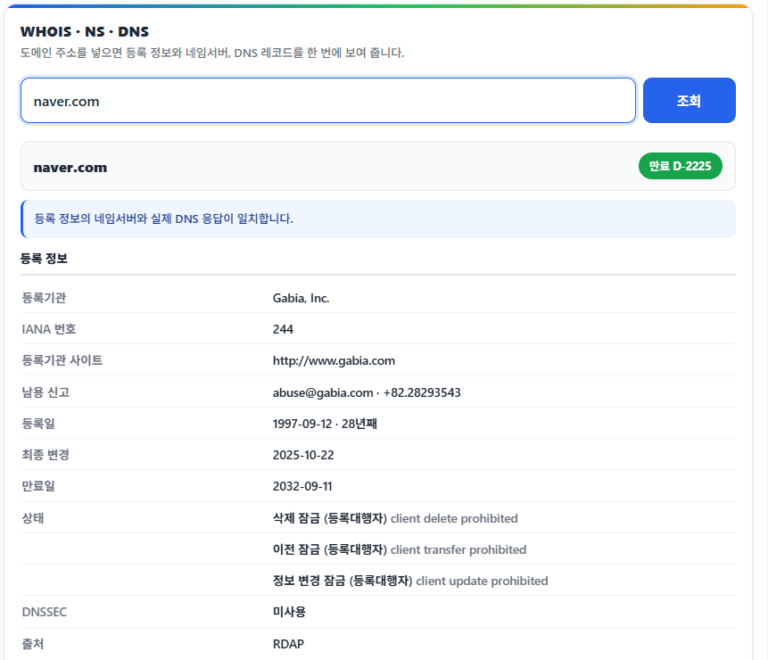 Tools · Domains
WHOIS Domain Lookup · Nameserver Check
A lookup tool that checks a domain's registration details, name servers and DNS records right in your browser once you enter the domain.
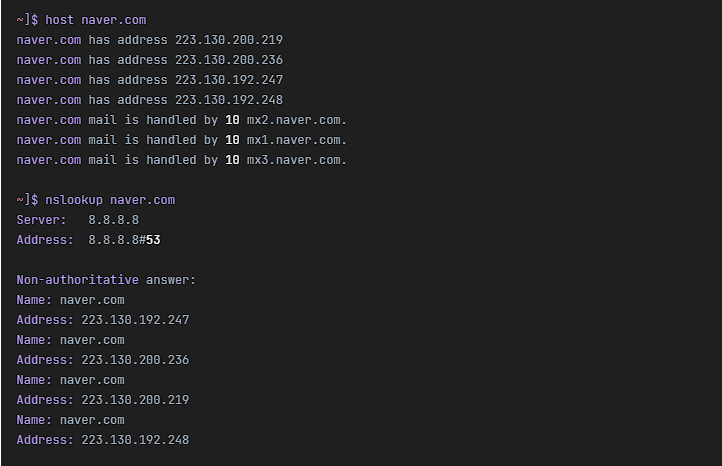 Network · DNS
Linux host command | DNS lookup command
The host command for finding the IP address of a host name or turning an IP address back into a host name.

ℹ️ Affiliate Disclosure
This site's content contains affiliate links. When a visitor buys a product or service through one of them, the site receives a commission from the seller. The amount the buyer pays(it goes down during event discounts ↓)does not go up. Posted prices, discounts, and stock reflect the time of writing and may differ, so confirm with the seller before buying. Products are chosen and reviewed by our own standards, and commissions do not affect the order or content of reviews.