
Hostinger Review: Pricing and Renewal Prices, WordPress Installation, and Measured Response Times
This Hostinger review is based on running two sites on the Hostinger Unlimited plan, checking pricing, the control panel, WordPress installation time and response times in October 2026. The server was moved from Asia (Malaysia) to Europe (Germany, Frankfurt) free of charge. After the move, uncached origin responses were measured again from four locations in Europe and compared with the results before the move.
After the move, themes and plugins were added one at a time and the same URL was measured three times at each step; excluding the first request, the average origin response was 0.15–0.42 seconds. Creating a new WordPress site took 2 minutes 52 seconds, from the moment [Create site] was clicked until the admin screen opened.
1️⃣ Hostinger pricing plans
With Hostinger web hosting, the longer the term, the lower the monthly price on the first payment, and for terms of 12 months or more the renewal price is the same regardless of term length. The table below reproduces the official pricing page from October 27, 2026; changing the term changes both the monthly price and the first payment amount.
The 48-month Premium plan costs $119.52 as a first payment, while the same period at the regular price would come to $585.12. Once the term ends, however, it renews at $10.99 per month, more than four times the first-term monthly price of $2.49.
2️⃣ Hostinger discounts
The prices on the public pricing page already include the discount, with no coupon code needed. Discount rates differ by plan and can change when a promotion ends, so the 48-month pricing page from October 31, 2026 is shown as it was. On this page, Ecommerce Startup has the same price as Cloud Startup in the October 27 table.
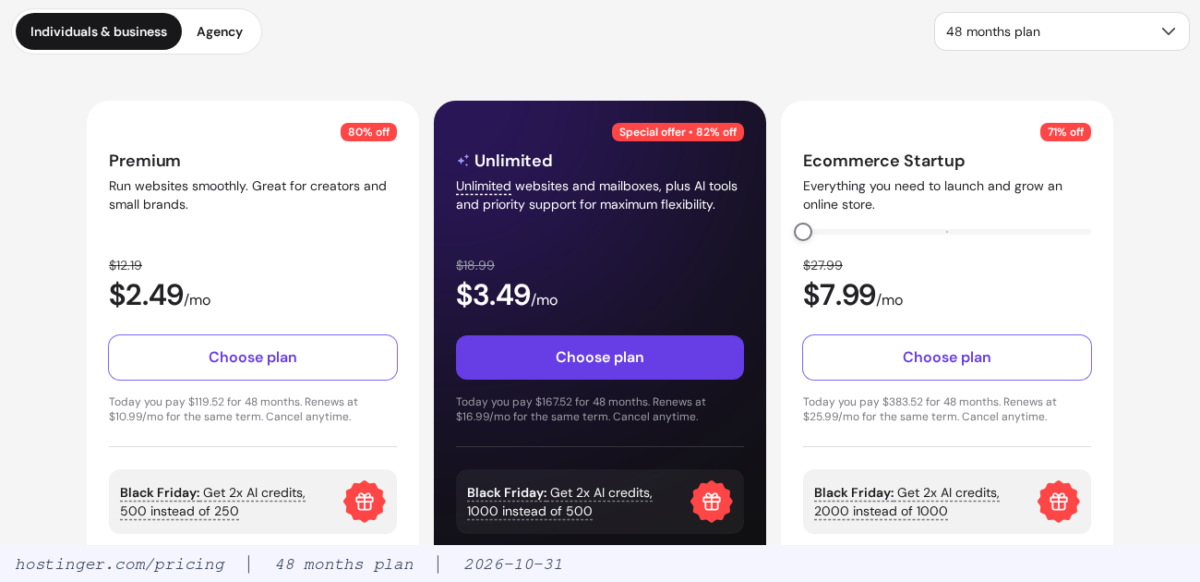
The Premium card strikes through the regular monthly price of $12.19 and shows $2.49. The [Black Friday] box below the card is a perk that raises AI credits from 250 to 500 and is separate from the price discount. The discount applies only to the first term's payment; after the term ends, you are billed at the renewal price in the table above.
The coupon field on the checkout page was not used in this test. When comparing coupon codes, it is more accurate to check them against the discount rate and renewal price already shown on the public page.
3️⃣ hPanel control panel
When you log in to hPanel, [Home] shows your plan and site list, and clicking [Manage site] on a site's row takes you to that site's own menu. Sites created on a temporary address also show a [Connect] prompt to connect your own domain.

The site menu on the left is divided into groups such as WordPress, Hosting Plan, Performance, Security, Files, Databases and Advanced. Clicking a group expands its sub-screens. [Hosting Plan › Plan Details] shows the server name, server location, backup location, and the plan's disk, RAM and CPU limits.

Clicking the pencil icon next to Server Location on the Plan details screen lets you change the server location. After the server was moved, this field changed from Asia (Malaysia) to Europe (Germany, Frankfurt), and the backup location changed from Singapore to France.
4️⃣ WordPress installation
When a new site was created on October 27, 2026, it took 2 minutes 52 seconds from the moment [Create site] was clicked until the WordPress admin screen opened. If you have a plan, you add a site with [Create site] on the [Websites] screen. Clicking [Create site] opens a menu where you choose from AI Builder, WordPress, PHP/HTML website and Web App.

Choosing [WordPress] opens a screen where you chat with AI, starting with the domain. Clicking [Set up manually] at the top right takes you through the same questions on step-by-step screens without the chat. If you do not have a domain yet, [Use temporary domain] installs to a temporary address first.

The admin details screen has the email and password already filled in, so you only check them and move on. [Site and admin details] shows the admin username admin and the site language English (US). Clicking [Build from scratch] starts the installation right away, while [Create website with AI] leads to the AI builder.

The installation screen shows progress in the order Installing WordPress, Adding your domain, Wrapping things up. It took about 1 minute 10 seconds from clicking [Build from scratch] until the admin screen opened.

When the installation finishes, you go to the WordPress admin without logging in, and the first screen is the [Set up your website] checklist in Hostinger Hub.

The new site was installed with the Twenty Twenty-Five theme active. The active plugins were five: Hostinger AI, Hostinger Hub, Hostinger Reach, Hostinger Tools and LiteSpeed Cache.

5️⃣ Speed and response time
Hostinger sites respond through Hostinger CDN from the moment they are installed, so measuring the URL as is gives you the speed of the copy stored on the CDN. That is why the origin response, bypassing both the CDN and the page cache, was measured separately by adding [?nocache=] and a timestamp to the end of the URL.
Measurements were taken with the HTTP check on check-host.net from four locations, Milan, Amsterdam, Paris and London, three times each at intervals of about 1 minute. The figures are the total time from connection until the response ends, so they are larger than values that measure only the time to first byte (TTFB).
| Location | CDN · Malaysia | CDN · Frankfurt | Origin · Malaysia | Origin · Frankfurt |
|---|---|---|---|---|
| Milan | 0.172 s | 0.052 s | 0.972 s | 0.697 · 1.012 · 0.145 s |
| Amsterdam | 0.298 s | 0.044 s | 0.999 s | 0.718 · 0.191 · 0.197 s |
| Paris | 0.042 s | 0.077 s | 6.734 s | 0.721 · 0.199 · 0.154 s |
| London | 0.222 s | 0.051 s | 1.002 s | 0.775 · 0.177 · 0.186 s |
The table shows measurements of the home page of the site created first. The CDN columns are the average of three measurements each before the move (2026-10-26) and after the move (2026-10-27), and the origin columns show one value before the move and three values after it. After the move, only the first run of the origin was around 0.7 seconds, and the 2nd and 3rd runs were 0.15–0.20 seconds except for the 2nd run in Milan. The 6.734-second Paris origin value before the move was measured only once, so it may have been a temporary spike.
There were 14 locations to choose from when moving the server. In Europe, they are Germany (Frankfurt, Dusseldorf), France, Netherlands, Lithuania and United Kingdom. The confirmation window said the move is free, the IP address changes, and hosting is locked for up to 12 hours.


The first window for choosing a location notes that a transfer can be started only once every 30 days. The move had finished by the evening of the day after [Start] was clicked. While the site was being moved, from the evening of October 26, 2026 until the evening of the 27th, the URL of the site created first was requested every 30 seconds. All 3,030 responses through the CDN were normal (200).
After moving to Frankfurt, the GeneratePress theme and the Rank Math and Imagify plugins were activated one at a time on the new site, and the origin response was measured three times at each step. The figures are for the home page of an empty site with no posts.
| Measurement step | Milan | Amsterdam | Paris | London |
|---|---|---|---|---|
| Right after installation (5 default plugins) | 0.211 / 0.295 s | 0.189 / 0.321 s | 0.186 / 0.326 s | 0.199 / 0.317 s |
| + GeneratePress | 0.887 / 0.218 s | 1.126 / 0.312 s | 0.901 / 0.247 s | 0.925 / 0.257 s |
| LiteSpeed Cache unchanged (measured again) | 0.161 / 0.150 s | 0.160 / 0.416 s | 0.165 / 0.158 s | 0.192 / 0.207 s |
| + Rank Math | 0.776 / 0.163 s | 0.975 / 0.157 s | 0.782 / 0.184 s | 0.810 / 0.232 s |
| + Imagify | 0.171 / 0.200 s | 0.193 / 0.180 s | 0.171 / 0.181 s | 0.210 / 0.217 s |
In each cell, the first number is the first run and the second is the average of the 2nd and 3rd runs, measured on October 27, 2026. LiteSpeed Cache was active from installation, so no settings were changed at that step, and Imagify was only activated without connecting an account.
Even as themes and plugins were added one at a time, the average of the 2nd and 3rd runs stayed within 0.15–0.42 seconds, and the first run rose to 0.78–1.13 seconds at two steps.
6️⃣ Built-in features
| Features | hPanel menu | What we checked |
|---|---|---|
| Backups | Files › Backups | Daily automatic backups · manual backups once every 24 hours |
| Cache | Advanced › Cache Manager | Server cache on/off · cache cleared every 30 minutes · LiteSpeed Cache preinstalled on WordPress |
| CDN | Response header server: hcdn | CDN responses on both sites right after installation |
According to the hPanel screen on October 24, 2026, [Files › Backups] has backups created automatically every day and manual backups that can be created once every 24 hours. A notice at the top of the screen says that backup plugin archives, cache and database export files are excluded from backups.

[Advanced › Cache Manager] is the screen that turns the Hostinger server cache on and off, and it says the cache is cleared every 30 minutes. The LiteSpeed Cache plugin is installed on new WordPress sites, so the plugin-side cache was active from the start.

On both sites, the response header recorded [server: hcdn], so they went through Hostinger CDN right after installation. The official pricing page shows [CDN included] on the Unlimited card.
7️⃣ Refund and cancellation terms
According to Hostinger's official refund policy, orders canceled within 30 days of the purchase date are refunded, and the date a renewal payment is processed also counts as a purchase date. You can cancel at any time, but you get a refund only if you request it within this period.
For web hosting, every plan is covered by the standard refund except the first payment after a free trial. VPS hosting follows separate terms and is refunded only within 30 days of purchase and if 180 days have passed since your last refund of another VPS plan. Products that are not refunded include domain renewals, Privacy Protection and Hostinger Credits.
Free domains received with 12-month, 24-month and 48-month plans are not refunded either, and in that case Hostinger states it may refund the difference after deducting the domain price from the amount paid. This is based on the English original revised on October 15, 2026.
8️⃣ Hostinger review and verdict
Hostinger has a low first-term price, and you can handle everything yourself in hPanel, from installing WordPress to moving the server location. That makes it a fit for site owners who want to start a WordPress site for European visitors without configuring a server. The pros confirmed first-hand in this test were a 2-minute 52-second installation, an average Frankfurt origin response of 0.15–0.42 seconds excluding the first request, and 0 errors in responses through the CDN during the move.
When the term ends, Premium renews at $10.99 per month, so for a site you plan to keep running after the term, you end up budgeting on the renewal price rather than the first-term discount. For sites that need to move their server location often, the limit of one move every 30 days and the lock of up to 12 hours during a move are not a good fit.
🔢 FAQ & Recommended Content
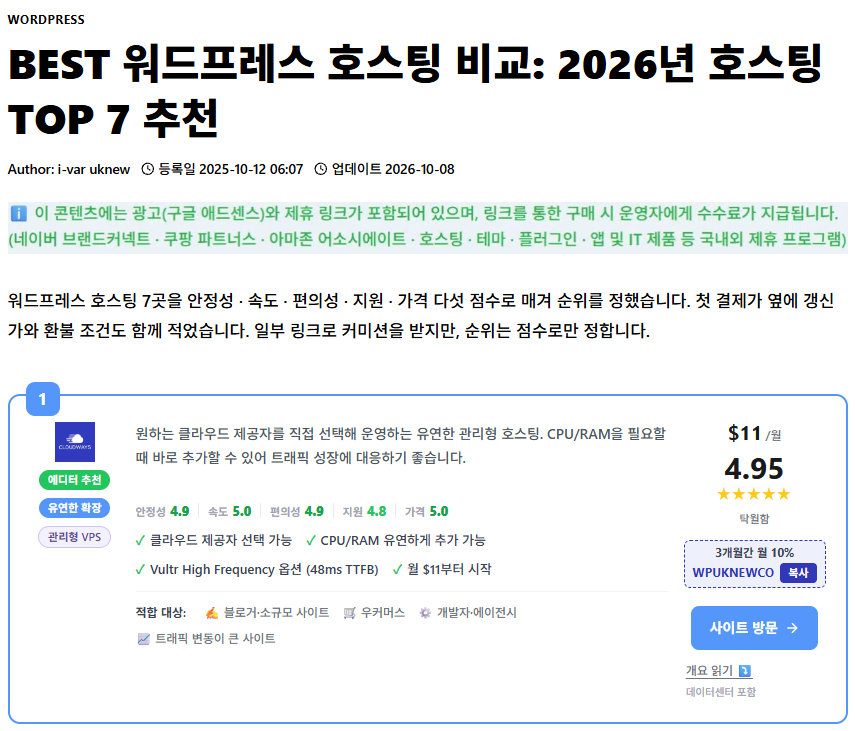
 Speed
Fast WordPress Hosting 2026
We compared the speed of 8 hosts with benchmarks.

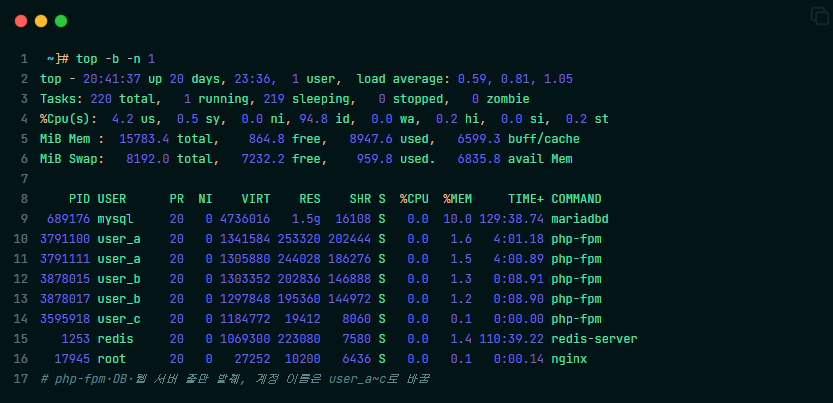 Shared hosting
What is shared hosting?
How CPU and RAM are isolated, plus the limits, pros, and cons of shared hosting.
ℹ️ Affiliate Disclosure
This site's content contains affiliate links. When a visitor buys a product or service through one of them, the site receives a commission from the seller. The amount the buyer pays(it goes down during event discounts ↓)does not go up. Posted prices, discounts, and stock reflect the time of writing and may differ, so confirm with the seller before buying. Products are chosen and reviewed by our own standards, and commissions do not affect the order or content of reviews.