
WordPress.com vs WordPress.org: Pricing, Plugins and Who Manages What
Search for how to build a WordPress site and two sites with almost the same address come up. The difference between WordPress.com vs WordPress.org starts with who runs the server, and that decides how you are billed, which plugins you can install and who is responsible for backups and security.
1️⃣ Same WordPress, Different Operator
WordPress.org is the open-source project that distributes the WordPress software for free, and you install the downloaded WordPress on a hosting server you sign up for yourself. WordPress.com is a hosting service from Automattic, the company founded by WordPress co-founder Matt Mullenweg, and Automattic handles server management and WordPress updates.
2️⃣ Cost Structure
🔲 WordPress.com Plans
WordPress.com lets you start on a free plan with 1GB of storage and an address in the [sitename.wordpress.com] format. Free sites show WordPress.com ads to visitors, and plugins cannot be installed.
Paid plans, billed annually, are Personal at $4 per month, Premium at $8, Business at $25 and Commerce at $45, and every paid plan includes a free domain for the first year.
🔲 WordPress.org Hosting and Domain Costs
With WordPress.org, the software is free, but hosting and a domain are paid separately. For shared hosting, Hostinger Premium costs $2.99 per month on a 48-month term, renews at $10.99 per month and includes a free domain for the first year.
For cloud hosting, Cloudways, with a 1GB DigitalOcean server, costs $11 per month, billed for the hours used with no contract. For managed hosting, Kinsta: plans start at $35 per month, with the first month at $0.
3️⃣ Plugins, Themes and Server Access
On WordPress.com, every paid plan from Personal up allows plugin installation, so you can choose from over 60,000 plugins in the marketplace or upload a plugin file directly. All premium themes are also available from the Personal plan.
Direct server access through SFTP and SSH, WP-CLI and Git deployment are only available on the Business and Commerce plans. With WordPress.org, you choose and install plugins and themes yourself, and how much server access you get depends on your hosting.
4️⃣ Ads and Monetization
WordAds, the official WordPress.com ad program, is available on the Premium plan and above, and it requires a public site with your own connected domain set as the primary address. Ad earnings are paid to a PayPal account.
Third-party ad networks such as Google AdSense or Mediavine can be connected on the Personal plan and above by installing a plugin that inserts header code, but they cannot be used on the free plan. With WordPress.org, you can insert code from any ad network you like with no plan restrictions.
5️⃣ Backups, Security and Updates
WordPress.com includes security features on every plan, while real-time backups and one-click restores come with the Business and Commerce plans.
With WordPress.org, the site owner manages WordPress core and plugin updates and the backup setup. Backup coverage differs by host: Hostinger Premium includes free weekly backups, while Cloudways charges $0.033 per GB for offsite backup storage.
6️⃣ How to Choose
If you are starting a blog and want someone else to manage the server, the WordPress.com Personal plan fits. For $4 a month it lets you use your own connected domain, plugins and third-party ad code.
If you plan to grow ad and affiliate revenue while managing the server setup and backups yourself, WordPress.org with a hosting plan is the choice. Hostinger works for getting started, and Cloudways or Kinsta are worth considering once traffic grows.
A WordPress.com site can export its posts, pages, comments, categories and tags as an XML file and move them to a WordPress.org site, so starting on WordPress.com and moving to a hosting plan later is also an option.
🔢 FAQ & Recommended Content

 Hosting comparison
Top 7 WordPress Hosting
A comparison of seven hosts rated on stability, speed, ease of use, support and price.
Hosting comparison
Top 7 WordPress Hosting
A comparison of seven hosts rated on stability, speed, ease of use, support and price.
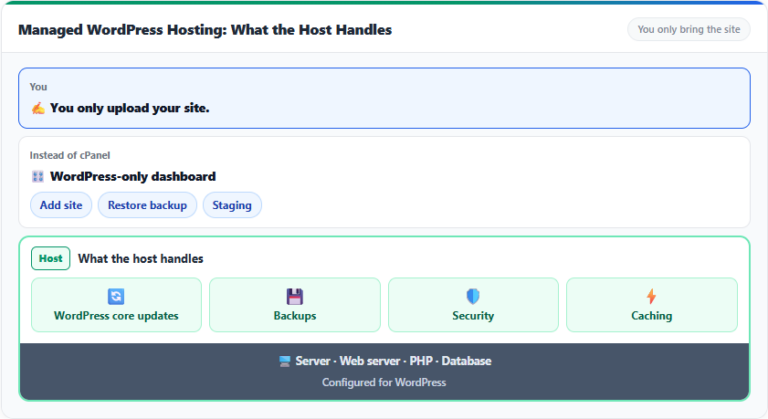 Managed
 WordPress hosting
What the host manages for you and how it differs from a managed VPS.
Managed
Managed WordPress hosting
What the host manages for you and how it differs from a managed VPS.
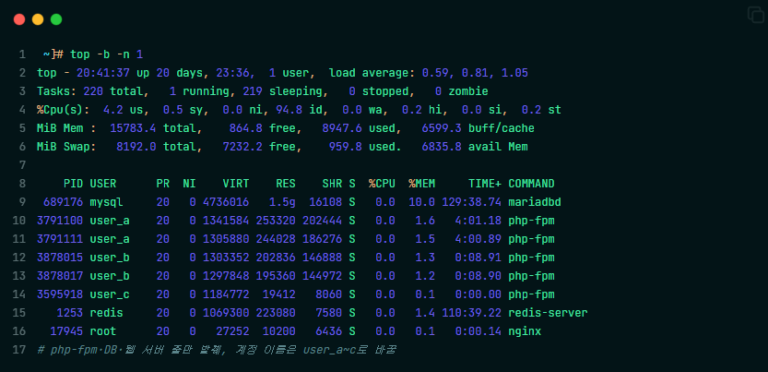 Shared hosting
What is shared hosting?
How multiple sites share the same CPU and RAM, and the limits of shared hosting.
Shared hosting
What is shared hosting?
How multiple sites share the same CPU and RAM, and the limits of shared hosting.
ℹ️ Affiliate Disclosure
This site's content contains affiliate links. When a visitor buys a product or service through one of them, the site receives a commission from the seller. The amount the buyer pays(it goes down during event discounts ↓)does not go up. Posted prices, discounts, and stock reflect the time of writing and may differ, so confirm with the seller before buying. Products are chosen and reviewed by our own standards, and commissions do not affect the order or content of reviews.