
WordPress Translation Plugin Comparison: 5 Options


WordPress is one of the most popular CMS platforms in the world, used for everything from WooCommerce online stores to corporate websites and blogs. WordPress has many translation plugins, and a WordPress translation plugin makes it easy to build a multilingual site.
Here I compare five notable plugins and think through which one this website should use if it adopts a WordPress translation plugin.
✅ Internet Influence by Language: Web Content Language Statistics
The languages most used in web content differ somewhat from how languages are distributed across the world's population. A language's share of the web is not decided by the number of speakers alone; economic, cultural, and geographic factors also play a large role. These are the most widely used web content languages.
1. Languages by Number of Speakers
- English 🇺🇸🇬🇧 (1.5 billion speakers)
English is widely used across North America, Europe, Africa, and Asia, and plays a key role in business and international communication. It holds the largest share of websites worldwide. - Chinese 🇨🇳 (1.1 billion speakers)
Chinese is mainly used in mainland China, Taiwan, Singapore, and other Chinese-speaking regions. Thanks to China's huge internet user base and economic growth, its influence on global content keeps expanding. - Hindi 🇮🇳 (602.2 million speakers)
Hindi, a major language in northern and central India, is steadily gaining ground in the digital market along with India's population growth. - Spanish 🇪🇸🇲🇽 (548.3 million speakers)
Spanish is actively used in Spain, Latin American countries, and within the United States. Spanish content keeps growing as internet use rises across Latin America. - French 🇫🇷🇨🇦 (274.1 million speakers)
French is used not only in France but also in Belgium, Switzerland, Canada (Quebec), and many African countries. It is a culturally influential language with an important place in international communication and many other fields. - Arabic 🇸🇦🇪🇬 (274 million speakers)
Arabic is widely used in the Middle East and North Africa, and Arabic web content is becoming more important as the region's digital economy grows. - Bengali 🇧🇩🇮🇳 (272.2 million speakers)
Bengali is the official language of Bangladesh and is used in Bangladesh and eastern India. The region's high population density and cultural background give it a large share of web content. - Russian 🇷🇺 (258.2 million speakers)
Russian is used in Russia, Eastern Europe, and many Central Asian countries, and is an important language in regions with strong political and economic influence. - Portuguese 🇧🇷🇵🇹 (257.7 million speakers)
Portuguese is used in Brazil, Portugal, and several African countries, and is an official language in nine countries. Brazil, the largest economy in Latin America, uses Portuguese as its main language.
2. W3Techs Website Content Language Statistics
W3Techs' website content language statistics show that about 49.2% of all websites provide content in English. Spanish, German, and Japanese follow, and English's dominant influence is clear even on the multilingual web.
So if you are considering languages beyond the one your target country speaks when building a multilingual site, look at internet content language rankings, not just population. For reference, Korean falls within the 13.1% of other languages, at 0.8% in these statistics.

✅ How to Choose a WordPress Translation Plugin
When choosing a WordPress translation plugin, refer to content language rankings, and also consider your site visitors' language statistics and global content share as the basis for a strategic approach.
There are several factors to consider when choosing a translation plugin to run a multilingual WordPress site. Start with Budget: decide whether to start with a free plugin or use a paid plugin on a monthly subscription; features and quality vary widely. Automatic translation support depends on integration with services such as Google Translate and DeepL, and it can save you time and money.
It is also important to check for SEO support features. Multilingual hreflang tag handling and support for URL structures (subdirectories, subdomains, separate domains, etc.) have a big impact on search engine optimization.
Plugin and theme compatibility is essential too. Check that it works well with builders such as Elementor, WPBakery, and Divi and with popular themes, so that problems do not occur. Translation method: check whether only manual translation is possible or whether automatic and manual translation can be combined. Some plugins offer only automatic translation, and others only manual translation.
💰 Budget
Free vs. paid, monthly subscription or not
🧩 Ease of use
Beginner-friendliness, live translation availability
🌐 Automatic translation support
Integration with Google Translate, DeepL, etc.
🔍 SEO support
hreflang handling, multilingual URL structure support (subdirectory/domain, etc.)
🎨 Compatibility
Compatibility with popular themes, plugins, and page builders (Elementor, WPBakery, etc.)
✍️ Translation method
Support for manual vs. automatic + manual translation
🌍 Language limits
Whether the number of supported languages is limited
🚀 Performance impact
Check the effect on site speed and caching
✅ 5 WordPress Translation Plugins Compared
Let's compare the five most representative and widely used translation plugins.
🔲 Weglot
Weglot is a plugin that turns a site multilingual quickly and easily. You can edit its automatic translations by hand, and its full support for SEO optimization and hreflang tags gives international users an optimized experience.
🔲 TranslatePress
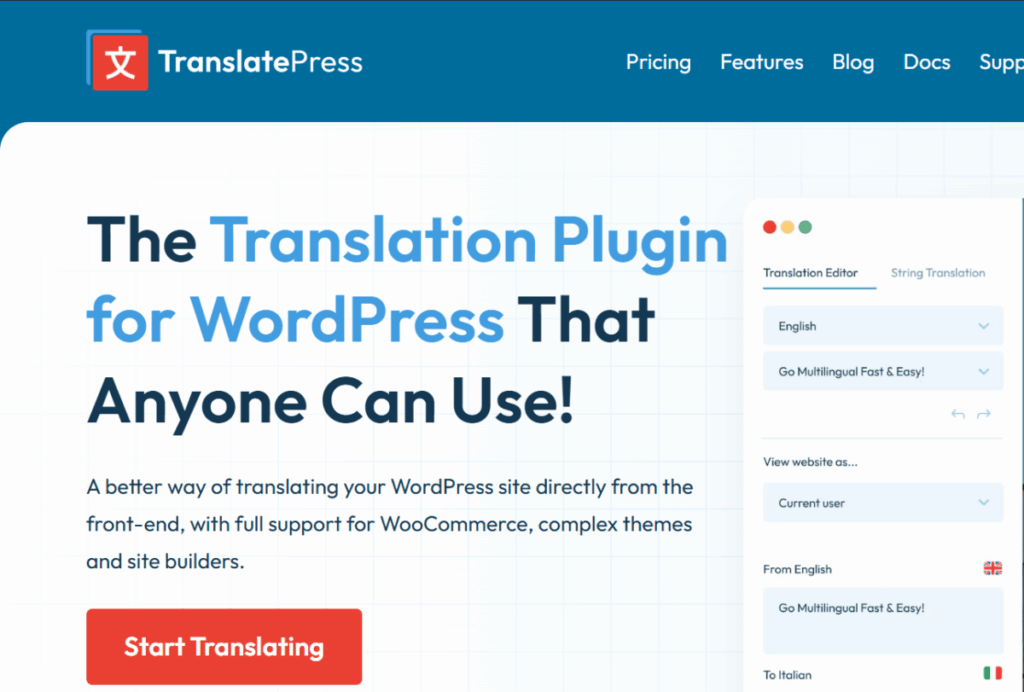
TranslatePress is a plugin that lets you translate live on the front end, helping you translate and manage content easily. It supports the Google and DeepL translation engines, and the Pro version offers more features.
🔲 Polylang
Polylang is a plugin for building multilingual sites around manual translation. It supports many languages and provides an SEO-friendly structure that improves a site's visibility in search engines.
🔲 GTranslate
GTranslate is a plugin that provides automatic translation based on Google Translate. The free version has limited features, and the paid version supports more languages and features. It is easy to install and quick to apply.
🔲 WPML
WPML is a traditional multilingual plugin suited to complex multilingual sites. It supports the DeepL and Google translation engines and offers SEO features such as hreflang tags. It is also highly compatible with a wide range of sites.
| Item | Weglot | TranslatePress | Polylang | GTranslate | WPML |
|---|---|---|---|---|---|
| Price | Paid (limited free plan) | Free / Paid | Free / Paid | Free / Paid | Paid |
| Translation engine | Google/DeepL | Google/DeepL | Partly in Pro | Google-based | DeepL/Google, etc. |
| hreflang support | Full support | Supported in Pro | Support | Paid plans only | hreflang and more |
| Free languages / words | 1 language / 2,000 words | None | None | Free: many limits | None |
| SEO optimization | Yes | Yes | None | None | None |
| Live translation | Yes | Live front-end translation | None | None | None |
| Manual translation | Yes | Yes | Yes | Partly, paid | Yes |
| Server performance impact | High despite using a CDN | Medium | Low | Medium | Medium to high |
| Key features | Easy to use, strong SEO, quick setup | Live front-end translation, easy UI | Manual-translation focus, strong SEO structure | Specialized in automatic translation, quick to apply | Traditional multilingual plugin, suited to complex sites, highly compatible |
If you are choosing a WordPress translation plugin, I think these five are the main candidates. I could not use all of them, so I tested two, Weglot and TranslatePress, some time ago.
Weglot uses a CDN, but when I first installed it, the translated version of my site actually ran slower than the original, so I stopped using it and deleted it.
✅ Conclusion: TranslatePress
I installed the free version of TranslatePress and tested it, and concluded that the paid version was the right choice. I judged that it could deliver satisfying results in SEO and speed, the two things that matter most.
This site now runs its English and Japanese versions on TranslatePress Business connected to the DeepL translation engine. The English and Japanese versions of this article were also published with TranslatePress.
ℹ️ Affiliate Disclosure
This site's content contains affiliate links. When a visitor buys a product or service through one of them, the site receives a commission from the seller. The amount the buyer pays(it goes down during event discounts ↓)does not go up. Posted prices, discounts, and stock reflect the time of writing and may differ, so confirm with the seller before buying. Products are chosen and reviewed by our own standards, and commissions do not affect the order or content of reviews.