What Is Cloudways: How Managed Cloud Hosting Works and Its Pricing Structure

Affiliate disclosure v3.1
Affiliate disclosure v3.2 (mobile)
Test environment CloudwaysVultr 1GBWordPress 7.1.3Lightning stackChecked 2026-10-19

What is Cloudways? DigitalOcean, Vultr, AWS and other cloud providers supply the servers, and Cloudways is the managed cloud hosting that adds server management and application installation on top. On October 19, 2026, I checked the dashboard and the official pricing page again and compared them with the billing history of the Cloudways test server to sum up how it works and how its pricing is structured.

1️⃣ What is Cloudways: how it works and its five cloud providers

A Cloudways server is created in a data center of the cloud provider you choose. The Add Server screen offers five cloud providers: DigitalOcean, Vultr, Linode, AWS and Google Cloud.
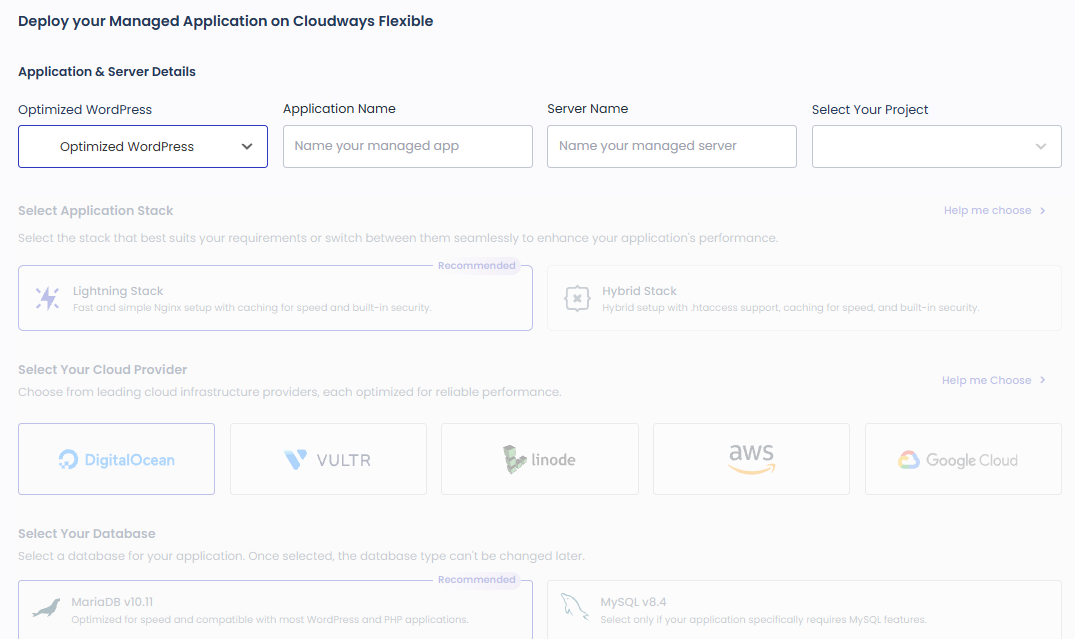
Cloudways Add Server screen (server/create): application, stack, five cloud providers, database (2026-10-19)

Cloudways installs a web server stack and a database on that server and gathers management features such as backups, a firewall and SSL in one dashboard. For the stack, you choose between the Lightning stack, an Nginx setup, and the Hybrid stack, which supports [.htaccess]. The database is either MariaDB 10.11 or MySQL 8.4 and cannot be changed after the server is created.

You don't create a separate account with the cloud provider, and Cloudways bills the server fees too, all in one bill. The Cloudways test server is a Vultr Seoul 1GB server, and the payment method is registered only in the Cloudways account.

2️⃣ Server and application structure

On Cloudways, one site is one application, and you put several applications on one server. The official pricing page states that there is no limit on the number of applications as long as the server can handle them.

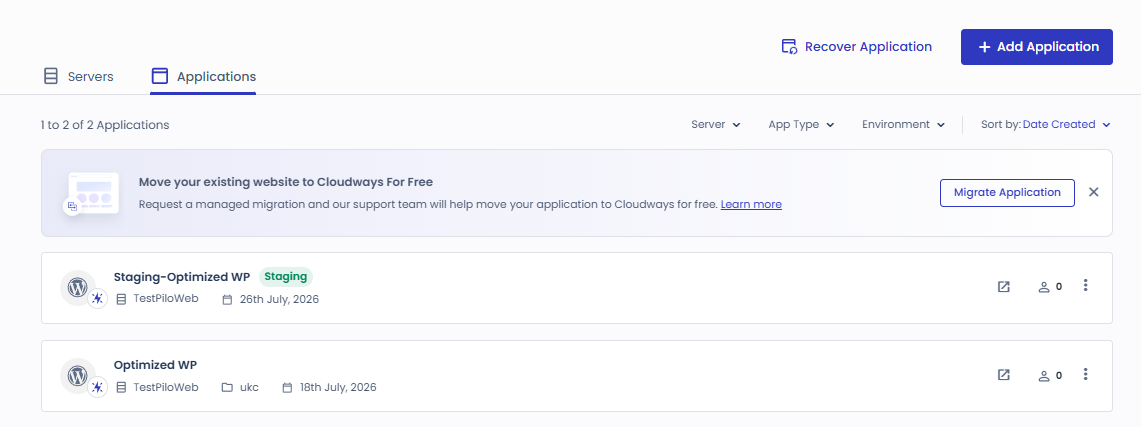
The Cloudways test account also shows 1 server and 2 applications on the Flexible card of the home screen.

Cloudways home screen: Flexible (1 server · 2 applications), Autonomous and Velocity cards (2026-10-19)

Besides WordPress, you can put PHP, Laravel and Magento sites on the same server, choosing them from the application list on the Add Server screen.
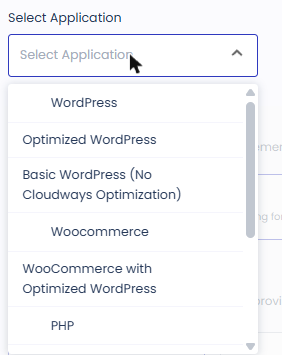
Application list on the Cloudways Add Server screen: Optimized WordPress, Basic WordPress, WooCommerce, PHP (2026-10-19)

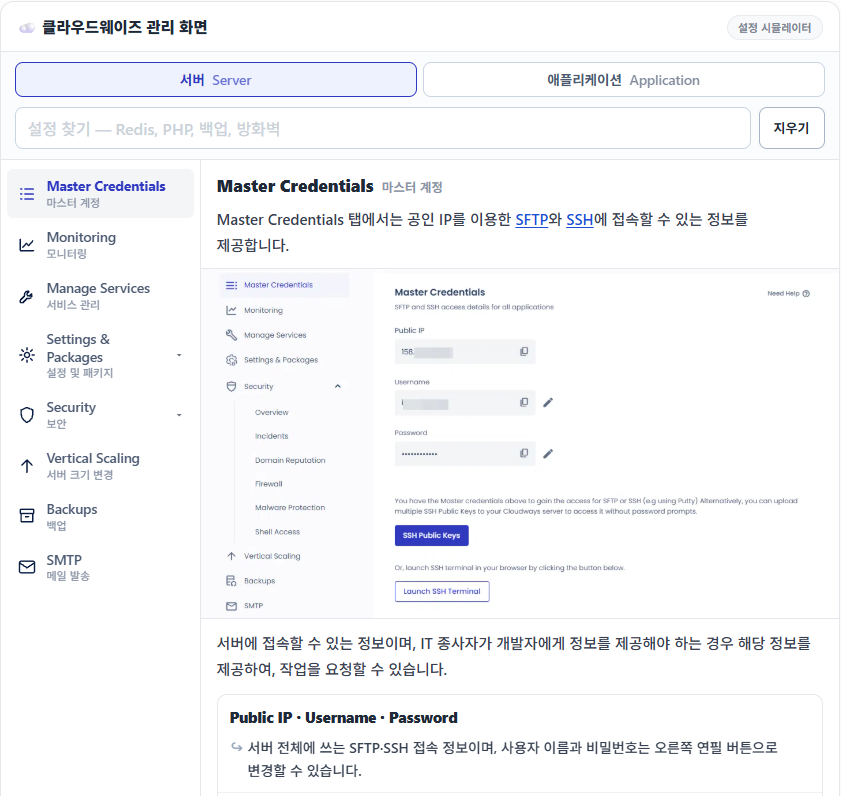
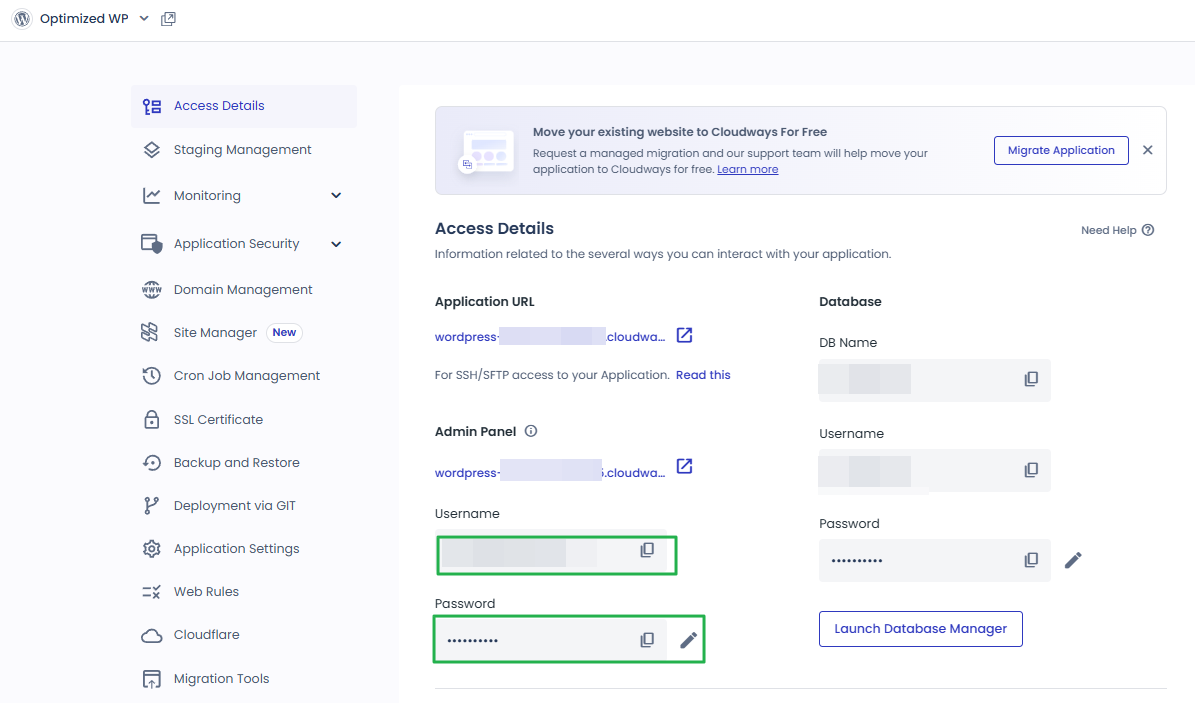
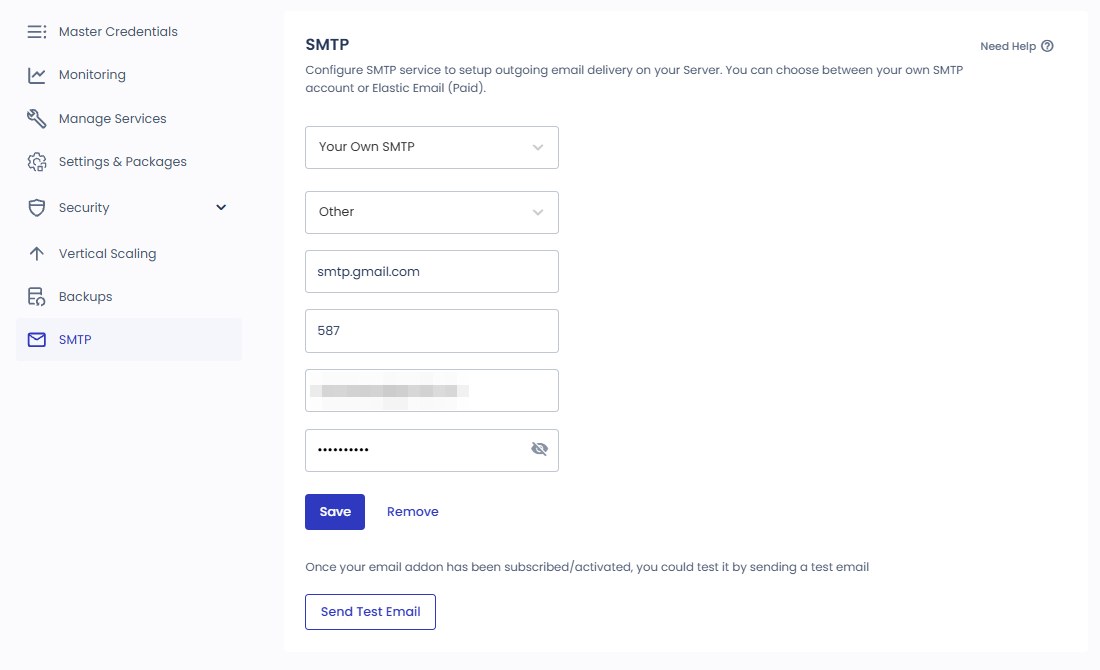
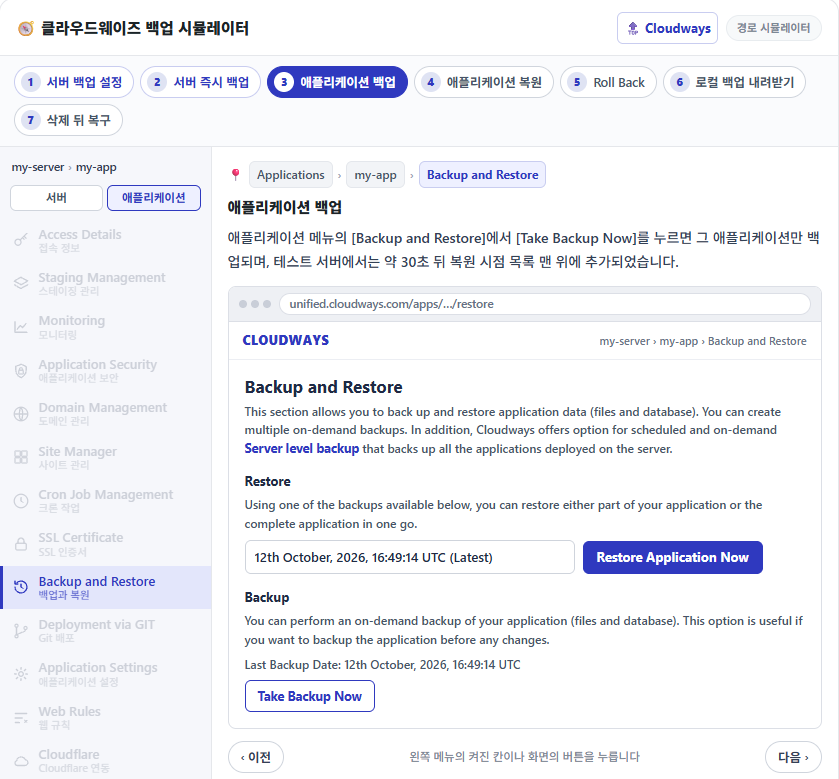
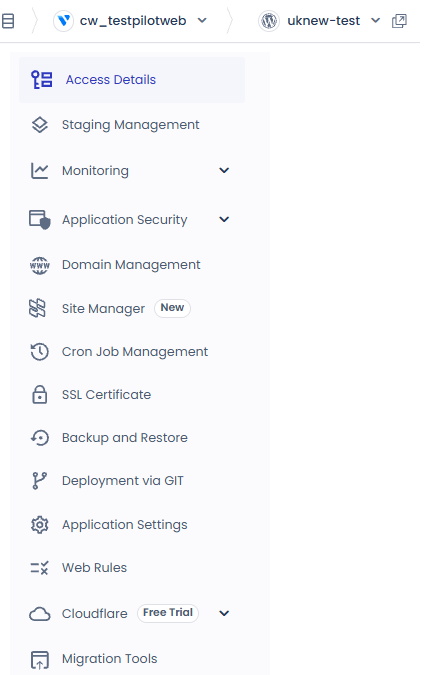
The menus are also split in two, server and application. The server screen holds server-wide settings such as changing the server size, the backup frequency and the firewall, while the application screen holds per-site settings such as domains, SSL and backup restore.
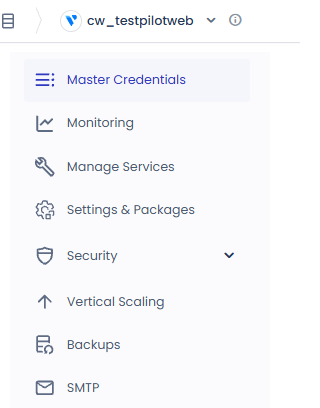
Cloudways server menu: Master Credentials, Monitoring, Manage Services, Settings & Packages, Security, Vertical Scaling, Backups, SMTP (2026-10-19)
Cloudways application menu: Access Details, Domain Management, SSL Certificate, Backup and Restore, Application Settings (2026-10-19)
Simulator of the 22 Cloudways server and application menus: Master Credentials on the server tab, the settings search box and the left menu

3️⃣ Built-in features

Every Flexible plan includes 24/7 support, staging, free SSL, a server firewall and automatic backups (according to the official pricing page).

Object Cache Pro is free on servers with 4GB or more, and Cloudways engineers migrate your first site from another host for free.

FeaturesFlexible planConditions · price
24/7 supportIncluded—
Number of applicationsIncludedNo limit, up to the server's resources
StagingIncluded—
Free SSLIncludedLet's Encrypt
Server firewallIncludedImunify360
Automatic backupsIncluded—
Object Cache ProIncludedServers with 4GB or more
First site migrationIncludedDone by engineers
Cloudflare Enterprise CDNAdd-onFrom $4.99 per domain per month
Site ManagerAdd-onFrom $3 per application per month
Malware ProtectionAdd-onFrom $4 per application per month
Rackspace EmailAdd-on$1.5 per mailbox per month
DNS Made EasyAdd-on$0.50 per domain per month
Advance SupportAdd-on$100 per month

The values in the table are based on the official Flexible pricing page on October 19, 2026. Add-on fees are added according to the number of applications, domains and mailboxes you use.

4️⃣ Cloudways pricing structure

Cloudways pricing is set by the cloud provider and server size you choose, and it is calculated for the time the server was running. According to the official pricing page, among 1GB servers DigitalOcean Standard is the cheapest at $11 a month and AWS the most expensive at $20.56 a month. On Google Cloud, the smallest plan is 1.7GB at $37.33 a month.

Cloud providerPlanMonthly feePer hourRAM · CPU · storage · bandwidth
DigitalOcean StandardMicro$11$0.01641GB · 1 vCPU · SSD 25GB · 1TB
DigitalOcean PremiumMicro$14$0.02081GB · 1 vCPU · NVMe 25GB · 1TB
VultrMicro$14$0.02081GB · 1 vCPU · SSD 25GB · 1TB
LinodeMicro$14$0.02081GB · 1 vCPU · SSD 25GB · 1TB
AWSMicro$20.56$0.02861GB · 2 vCPU · 20GB · 2GB
Google CloudSmall$37.33$0.05181.7GB · shared CPU · 20GB · 1GB

Billing is postpaid: you are charged the following month for what you used, and the official pricing page says that the invoice for the previous month's usage is issued in the first week of each month. The prices in the table exclude tax, so depending on your billing address, tax is added as a separate line. AWS and Google Cloud prices differ by region.
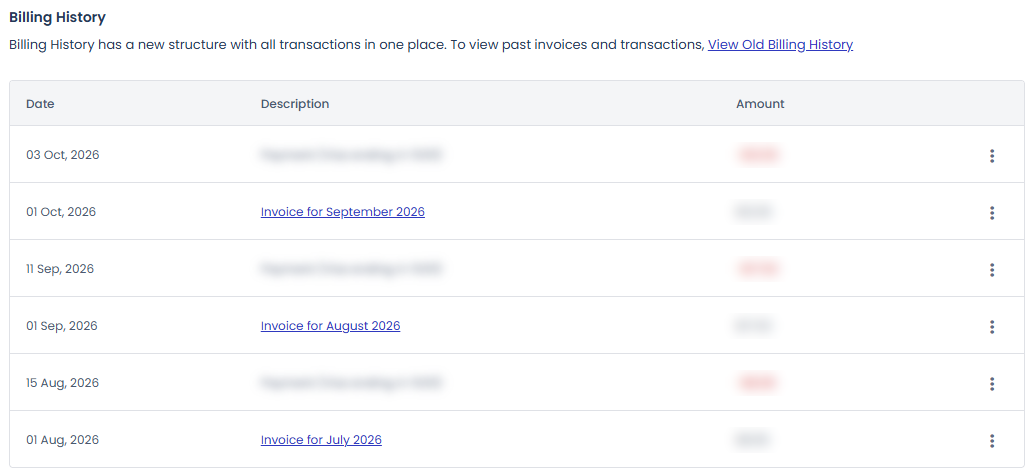
Cloudways Billing History: the previous month’s invoice issued on the 1st of each month (July–September 2026)

Running the Cloudways test server (Vultr Seoul 1GB) for 184 hours, from October 9 to 00:00 on the 17th, cost $3.83 in server fees. Offsite backup storage added $0.50, and the estimated October bill including tax was $4.76.

Autonomous is an autoscaling product you sign up for at a flat monthly rate instead of choosing a server. The plans are Growth at $99 a month, Scale at $199 a month and Plus at $399 a month, and servers that are automatically added beyond the base server count are charged an hourly fee per server.

5️⃣ Sites Cloudways suits

Flexible suits sites that want to choose the cloud provider and server size themselves without an engineer to run the server. If you need company mailboxes, the Rackspace Email add-on fee is added separately.

For online stores or online course sites where visitors suddenly surge, the autoscaling Autonomous is the right product, and for Node.js applications, Velocity.

For a single small-business website, you can start with the smallest 1GB server. On a Cloudways test server of the same size, the time to first byte with the Breeze caching plugin turned on was 45.4 ms.

🔢 FAQ & Recommended Content

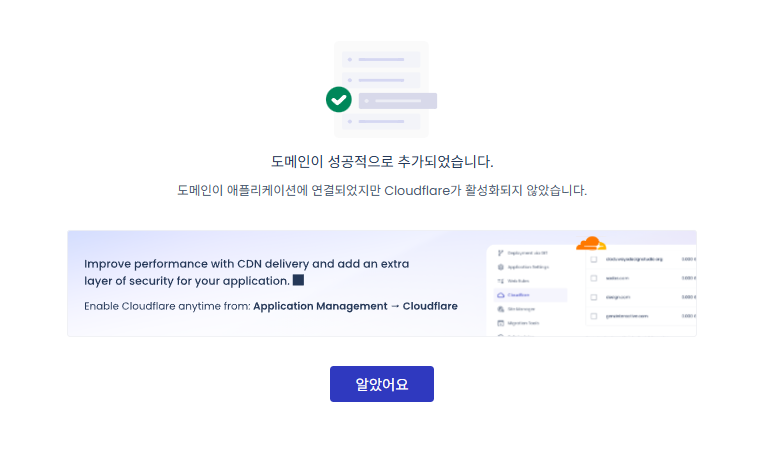
Cloudways is hosting that runs your servers and applications, while Cloudflare is a CDN service that handles caching and security in front of your site. Cloudways offers Cloudflare Enterprise as an add-on starting at $4.99 per domain per month.

According to the official pricing page, it is 3 days for both Flexible and Autonomous, and no credit card is required to start the trial.

Cloudways is part of DigitalOcean LLC, and its logo also shows by DigitalOcean. When you create a server, you can also choose Vultr, Linode, AWS and Google Cloud besides DigitalOcean.

☁️ Recommended Cloudways content Post 21 · Tool 2
🗂️ Running Cloudways
📄 What Is Cloudways 📄 Signup and basic setup 📄 Domain connection 📄 SSL setup
📋 Server & Application 📄 Admin login 📄 Staging Management 📄 Billing · Pricing 📄 Email · SMTP add-on 📄 MCP · AI Server Management 📄 SFTP and SSH Access 📄 Migration 📄 Backup 📄 Vertical Scaling
📋 Hosting Comparison Top 7 📄 What is cloud hosting 📄 What is managed hosting 📄 Web Hosting Costs 📄 Cloudways for Small Businesses 📄 Cloudways WooCommerce 📄 Cloudways Alternatives
🛠️ Whois Domain Lookup 🛠️ Theme Checker · Plugin Detector
No search results.
Cloudways server & application settings
Cloudways · Menus
Cloudways Server & Application Settings: 22 Menus in a Simulator and What Each Side Does
The 8 server menus and 14 application menus reproduced in a simulator, with a table comparing which side handles the same job.
Read post →Current article
How to Log In to the WordPress Admin Page on Cloudways
Cloudways · Admin
How to Log In to the WordPress Admin Page on Cloudways
How to get into the WordPress admin with the Admin Panel details. It shows where the values on the Access Details screen are used.
Read post →Current article
How to use Cloudways Staging Management
Cloudways · Staging
How to Use Cloudways Staging Management (WordPress Staging Site)
The steps to create a staging site and push it live. A post that actually ran the application's Staging Management menu.
Read post →Current article
Cloudways billing: Vultr Seoul server price table
Cloudways · Billing
Cloudways Billing: Vultr Seoul Server Pricing, Hourly Rates & Promo Code
Hourly billing, payment method setup, and the invoice issued on the 1st of each month, checked on screen while creating a 1GB Vultr Seoul server.
Read post →Current article
Cloudways email SMTP add-on setup
Cloudways · Email
Cloudways Email: SMTP Add-on Setup, Sending Errors, and Rackspace·Elastic Email Pricing
Connected Gmail to the free SMTP add-on, verified the test email and wp_mail() sending, and summarized Elastic Email, Rackspace and Titan pricing.
Read post →Current article
Cloudways MCP Access Token scope
Cloudways · MCP
Cloudways MCP: Access Token Permissions, Connecting Claude and Cursor, and Managing Servers with AI
Connected to Claude Code with a Read-Only token to query the server list, service status, and CPU usage, and confirmed that cache purging is rejected.
Read post →Current article
Cloudways SFTP connection – FileZilla simulator
Cloudways · SFTP·SSH
How to Connect to Cloudways via SFTP & SSH: FileZilla Setup, SSH Key Registration, and IP Whitelisting
FileZilla SFTP, the web SSH terminal and PowerShell connections recreated in simulators, plus SSH key registration and the IP whitelist checked on a test server.
Read post →Current article
Cloudways migration simulator
Cloudways · Migration
Cloudways Migration: WordPress Migrator Plugin, Free Migration Request, and DNS Change
We moved a test site to a new application with the Migrator plugin, rebuilt the six steps as a simulator, and confirmed the migration took about 5 minutes.
Read post →Current article
Cloudways backup simulator
Cloudways · Backup
Cloudways Backup: Server Backup Frequency and Retention, Application Restore and Backup Download
We rebuilt the server backup, application restore, and Roll Back paths as a simulator and confirmed that a backup took about 30 seconds and a restore about 1 minute 30 seconds.
Read post →Current article
Cloudways server scaling: Vertical Scaling screen
Cloudways · Scaling
Cloudways Vertical Scaling: Increasing Server RAM and CPU, and Cautions When Scaling Down
Comparing a Vultr Seoul 1 GB server's size selection screen with the official help, this post turns whether each provider can scale down and the steps to scale down by cloning into a simulator and a diagram.
Read post →Current article
BEST WordPress hosting comparison TOP 7
Hosting · Comparison
BEST WordPress Hosting Comparison: Top 7 Hosting Picks for 2026
Seven WordPress hosts compared on speed, price and support. You can see where Cloudways stands against the other providers.
Read post →Current article
Cloud hosting resource pool structure and auto scaling
Hosting · Cloud
What Is Cloud Hosting? Resource Pools, Auto Scaling, Cloud VPS vs. VPS, Pros and Cons
Resource pools, auto scaling and the difference between cloud VPS and ordinary VPS. Read this to judge which kind a Cloudways server is.
Read post →Current article
What a managed WordPress host takes care of
Hosting · Managed
What Is Managed WordPress Hosting? What the Host Manages, Managed VPS Differences, Pros and Cons
What the provider handles for updates, backups, security and caching, and how that differs from a managed VPS.
Read post →Current article
Web hosting cost comparison diagram: the right type for a small business website — shop site, booking site or small online store
Hosting · Costs
Small Business Web Hosting Costs: Shared, Cloud and Managed Hosting for a WordPress Website, and What to Manage
Official prices for shared hosting, managed cloud and managed WordPress, checked on the same day, compared by monthly cost for a shop website and the work to manage each month.
Read post →Current article
Cloudways small business operations check simulator: the application Site Manager screen
Cloudways · Small Business
Cloudways for Small Businesses: One Month on a Vultr Seoul 1GB Server — Costs and What to Manage
I ran WordPress on a Vultr Seoul 1GB server for 184 hours and the estimated bill came to $4.76; the backup, update, and SSL menus to check each month are recreated in a simulator.
Read post →Current article
Cloudways WooCommerce store first byte by URL: cache off vs Breeze on
Cloudways · WooCommerce
Cloudways WooCommerce: From Installing a Small Online Store to Excluding Cart and Checkout from Cache
WooCommerce was installed on a test server and run through a test order, then cart and checkout pages were excluded from cache and the product page’s first byte was confirmed going from 532.4ms to 54.9ms.
Read post →Current article
Cloudways alternatives entry-level price comparison table: managed hosting, budget hosting and server management panels
Cloudways · Alternatives
Cloudways Alternatives: Managed WordPress Hosting and Server Management Panels, Price Comparison
The pricing pages of eight managed WordPress hosts, budget hosts and server management panels were checked and compared with the monthly cost of a 1GB Cloudways server.
Read post →Current article

ℹ️ Affiliate Disclosure
This site's content contains affiliate links. When a visitor buys a product or service through one of them, the site receives a commission from the seller. The amount the buyer pays(it goes down during event discounts ↓)does not go up. Posted prices, discounts, and stock reflect the time of writing and may differ, so confirm with the seller before buying. Products are chosen and reviewed by our own standards, and commissions do not affect the order or content of reviews.

Leave a Reply

Your email address will not be published. Required fields are marked *

Prove your humanity: 8   +   8   =