
Cloudways Review: Test Server Measurements, Four Months of Invoices and a 2026 User Experience


This Cloudways review sums up the pros and cons from the speed and backup times measured on a Vultr Seoul 1GB test server in October 2026 and four invoices received since July. On the same server, I measured the homepage with caching off and with Breeze on, compared the results with my 2023 records, and worked out the scores for five criteria and the site owners Cloudways suits.
1️⃣ Cloudways review: scores and experience by period of use
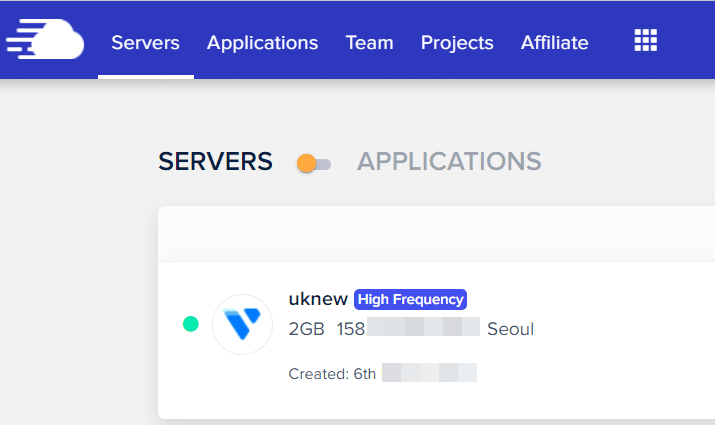
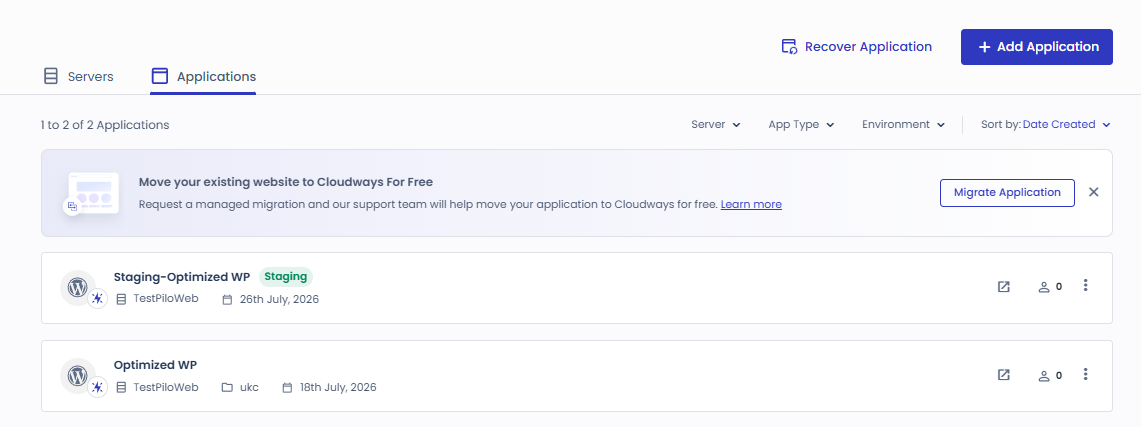
Since July 18, 2026, the test account has created and run a Vultr 1GB server three times; the current server is a Vultr Seoul 1GB server created on October 9.
In March 2023, I moved a live site from another host to Cloudways and used it there. The [2026 review] tab shows the test server scores, and the [2023 experience] tab is my record from that time.
Cloudways got better over the three years from 2023 to 2026. In 2023, post pages became 5–10 times slower after I changed settings. On the 2026 test server, Breeze defaults cut the time to first byte from 186.9 ms to 45.4 ms and a WooCommerce product page from 532.4 ms to 54.9 ms. The management screen has also improved a lot.
The five criteria are the same as in WordPress hosting criteria, and the scores are the Cloudways card values from Hosting Comparison TOP 7. The right-hand column shows the value and the date I checked for each criterion on the test server.
| Criterion | Score | Evidence I checked myself | Checked on |
|---|---|---|---|
| Stability | 4.9 | 9 days 16 hours of uptime with no restart since the server was created | 2026-10-19 |
| Server speed | 5.0 | Homepage time to first byte 186.9 ms → 45.4 ms with Breeze on | 2026-10-18 |
| Ease of management | 4.9 | On-demand backup about 30 s · full restore about 1 min 30 s · site migration about 5 min | 2026-10-13 |
| Technical Support | 4.8 | Let's Encrypt auto-renewal on · no support requests during this test | 2026-10-19 |
| Price | 5.0 | 1GB server $0.0208 per hour · 1,768 hours over four months, server and backups $39.33 in total (excluding tax) | 2026-10-19 |
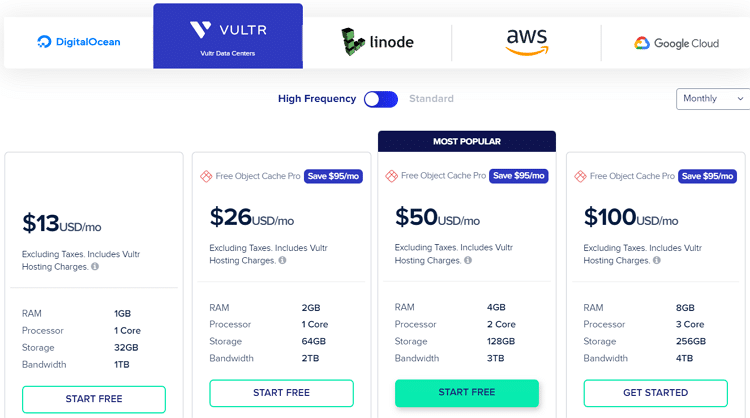
According to the official pricing page on October 19, 2026, a 1GB server starts at $11 a month on DigitalOcean and $14 a month on Vultr, with tax billed separately.
Experience as of March 2023
This is my experience as of March 2023. For current prices and scores, see the [2026 review] tab.
I moved from FastComet to Cloudways hosting. My experience with Cloudways hosting fell short of what I had expected. I moved for the clean interface and the chance to use Memcached/Redis object caching. Varnish cache was also available, and I liked the extra features, so I started using it.
1️⃣ Requesting the server migration
The free migration (server move) works the same way as at FastComet. For about three days after the move, I switched to the Seoul data center and was very happy using the cache features I wanted. Because I had moved the data center from Tokyo to Seoul, I first confirmed the slightly faster speed and then applied the caches I had planned to use one by one. The average speed improved by 10~30ms and I was very satisfied.
2️⃣ Features
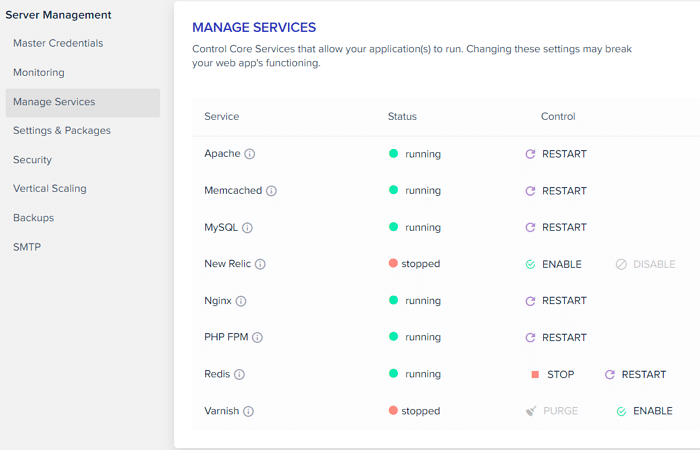
I liked being able to control the various caches, Nginx, PHP-FPM and other features myself with a single mouse click. When it comes to the interface, it was more intuitive and convenient than any other host.
3️⃣ Where my Cloudways hosting experience fell short
After setting up the other features, I reconfigured some plugin features, cleared the cache, shortened [STATIC CACHE EXPIRY] to 3–7 days and changed the MySQL buffer to 256MB.
Suddenly, while the homepage was fine, every post page started loading about 5–10 times slower. I sent a ticket and got a reply about 10–11 hours later.
1. Ticket request

1 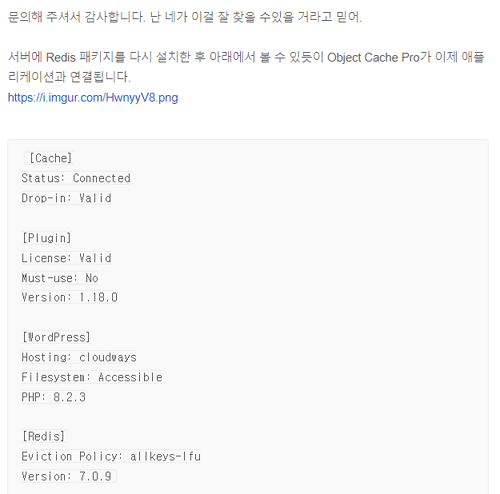
2 
3
2. Chat support

1 
2 
3 
4 
5 
6 
7 
8 
9 
10 
11 
12
The reply said the DNS server and A record had already been changed, and that the Varnish cache and the other issues had been resolved.
The web terminal had no SSL installed, and pasting with [Alt]+[Insert] did not work.



4️⃣ Server uptime
Over 5–7 days, for about 11 hours in total, server loading became 5–10 times slower. Personally, compared with the server stability I had read about in online reviews, I felt that Cloudways did not fit my setup. It is a subjective experience, but it made me think twice about using Cloudways again when choosing a host, so I am keeping it on record.
Management screen in 2023 vs 2026
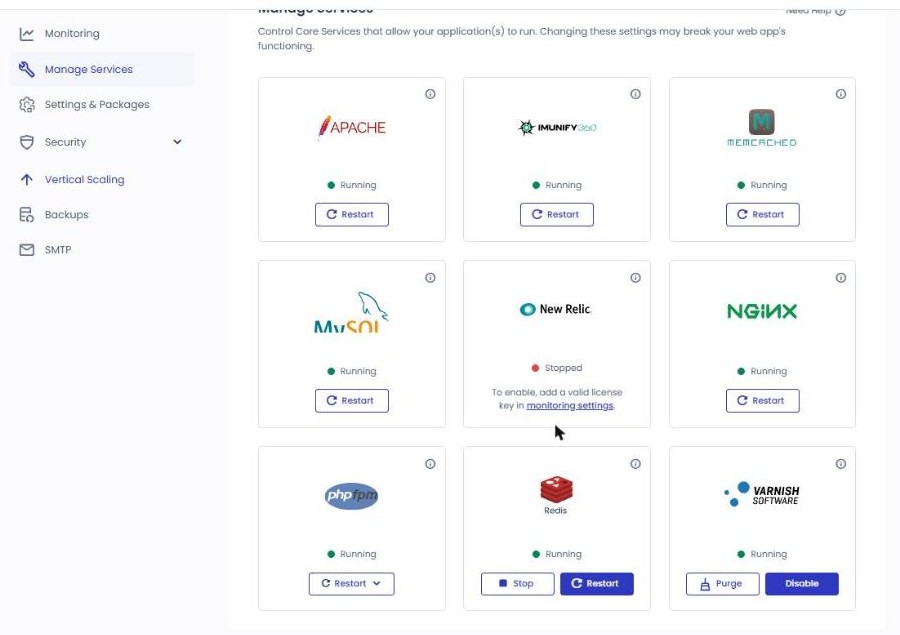
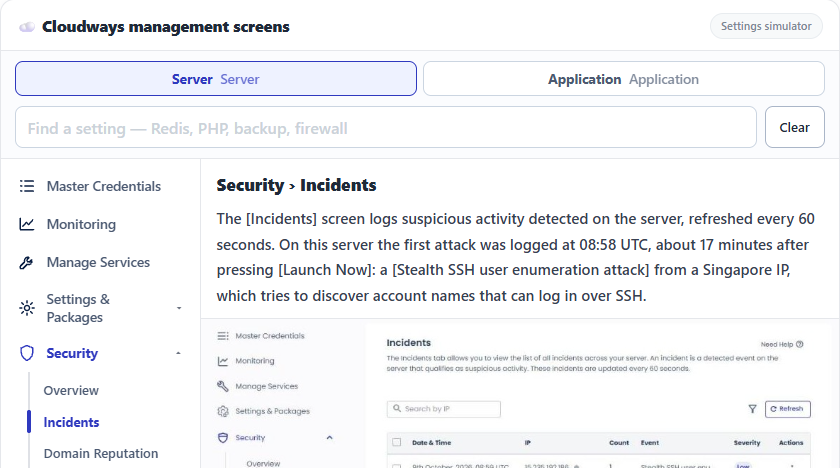
The same [Manage Services] screen was a table listing service names and status line by line in 2023; in 2026 it has become cards with a logo, status and a [Restart] button for each service, and an Imunify360 card has been added.
2️⃣ Cloudways pros
What made the homepage fast was the cache plugin. On the Lightning stack, with Varnish and the cache plugin both turned off, the time to first byte was 186.9 ms, and turning on the Breeze defaults cut it to 45.4 ms. That is because WordPress no longer builds the page from scratch each time; Breeze answers with the page it has stored.
A WooCommerce product page also dropped from 532.4 ms to 54.9 ms with Breeze, and the cart and checkout pages were automatically excluded from the cache.
Backups and restores run straight from the management screen. An on-demand application backup took about 30 seconds and a full restore about 1 minute 30 seconds, and [Roll Back], which returns to the state before the restore, finished within 20 seconds.
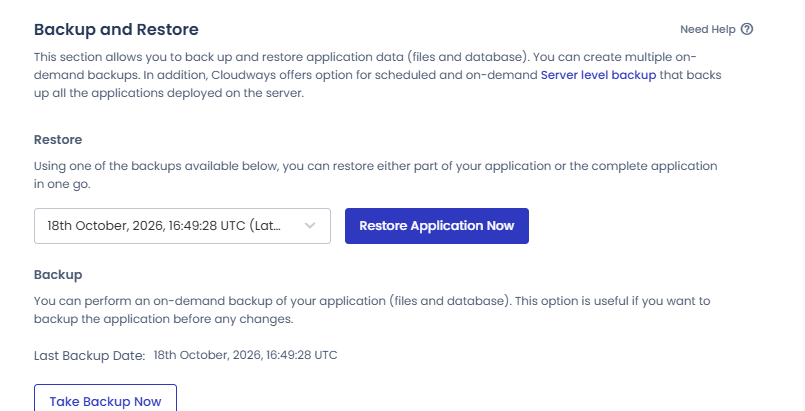
Moving a site from another host did not take long either. With the WordPress Migrator plugin, moving a site with 238MB of files and 22 tables took about 5 minutes.
You can put several applications on one server and choose the stack separately for each application. The 1GB test server runs WordPress on a Lightning stack and on a Hybrid stack side by side.
3️⃣ Cloudways cons
Mailboxes are not included in the basic features, so a you@domain mailbox costs an extra $1.50 a month per mailbox through the Rackspace Email add-on. Few users here need email, and most use Gmail, so it hardly makes a difference.
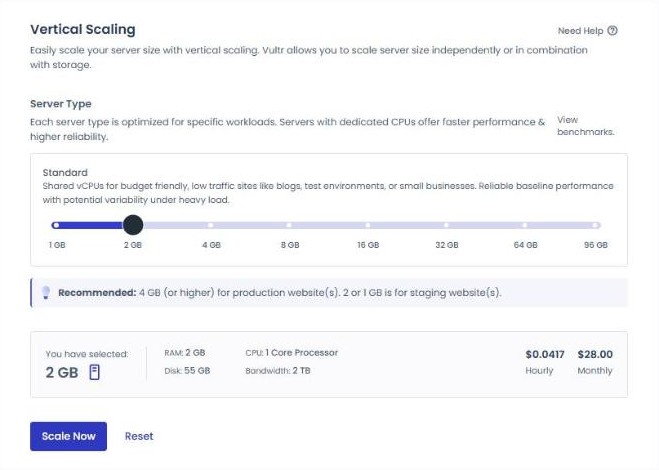
With some cloud providers, the CPU stays the same even when you add RAM. On the screen for changing a Vultr 1GB server to 2GB, the CPU stayed at 1 core while the monthly cap went from $14 to $28.
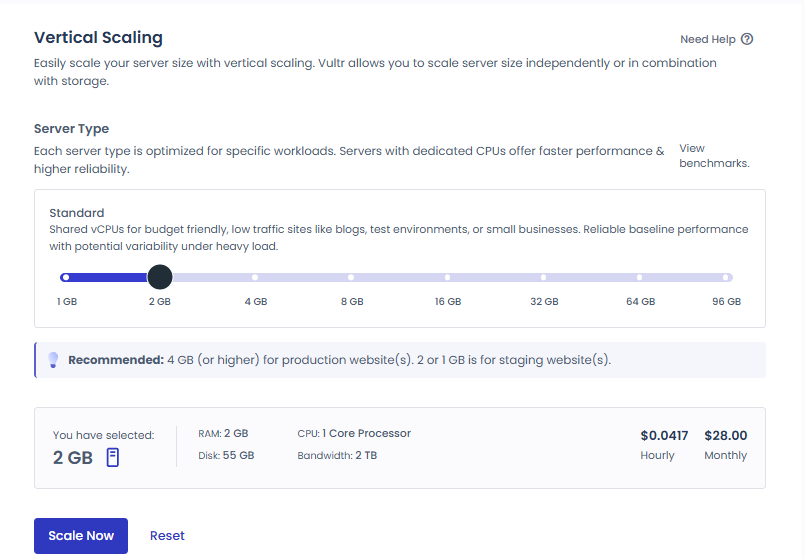
4️⃣ Cloudways pricing: what four months were actually billed
Even though only the hours the server is running are billed, invoices also list backup and tax lines besides the server charge. Below, line by line, are the four invoices the test account has received since July 2026.
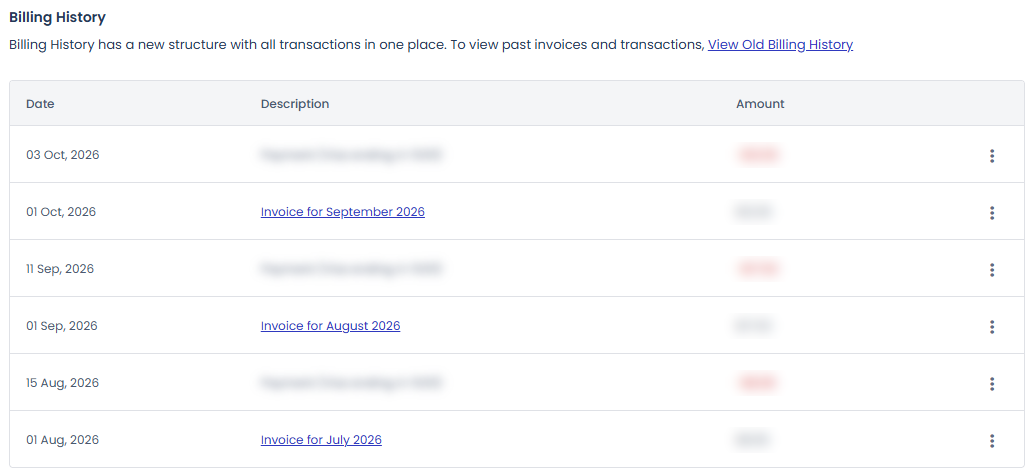
| Month | Server hours | Server charge | Offsite backup | total |
|---|---|---|---|---|
| July 2026 | 328 hours | $6.83 | $0.50 | $7.33 |
| August 2026 | 717 hours (2 servers) | $14.94 | $1.00 | $15.94 |
| September 2026 | 515 hours | $10.73 | $0.50 | $11.23 |
| October 2026 | 208 hours (until 00:00 UTC on the 18th) | $4.33 | $0.50 | $4.83 |
| total | 1,768 hours | $36.83 | $2.50 | $39.33 |
Prices in the table exclude tax.
The server charge came to $36.83 for 1,768 hours, the same as Vultr 1GB’s official rate of about $0.0208 per hour. For usage from 10:01 (UTC) on September 22, the price can be checked from October 9, when the new server was created.
Offsite backups were only 0.06–0.14 GiB, yet all five lines were $0.50. July to September are paid invoices, and October is the estimated charge for usage up to 00:00 (UTC) on the 18th.
5️⃣ Who Cloudways suits
Cloudways suits site owners who test by creating and deleting servers by the hour, and those who want to run several WordPress sites on one server with different stacks.
Blogs and small sites that find paid cache plugins such as WP Rocket or FlyingPress too expensive at first can start with Cloudways’ Breeze. WooCommerce product pages also got faster with the Breeze defaults, and the cart and checkout pages are excluded from the cache automatically. Developers and agencies looking after several sites can split applications across one server and handle on-demand backups in about 30 seconds and restores in about 1 minute 30 seconds. You can start with a small server such as Vultr 1GB sized to your service and, as visitors grow, resize the server from the management screen to raise its specs.
If you are comfortable with phone apps and Google Search and use apps like Facebook or X without trouble, you can set up and run Cloudways yourself, whether you work in an office or in IT. Server settings are changed from menus in the management screen, and a site migration with the WordPress Migrator plugin is done in about 5 minutes.
🔢 FAQ & Recommended Content













ℹ️ Affiliate Disclosure
This site's content contains affiliate links. When a visitor buys a product or service through one of them, the site receives a commission from the seller. The amount the buyer pays(it goes down during event discounts ↓)does not go up. Posted prices, discounts, and stock reflect the time of writing and may differ, so confirm with the seller before buying. Products are chosen and reviewed by our own standards, and commissions do not affect the order or content of reviews.