
Cloudways: Signing Up and Basic Setup
When a small team has to run a WordPress website, performance (speed, security and more) matters as much as server cost. Rather than simply being a cheap host, Cloudways is one of the few WordPress hosts that can start a virtuous cycle of speed, SEO and lower bounce rates from the very beginning.
Building a website with WordPress means choosing a host. I paid for Cloudways hosting myself to see whether it really takes much of the burden off administrators in terms of server cost and management.
1️⃣ Signing up for Cloudways
Some time ago, when I was too busy to manage a server myself, I used Cloudways for a short while, but I was not satisfied back then. Comparing hosts again after a long time to run a test site, I found that Cloudways had been updated a lot in every respect, including the interface.
The WordPress hosts I have used so far usually offered either LiteSpeed servers tailored to cPanel or hosting tailored to their own panel. As I remember it, the old Cloudways also offered only a service optimized for its own platform.
🔲 Choosing WordPress hosting
This time, however, there is the optimized service, a plain WordPress that you set up entirely yourself, and even service options for users who want to start or migrate a WooCommerce store.
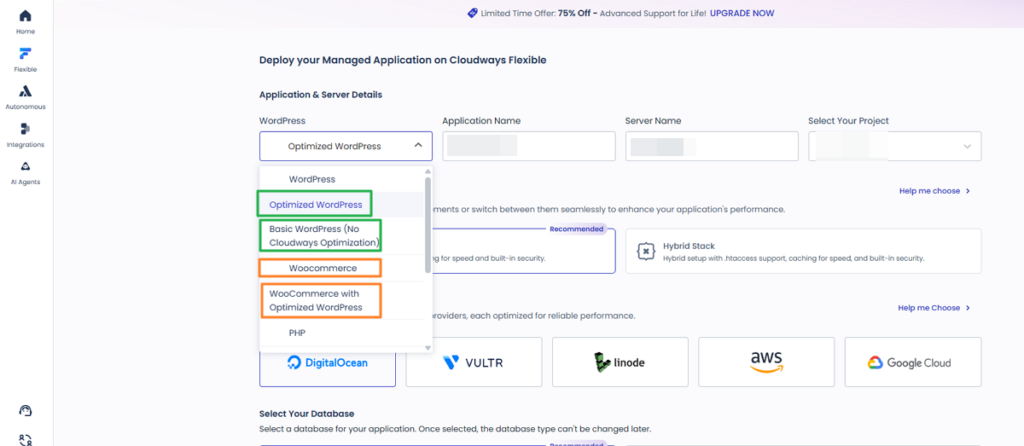
Here I start with the ‘optimized WordPress’ service, aimed at users who are just getting started with WordPress.
🔲 Lightning vs. Hybrid stack

The Nginx + Apache server already running on AWS Lightsail works the same way as Cloudways' Hybrid stack, so I chose the Hybrid stack.
Stack ├─ Lightning stack │ ├─ Fast, simple Nginx setup │ ├─ Caching for speed and built-in security │ └─ Nginx(h2) │ │ └─ Hybrid stack ├─ .htaccess support ├─ Caching for speed and built-in security └─ Nginx + Apache(h2)
Nginx does not support .htaccess settings, and running a website often calls for .htaccess, which is a reason to choose the Hybrid stack. Details on each stack are on the sign-up page — see the descriptions there.
🔲 Cloud provider
For a new site you can pick DigitalOcean or Linode as the cloud provider, but neither offers a Seoul region for users in Korea. Google Cloud is expensive for a Seoul region and so is AWS, so if you want to start in Korea at an affordable price, a Vultr server is the best choice.
|
Provider |
Key Features |
Best for |
|---|---|---|
|
DigitalOcean |
Simplicity, great value, fast SSD |
New users who want balanced performance and price |
|
Vultr |
32 locations worldwide, high-frequency SSD |
When you need many regions and high bandwidth |
|
Linode |
Consistent stability, powerful SSD |
Developers and agencies who value high-quality performance |
|
AWS |
Unmatched scalability, global network |
Enterprise-grade needs and complex custom setups |
|
GoogleCloud |
Cutting-edge infrastructure, high-performance networking |
Data-heavy companies pursuing innovation |
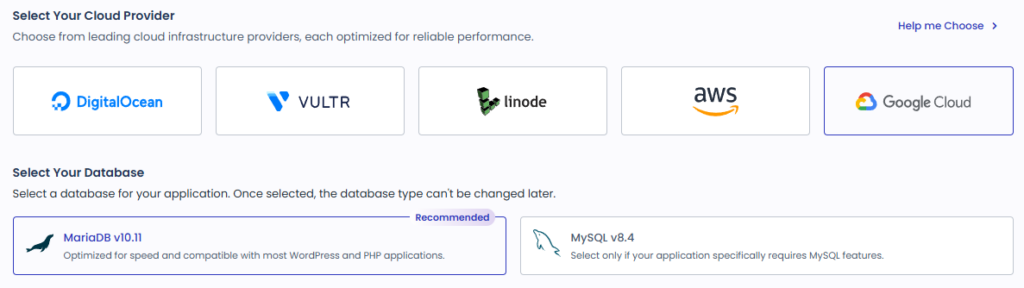
🔲 Cloudways Server Regions
You can scroll through the table below to find a region, but if you are looking for, say, the Seoul region in Korea, type Seoul into the table's search box and you will see that clouds other than Vultr also have a Seoul region.
| Num | DigitalOcean | Vultr | Linode | AWS | GoogleCloud |
|---|---|---|---|---|---|
| 1 | New York | USA - New York (NJ) | USA - Atlanta | USA - Northern Virginia | USA - Iowa |
| 2 | Amsterdam | USA - Atlanta | USA - Chicago | USA - Northern California | USA - Las Vegas |
| 3 | Atlanta | USA - Chicago | USA - Dallas | USA - Ohio | USA - Los Angeles |
| 4 | Frankfurt | USA - Dallas | USA - Fremont | USA - Oregon | USA - North Virginia |
| 5 | London | USA - Los Angeles | USA - Los Angeles | Canada - Montreal | USA - Oregon |
| 6 | San Francisco | USA - Miami | USA - Miami | Asia Pacific - Malaysia | USA - Salt Lake City |
| 7 | Singapore | USA - Seattle | USA - Newark | Europe - Ireland | USA - South Carolina |
| 8 | Sydney | USA - Silicon Valley | USA - Seattle | Europe - Frankfurt | Canada - Montreal |
| 9 | Toronto | Europe - Amsterdam | USA - Washington, DC | Europe - London | Europe - Belgium |
| 10 | Europe - Frankfurt | Europe - Netherlands | Europe - Paris | Europe - Finland | |
| 11 | Europe - London | Europe - Frankfurt | Europe - Milan | Europe - Frankfurt | |
| 12 | Europe - Manchester | Europe - London | Europe - Stockholm | Europe - London | |
| 13 | Europe - Paris | Europe - Madrid | Europe - Spain | Europe - Netherlands | |
| 14 | Europe - Madrid | Europe - Milan | Europe - Zurich | Europe - Warsaw | |
| 15 | Europe - Stockholm | Europe - Paris | Asia Pacific - Hong Kong | Europe - Zurich | |
| 16 | Europe - Warsaw | Europe - Stockholm | Asia Pacific - Hyderabad | Asia Pacific - Delhi | |
| 17 | Asia Pacific - Bangalore | Asia Pacific - Chennai | Asia Pacific - Taipei | Asia Pacific - Hong kong | |
| 18 | Asia Pacific - Delhi | Asia Pacific - Jakarta | Asia Pacific - Jakarta | Asia Pacific - Jakarta | |
| 19 | Asia Pacific - Melbourne | Asia Pacific - Mumbai | Asia Pacific - Thailand | Asia Pacific - Seoul | |
| 20 | Asia Pacific - Mumbai | Asia Pacific - Osaka | Asia Pacific - Singapore | Asia Pacific - Mumbai | |
| 21 | Asia Pacific - Osaka | Asia Pacific - Singapore | Asia Pacific - Sydney | Asia Pacific - Osaka | |
| 22 | Asia Pacific - Seoul | Asia Pacific - Sydney | Asia Pacific - Tokyo | Asia Pacific - Taiwan | |
| 23 | Asia Pacific - Singapore | Asia Pacific - Tokyo | Canada - Calgary | Asia Pacific - Tokyo | |
| 24 | Asia Pacific - Sydney | Asia Pacific - Melbourne | Asia Pacific - Mumbai | South America - Sao Paulo | |
| 25 | Asia Pacific - Tel Aviv | Canada - Toronto | Asia Pacific - Melbourne | Asia Pacific - Singapore | |
| 26 | Asia Pacific - Tokyo | South America - Sao Paulo | Asia Pacific - Osaka | Asia Pacific - Sydney | |
| 27 | Canada - Toronto | Asia Pacific - Seoul | Africa - Johannesburg | ||
| 28 | North America - Mexico | Middle East - Israel | Europe - Berlin | ||
| 29 | South America - São Paulo | Africa - Cape Town | Europe - Madrid | ||
| 30 | South America - Santiago | South America - Sao Paulo | Europe - Milan | ||
| 31 | Africa - Johannesburg | North America - Mexico | Europe - Paris | ||
| 32 | North America - Honolulu | Middle East - Bahrain | Europe - Turin | ||
| 33 | Middle East - Dubai | South America | |||
| 34 | Middle East - Doha | ||||
| 35 | Middle East - Tel Aviv | ||||
| 36 | United States - Columbus |
🔲 Database
For the database, MariaDB is often recommended, and I also use MariaDB, which comes free on my Lightsail server.
🔲 Server Size and Other Options
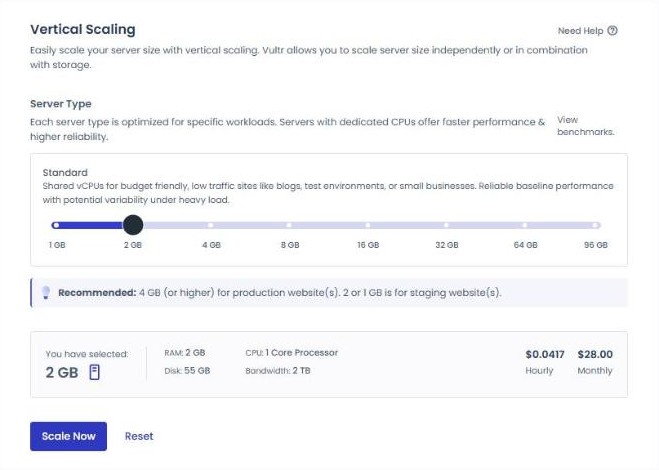
Hosts that let you freely customize price and performance are actually rare.
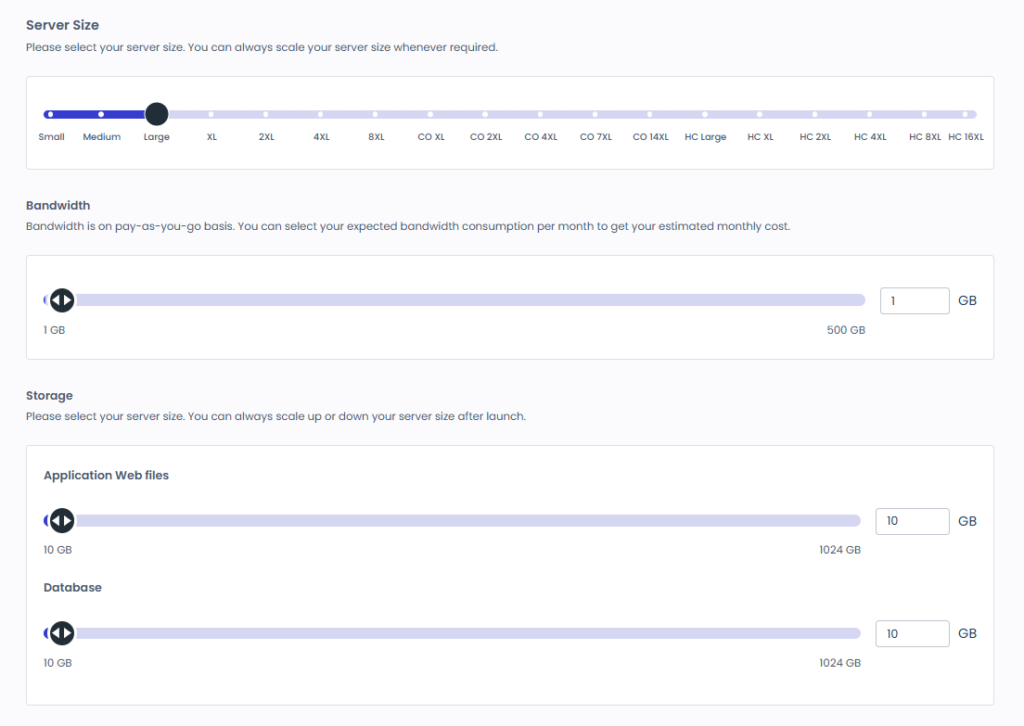
Even from a non-English-speaking country such as Korea, you can easily sign up using Chrome's built-in translation.
I already had an account; the video below shows the sign-up based on everything described above.
You can sign up on Cloudways' WordPress sign-up page.
2️⃣ Getting started and setup
🔲 Cloudways dashboard: Home and the left menu
The left menu of the Cloudways dashboard separates products such as Flexible, Autonomous and Velocity. The server and WordPress application you signed up for are managed under [Flexible].
Fully managed WordPress hosting that auto scales to meet the needs of your growing business.
Deploy and manage Node.js applications with the flexibility to build, scale, and grow with ease.
🔲 Getting started: from server setup to adding a domain
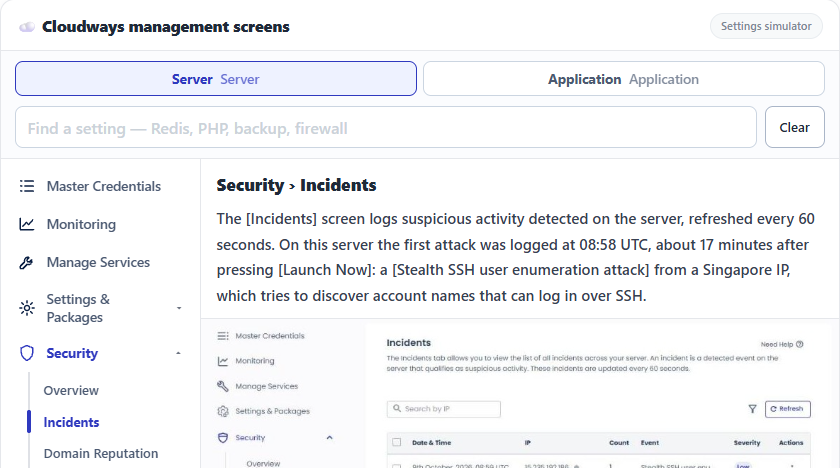
After choosing a Vultr Seoul Standard 1GB server and clicking [Launch Now], [Adding Server] appeared in the server list and the server was ready about 13 minutes later. From there you check the application's temporary URL and stack, then add a domain, and you can click through that path in the simulator below.
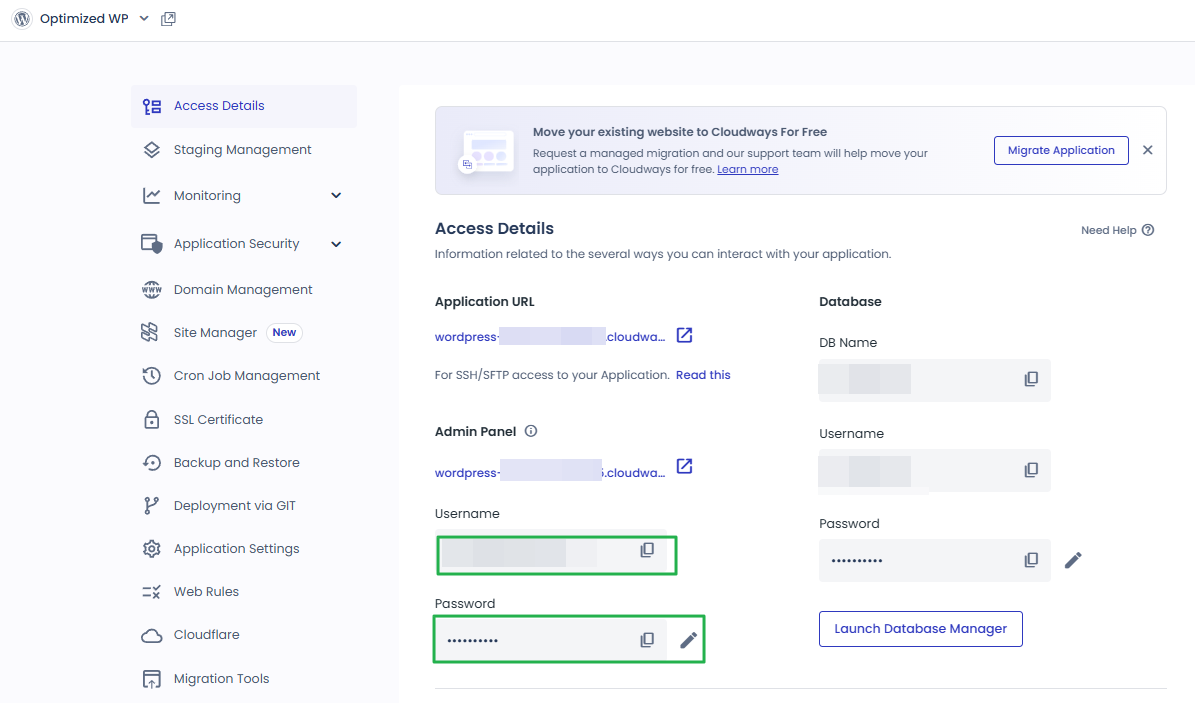
https://wordpress-000000-0000000.cloudwaysapps.comhttps://wordpress-000000-0000000.cloudwaysapps.com/wp-adminyou@example.com••••••••••wordpress-000000-0000000.cloudwaysapps.comPrimary——How to set up DNS servers and records if you bought your domain from Namecheap.
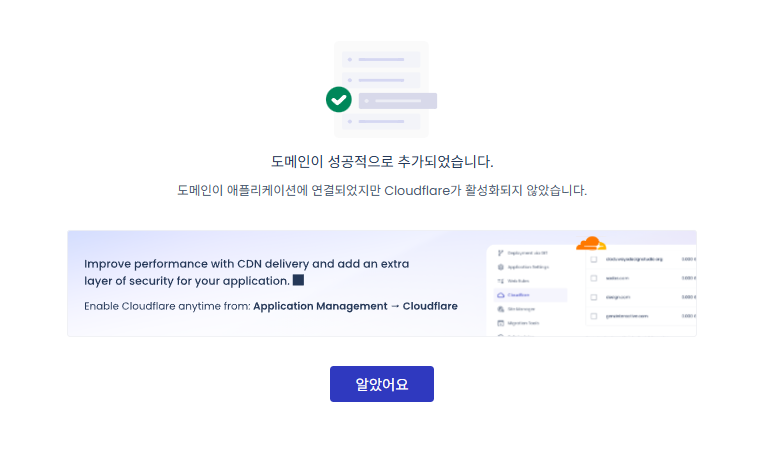
How to connect a domain on Cloudways.
🔢 FAQ & Recommended Content











ℹ️ Affiliate Disclosure
This site's content contains affiliate links. When a visitor buys a product or service through one of them, the site receives a commission from the seller. The amount the buyer pays(it goes down during event discounts ↓)does not go up. Posted prices, discounts, and stock reflect the time of writing and may differ, so confirm with the seller before buying. Products are chosen and reviewed by our own standards, and commissions do not affect the order or content of reviews.